# /iblai-vibe-agent-screenshare
> Mirrored from [`iblai/vibe`](https://github.com/iblai/vibe) · [`skills/agents/iblai-vibe-agent-screenshare/SKILL.md`](https://github.com/iblai/vibe/blob/main/skills/agents/iblai-vibe-agent-screenshare/SKILL.md). This page is generated — edit it in the repository, not here.
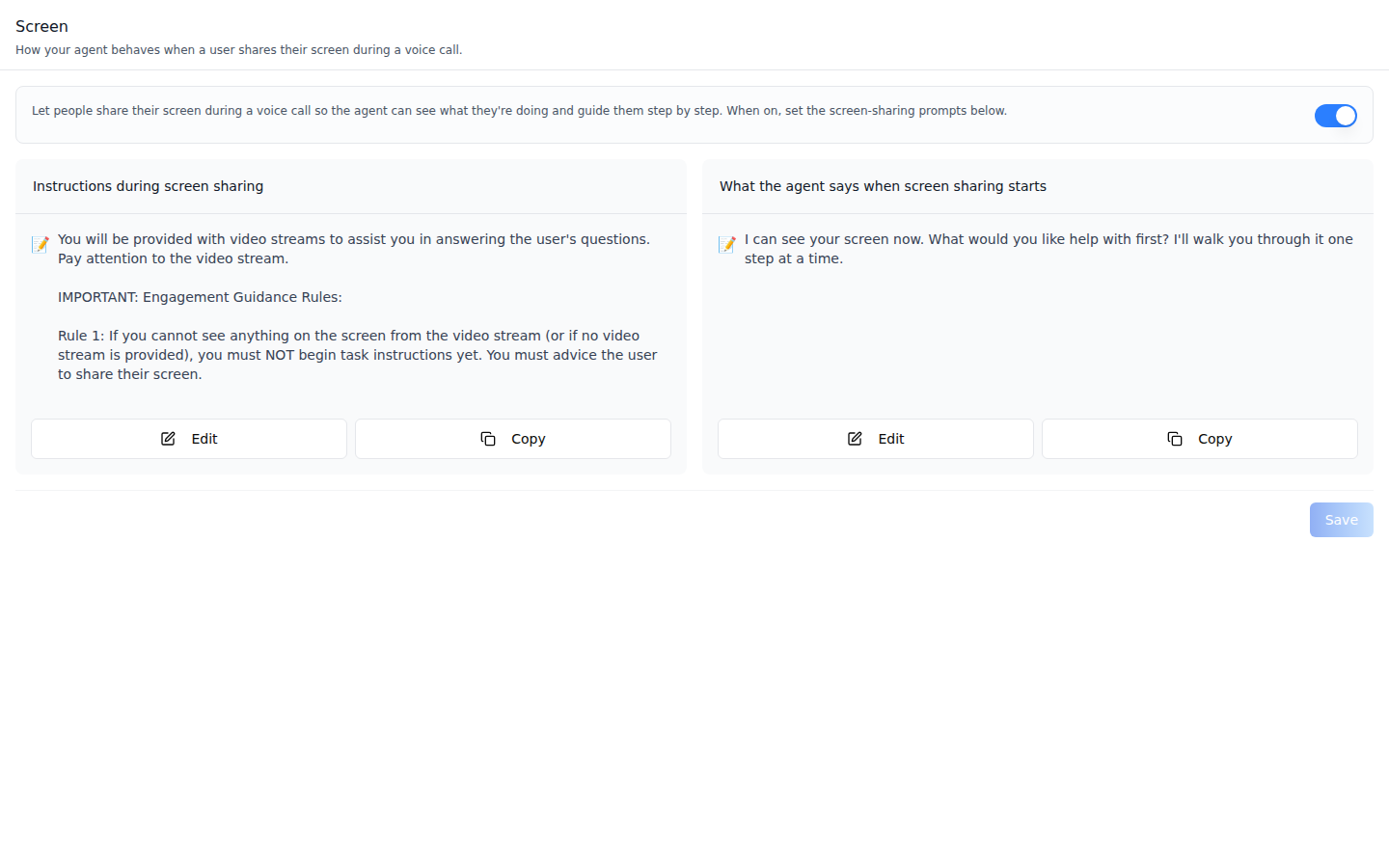
Add the agent **Screen tab** -- how the agent behaves when a user shares their
screen during a voice call. **Scope: per agent.** Everything on this tab lives
on the agent's call configuration (one row per agent), so it applies to every
user who calls that agent. The tab has a capability switch (turns screen
sharing on or off) and two prompt cards: **Instructions during screen
sharing** (the system prompt used while a screen is shared) and **What the
agent says when screen sharing starts** (the proactive opener). This is one
tab in the agent-settings family indexed by `/iblai-vibe-agent`; it shares the
`AgentSettingsProvider` wrapper with every other tab.
**Prompts** -- screen sharing on, both prompts set. Edits stay local until
**Save**.
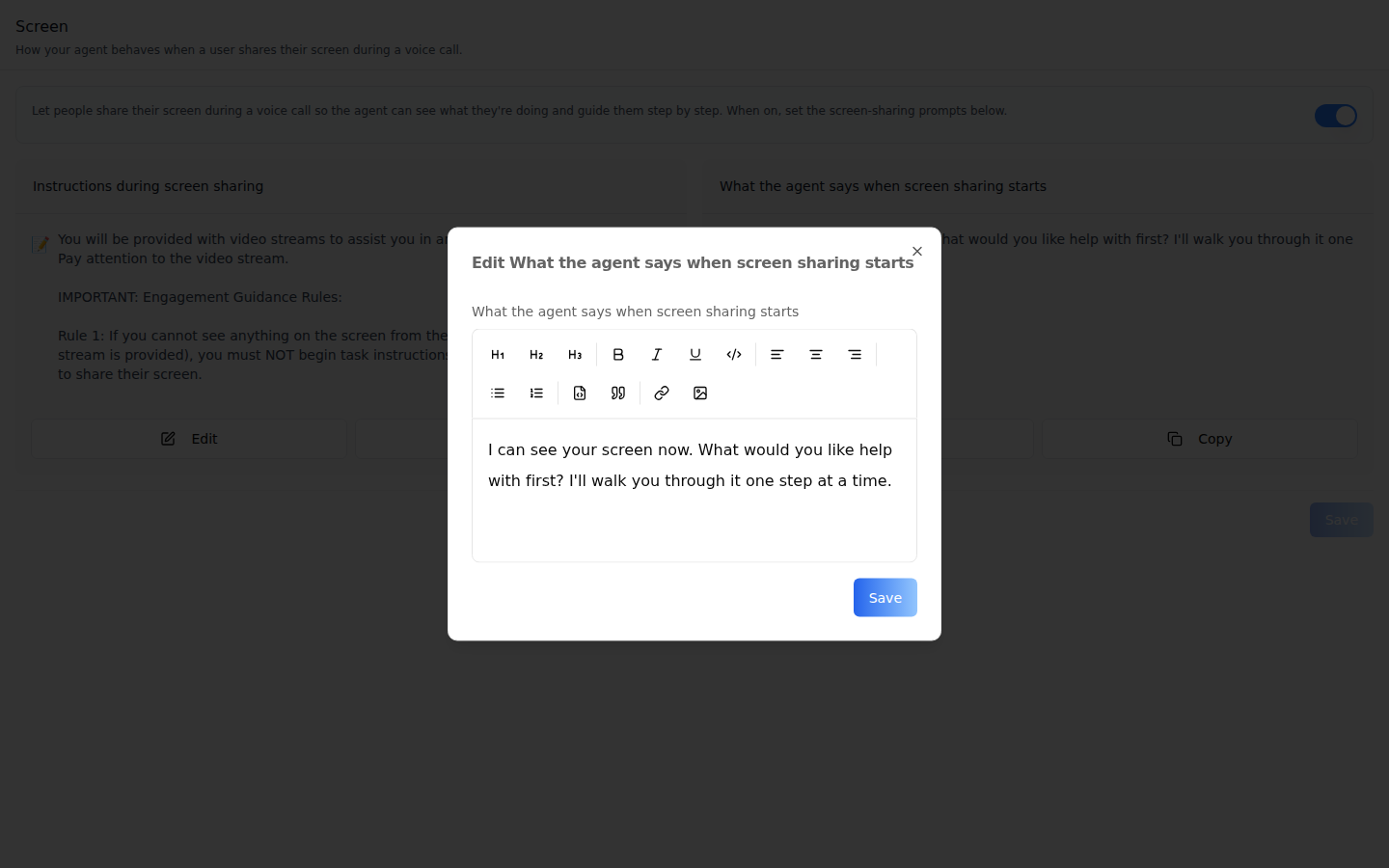
**Edit dialog** -- **Edit** on either card opens the shared rich-text prompt
editor (`EditPromptModal`, the same one the Prompts tab uses). Its **Save**
writes the text back to the card; the tab's **Save** sends it.
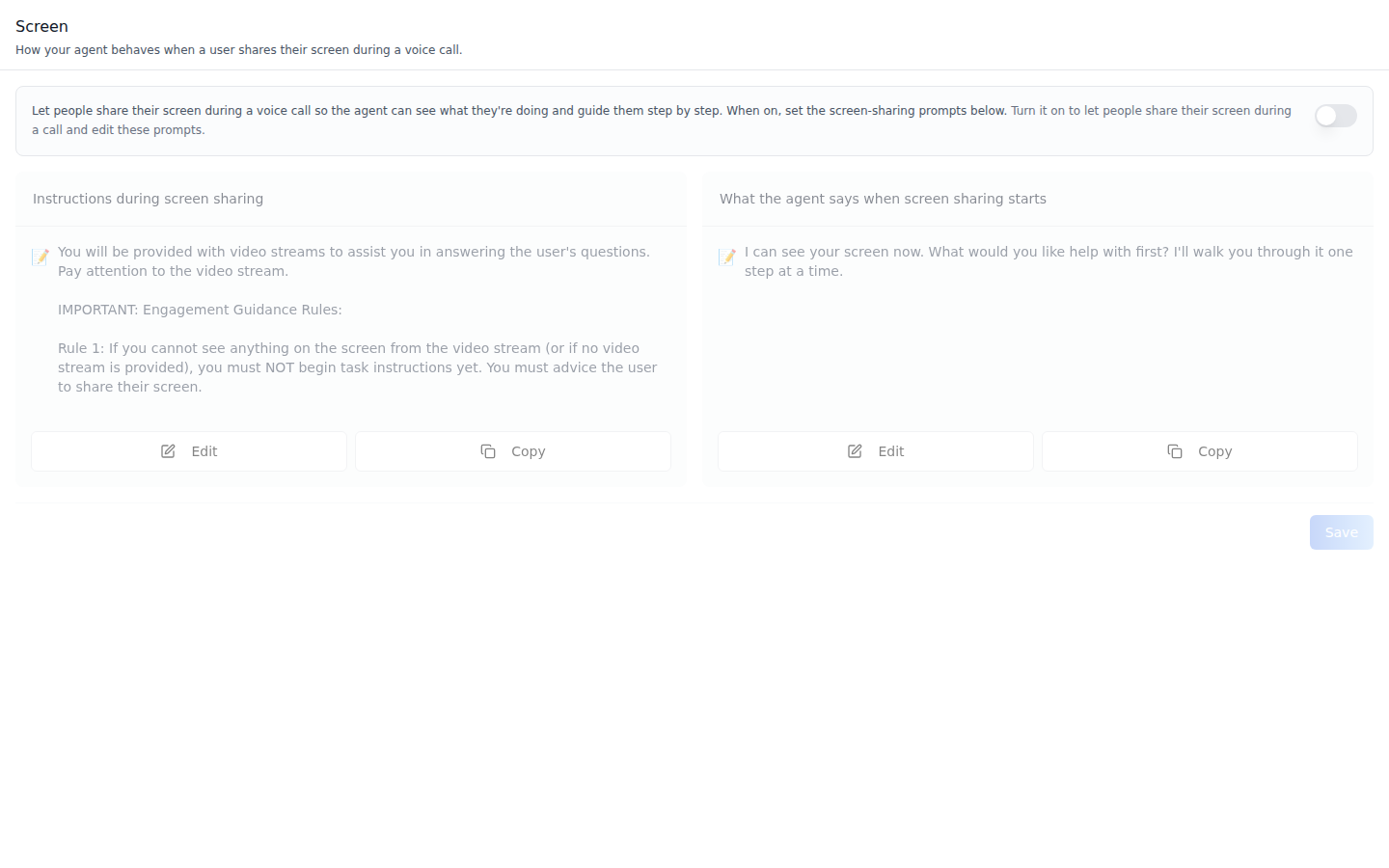
**Off** -- with the switch off the cards stay visible but grayed out and
inert, and the header adds "Turn it on to let people share their screen
during a call and edit these prompts." The switch saves immediately.
> **Common setup (brand, conventions, env files, verification):** see [docs/skill-setup.md](https://raw.githubusercontent.com/iblai/vibe/refs/heads/main/docs/skill-setup.md).
## Prerequisites
- Auth set up (`/iblai-vibe-auth`, or vibe-starter).
- `AgentSettingsProvider` wraps the route (`/iblai-vibe-agent` §1).
- `@iblai/iblai-js@^2.36.2` (resolves `@iblai/web-containers` 1.41.1, which
ships the in-tab switch). Check with `pnpm why @iblai/web-containers`.
- A real agent UUID. Ask the user; never invent one.
- Voice calls on for the agent (`/iblai-vibe-agent-voice`): screen sharing
happens inside a voice call, and always in **Live conversation** mode.
- An org admin to save: call configurations have no agent-level permission, so
for an agent editor the switch flips back and **Save** shows "Couldn't save
screen sharing prompts".
## Step 1: Check Environment
Look for `iblai.env` in the project root with `PLATFORM`, `DOMAIN`, and
`TOKEN`. If it is missing, tell the user:
"You need an `iblai.env` with your platform configuration. Download the
template and fill in your values:
`curl -o iblai.env https://raw.githubusercontent.com/iblai/vibe/refs/heads/main/iblai.env`"
## Step 2: Mount `AgentScreenShareTab`
```tsx
// app/(app)/agents/[mentorId]/screenshare/page.tsx
"use client";
import { AgentScreenShareTab } from "@iblai/iblai-js/web-containers/next";
export default function AgentScreenSharePage() {
return (
);
}
```
The tab reads `tenantKey`, `mentorId`, and `username` from
`AgentSettingsProvider` and does its own fetching and saving. No props are
required.
To render the prompts differently on the cards (for example as Markdown with
the renderer you already pass to `AgentPromptsTab`), pass
`renderPromptContent`:
```tsx
import { AgentScreenShareTab } from "@iblai/iblai-js/web-containers/next";
(
{content}
)}
/>;
```
## Step 3: Customize Labels (Optional)
The tab renders with the default agent-facing copy
(`AGENT_SCREENSHARE_TAB_LABELS`, localized through the SDK's i18n). Pass a
partial `labels` object to change any string:
```tsx
import { AgentScreenShareTab } from "@iblai/iblai-js/web-containers/next";
;
```
Label groups (`ScreenShareTabLabels`): `header` (`title`, `description`),
`capability` (`title` -- the switch's accessible name, `description`,
`offHint`), `disabledHint`, `fields.systemPrompt` and
`fields.proactivePrompt` (`label`, `placeholder` each), `saveButton`,
`savingButton`, and `toasts` (`saved`, `error`).
## Step 4: Use MCP Tools for Customization
```
get_component_info("AgentScreenShareTab")
get_component_info("AgentSettingsProvider")
```
## `` Props
Import from `@iblai/iblai-js/web-containers/next`.
| Prop | Type | Required | Description |
|------|------|----------|-------------|
| `labels` | `DeepPartial` | No | Override user-visible strings |
| `renderPromptContent` | `(content: string) => ReactNode` | No | Render each prompt as rich content. Defaults to plain text |
| `tenantKey` | `string` | No | Identity override. Falls back to `AgentSettingsProvider` |
| `mentorId` | `string` | No | Identity override (agent UUID). Falls back to `AgentSettingsProvider` |
| `username` | `string` | No | Identity override. Falls back to `AgentSettingsProvider` |
## Related Exports
From `@iblai/iblai-js/web-containers/next`:
- `AGENT_SCREENSHARE_TAB_LABELS` -- the default label bundle.
- `ScreenShareTabLabels`, `AgentScreenShareTabProps` -- types.
## How it saves
| Action | Request |
|---|---|
| Load | The agent's settings embed `call_configuration`; when absent the tab lists `call-configurations/?mentor=` |
| Switch on / off | `PATCH call-configurations/{id}/` with `enable_video`; with no row yet, `POST call-configurations/` (`mentor`, `mode: "realtime"`, `language: "en"`, `enable_video`) |
| **Save** | `PATCH call-configurations/{id}/` (or `POST` when no row exists) with `screensharing_system_prompt` and `screensharing_proactive_prompt` |
The switch rolls back if the request fails. **Save** stays disabled until a
prompt changes.
## Platform data
| Hook | Purpose |
|---|---|
| `useGetMentorSettingsQuery` | Agent settings, including the embedded `call_configuration` |
| `useGetCallConfigurationsQuery` | Fallback list when settings carry no call configuration |
| `useCreateCallConfigurationMutation`, `useUpdateCallConfigurationMutation` | Create / patch the row |
REST twin: [`/iblai-api-agent-voice`](https://raw.githubusercontent.com/iblai/vibe/refs/heads/main/skills/agents/iblai-api-agent-voice/SKILL.md)
(call configurations: `enable_video`, `screensharing_system_prompt`,
`screensharing_proactive_prompt`).
## Step 5: Verify
Run `/iblai-vibe-ops-test` before telling the user the work is ready:
1. `pnpm build` -- must pass with zero errors.
2. `pnpm test` -- vitest must pass.
3. Touch test `/agents//screenshare` in the browser as `/iblai-vibe-ops-test` says:
the switch and both prompt cards render; edit the opener, **Save**, reload -- the
text persists; read the console; check the phone width.
## Important Notes
- **Per agent, not per user**: one call configuration per agent; every caller
gets the same prompts.
- **Default system prompt**: a new call configuration starts with the
platform's screen-guidance prompt, so the first card is rarely empty.
- **Live conversation only**: screen sharing ignores the call style set on
the Voice tab's **Voice Call** sub-tab and always streams.
- **Shared provider**: mount `AgentSettingsProvider` once at the layout
level (`/iblai-vibe-agent` §1); do not wrap each tab.
- **Peer deps**: `sonner` and `@iblai/iblai-web-mentor`
(`pnpm add sonner @iblai/iblai-web-mentor`).
- **Brand guidelines**: [BRAND.md](https://raw.githubusercontent.com/iblai/vibe/refs/heads/main/BRAND.md)