---
title: "Charge for Your AI App on Your Own Stripe Account"
slug: "charge-for-your-ai-app-with-your-own-stripe"
date: "2026-09-28"
tag: "Application"
summary: "Apps built on ibl.ai can now sell access on the organization's own Stripe account: the admin picks free, one-time or monthly, clicks Connect with Stripe, and members pay in Stripe's embedded checkout — no commission, no webhooks, and no platform key inside the app."
author: "ibl.ai Engineering"
repo: "iblai/vibe-agent"
linkedin: |
  Turning an AI agent into a paid product now takes one question and one button — and the money lands in your own Stripe account.

  Apps built on ibl.ai can now charge for access on the organization's own Stripe account. The admin opens the app, answers "How should people get in?" — free, a one-time fee, or a monthly subscription — and clicks Connect with Stripe. Nothing to copy, no keys pasted into a chat.

  Members sign in, and when payment is due they meet Stripe's own checkout in a modal, pay, and are back in the conversation.

  What the app does not need is the interesting part. No commission taken on each sale. No webhooks to run. No cookies and no local payment ledger. No platform key inside the app.

  The ibl.ai platform owns entitlement end to end: it creates every checkout session, verifies each payment, records it durably, checks subscriptions live, and keeps paying members in even during a Stripe outage.

  It ships as a skill your coding agent installs, and as vibe-agent — an open reference app built on one idea: one creator, one AI agent, one paywall.

  That is the ownership model applied to revenue. With ibl.ai you own all the code and the data — your agent, your customers, your Stripe account.

  #iblai #AgenticAI #EnterpriseAI #Stripe #AIProducts #Monetization
---

**Apps built on ibl.ai can now sell access on the organization's own Stripe account: the admin chooses free, one-time or monthly, clicks Connect with Stripe, and members pay in Stripe's embedded checkout — with no commission, no webhooks and no platform key inside the app.**

On ibl.ai you own all the code and the data, and here that includes the customer relationship and the revenue.

The pay-to-enter rail first shipped on **August 20**.

September added ready-made paywall components (September 2), Connect with Stripe and in-app embedded checkout (**September 22**), and the full in-app setup and member checkout in the `/iblai-vibe-monetization-app-paywall` skill (**September 23**).

The open reference app, [vibe-agent](https://github.com/iblai/vibe-agent), walks the whole flow in fifteen screens.

## How do you charge for access to an AI agent on ibl.ai?

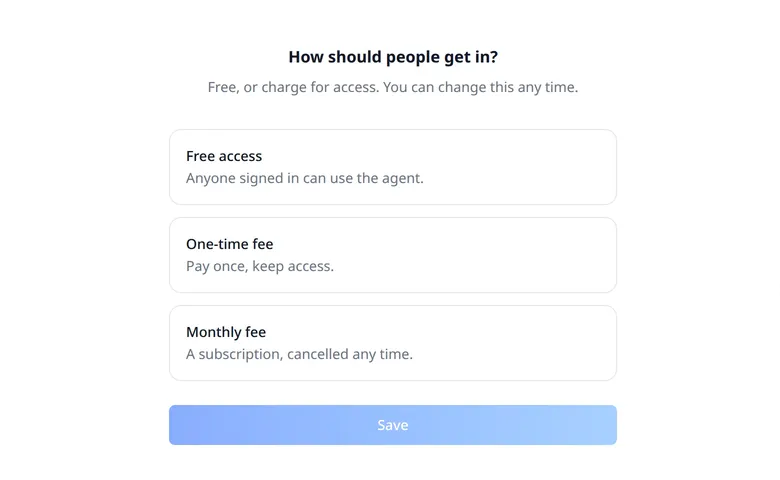
The organization's admin answers one question inside the app, at `/paywall/setup`, and the answer can change at any time.

<a href="/images/updates/charge-for-your-ai-app-with-your-own-stripe-access-choice.webp" target="_blank" rel="nofollow noopener noreferrer"><img src="/images/updates/charge-for-your-ai-app-with-your-own-stripe-access-choice.webp" alt="The setup screen of an ibl.ai app asking How should people get in?, with three choices — Free access, anyone signed in can use the agent; One-time fee, pay once and keep access; Monthly fee, a subscription cancelled any time — and a Save button." width="780" height="480" loading="lazy" decoding="async" style="display:block; max-width:780px; width:100%; height:auto; margin:1.5rem auto;" /></a>

**Free access** lets anyone who signs in use the agent. **A one-time fee** is paid once and keeps access. **A monthly fee** is a subscription; cancelled from the Stripe dashboard, access lapses within about two minutes. Prices are set in US dollars.

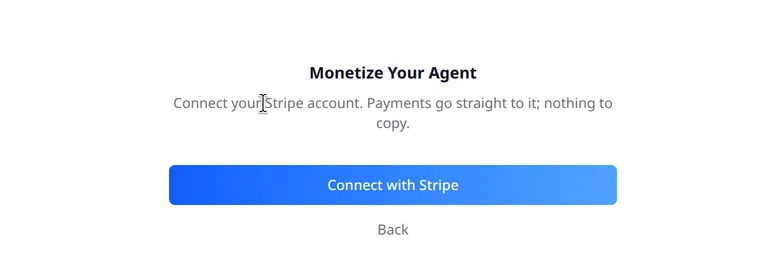
For a paid choice, the next screen has one button. The admin signs in on Stripe's own site and picks the account, and the product and price are created on it automatically. The app never asks for a Stripe key, and the coding agent that built it never touches Stripe at all.
<a href="/images/updates/charge-for-your-ai-app-with-your-own-stripe-connect-stripe.webp" target="_blank" rel="nofollow noopener noreferrer"><img src="/images/updates/charge-for-your-ai-app-with-your-own-stripe-connect-stripe.webp" alt="The Monetize Your Agent screen of an ibl.ai app, reading Connect your Stripe account. Payments go straight to it; nothing to copy, above a single Connect with Stripe button." width="780" height="280" loading="lazy" decoding="async" style="display:block; max-width:780px; width:100%; height:auto; margin:1.5rem auto;" /></a>

Connect with Stripe links a standard Stripe account, and the platform stores only the account's identifier. Organizations that prefer can paste a restricted Stripe key instead.

## What does a paying member see?

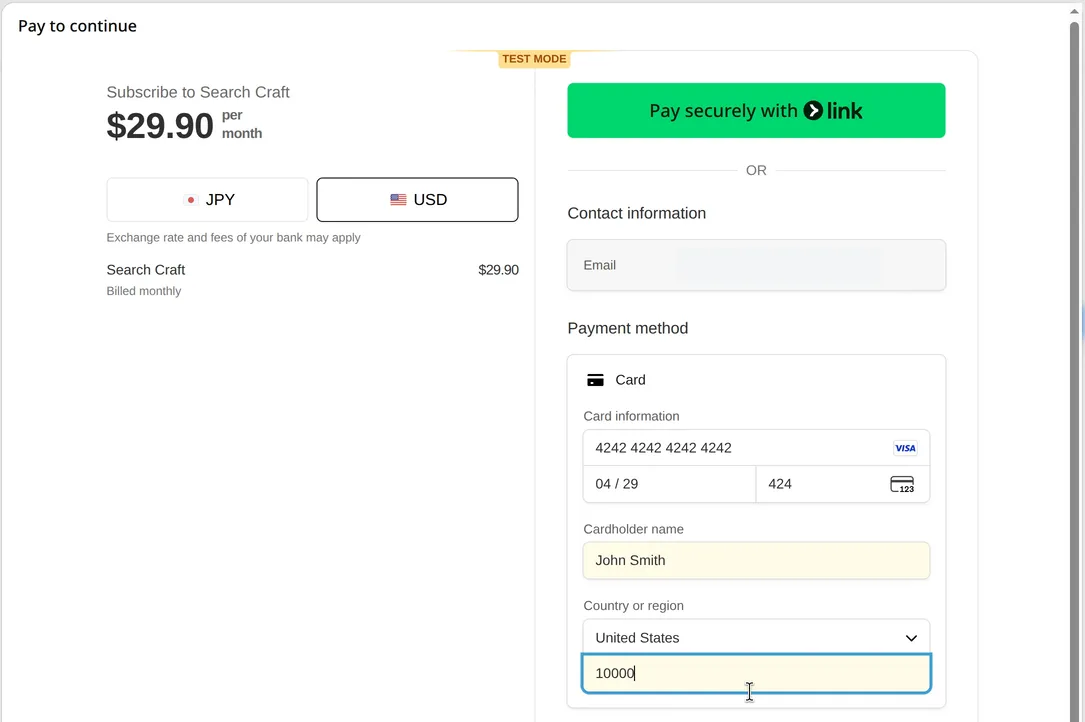
A member signs in with SSO. When payment is due, they see **Pay to continue** and Stripe's own embedded checkout in a modal — card, Link, currency choice and all — then land back in the app.
<a href="/images/updates/charge-for-your-ai-app-with-your-own-stripe-checkout.webp" target="_blank" rel="nofollow noopener noreferrer"><img src="/images/updates/charge-for-your-ai-app-with-your-own-stripe-checkout.webp" alt="The Pay to continue modal in an ibl.ai app running in Stripe test mode: a Search Craft subscription at $29.90 per month, a currency choice between JPY and USD, Pay securely with Link, and a card form filled with Stripe's public test card number." width="1085" height="722" loading="lazy" decoding="async" /></a>

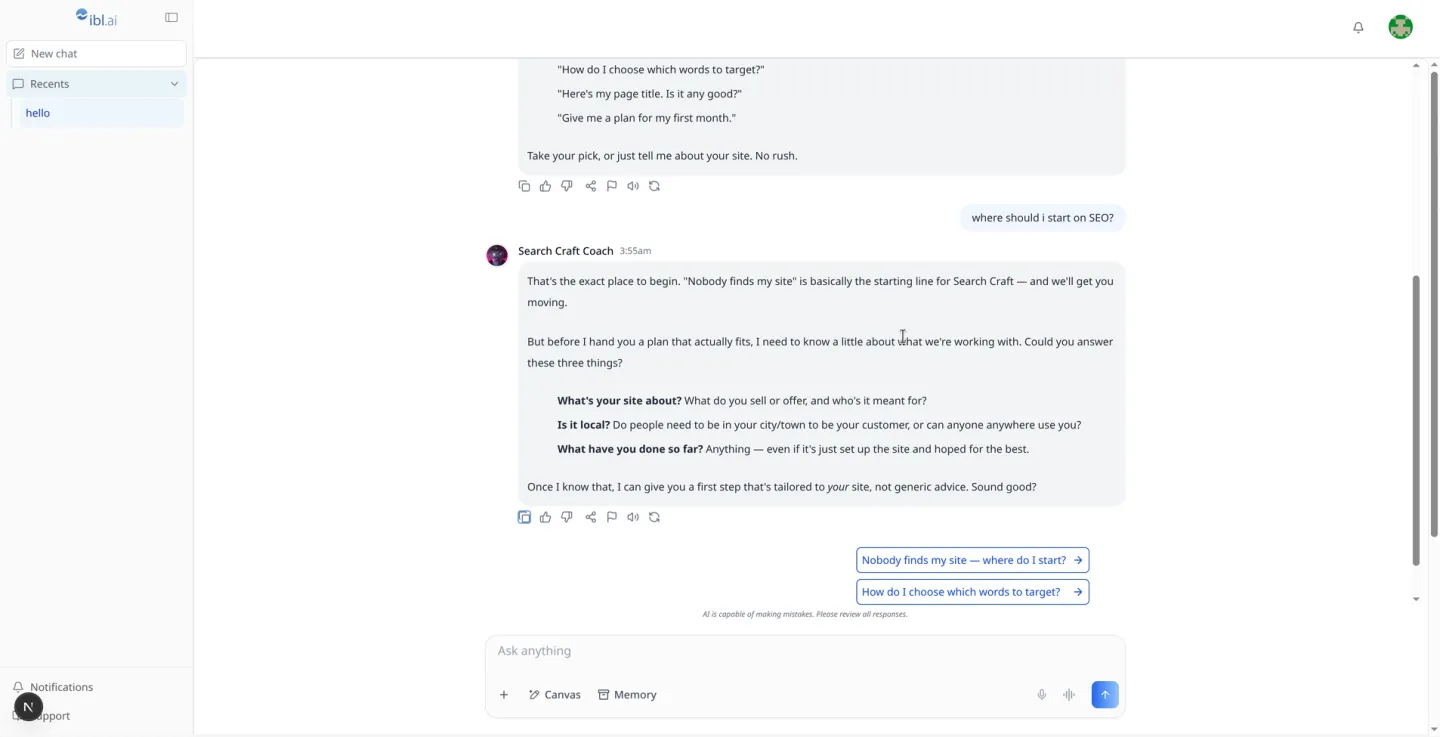
The example above is the vibe-agent tutorial in Stripe's test mode, selling a **$29.90-a-month** subscription to an SEO coaching agent, paid with Stripe's public test card. The customer's email is redacted. Once paid, the member is straight back in the chat.
<a href="/images/updates/charge-for-your-ai-app-with-your-own-stripe-member-chat.webp" target="_blank" rel="nofollow noopener noreferrer"><img src="/images/updates/charge-for-your-ai-app-with-your-own-stripe-member-chat.webp" alt="A paying member's chat with Search Craft Coach, an SEO coaching agent built on ibl.ai, which answers where should I start on SEO? by asking three questions about the member's site before offering a tailored first step, with suggested follow-up questions below." width="1440" height="737" loading="lazy" decoding="async" /></a>

## Does ibl.ai take a commission on app payments?

Not on this rail. There are two ways to charge on ibl.ai, and they suit different sellers.

<table style="width:100%; border-collapse:collapse; margin:1.5rem 0; font-size:0.95rem;">
  <thead>
    <tr style="background:#f5f5f0; border-bottom:2px solid #2175C5;">
      <th style="text-align:left; padding:0.75rem; color:#5f6368;"></th>
      <th style="text-align:left; padding:0.75rem; color:#5f6368;">App paywall (this release)</th>
      <th style="text-align:left; padding:0.75rem; color:#5f6368;">In-platform checkout</th>
    </tr>
  </thead>
  <tbody>
    <tr style="border-bottom:1px solid #e5e7eb;"><td style="padding:0.75rem;"><strong>Sells</strong></td><td style="padding:0.75rem; background:#f0f9ff;">Entry to the whole app</td><td style="padding:0.75rem;">Individual items — agents, courses</td></tr>
    <tr style="border-bottom:1px solid #e5e7eb;"><td style="padding:0.75rem;"><strong>Stripe account</strong></td><td style="padding:0.75rem; background:#f0f9ff;">The organization's own</td><td style="padding:0.75rem;">Stripe Connect Express, managed by ibl.ai</td></tr>
    <tr style="border-bottom:1px solid #e5e7eb;"><td style="padding:0.75rem;"><strong>Commission</strong></td><td style="padding:0.75rem; background:#f0f9ff;"><strong>None</strong></td><td style="padding:0.75rem;">An ibl.ai commission on each sale</td></tr>
    <tr style="border-bottom:1px solid #e5e7eb;"><td style="padding:0.75rem;"><strong>Reconciliation</strong></td><td style="padding:0.75rem; background:#f0f9ff;">Platform records and live checks — no webhooks</td><td style="padding:0.75rem;">Webhook-reconciled subscriptions</td></tr>
  </tbody>
</table>

## How does the ibl.ai platform keep payments reliable without webhooks?

The platform owns entitlement end to end, so the app holds no payment logic of its own. It creates every Stripe Checkout Session, verifies the buyer's session as soon as they return, records each payment durably, and checks subscriptions live.

Answers are cached briefly — a grant for **60 seconds**, a denial for **15** — and a fresh payment punches straight through a cached denial, so a member who has just paid is never turned away. Recorded payers stay in during a Stripe outage.

The app itself carries **no cookies, no webhooks, no local payment ledger and no platform key**. Members pay on their own signed-in session, and the two admin routes forward the admin's own token.

## How do you add a paywall to an app you already built?

With one skill. In a coding agent that has the [Agentic Vibe](/product/agentic-vibe) toolkit installed, `/iblai-vibe-monetization-app-paywall` adds the setup page, the gate, the payment page and the two admin routes to an existing app.

The [vibe-agent](https://github.com/iblai/vibe-agent) repository is the finished example, with the tutorial alongside it.

For costs on the other side of the ledger — what the organization spends on models — see [spend limits](/updates/spend-limits).

## Want to launch a paid AI product on your own brand?

We help organizations package their expertise as agents people pay for. [Book a 30-minute demo](https://cal.com/iblai/30min) or [talk to the ibl.ai team](/contact) — ibl.ai is family-owned and operated from New York, NY.
