Any agent on ibl.ai can now be added to Claude and ChatGPT by signing in: paste the agent's server address, approve the connection on ibl.ai, and the assistant can call the agent, with no API key stored in either app. The agent keeps running on your ibl.ai deployment, where you own all the code and the data.
Connect an ibl.ai agent to Claude and ChatGPT using MCP (5:17). Also on YouTube.
Every ibl.ai agent is also an MCP server. MCP, the Model Context Protocol, is the plug that lets an AI assistant call other software as a tool. Point Claude or ChatGPT at the agent's address and the agent becomes something the assistant can ask, with its own prompts, datasets and model behind it.
Earlier this month we showed the API-key route for Claude Code, Cursor and Claude Desktop. This walkthrough covers the route for the Claude and ChatGPT apps, where the connection is a sign-in. It takes about five minutes for both, and nobody writes code.
Why does it matter that Claude and ChatGPT never hold an API key?
An API key is a standing credential for a whole organization. Pasting one into an assistant means it lives in that app's settings, and everyone who uses the connection acts with the same key.
With a sign-in, each person approves the connection as themselves. Sign-in goes through ibl.ai's OAuth, so Claude and ChatGPT only reach the agents that the signed-in person is allowed to use.
In practice that means three things for the team that runs the agents:
- Nothing to copy or hand around. A colleague who wants the agent in ChatGPT needs the address and their own ibl.ai account, not a secret from an administrator.
- Access follows the person. The assistant reaches what that person may use on ibl.ai, and nothing else.
- The agent stays where it is. Claude or ChatGPT sends a message and reads the reply. The agent, its data and its model keep running on your ibl.ai deployment.
What do I need before I start?
Three things: an ibl.ai agent, its Unique ID, and an ibl.ai account to sign in with. The ID is in the agent's Settings, under the name, with a copy button beside it.
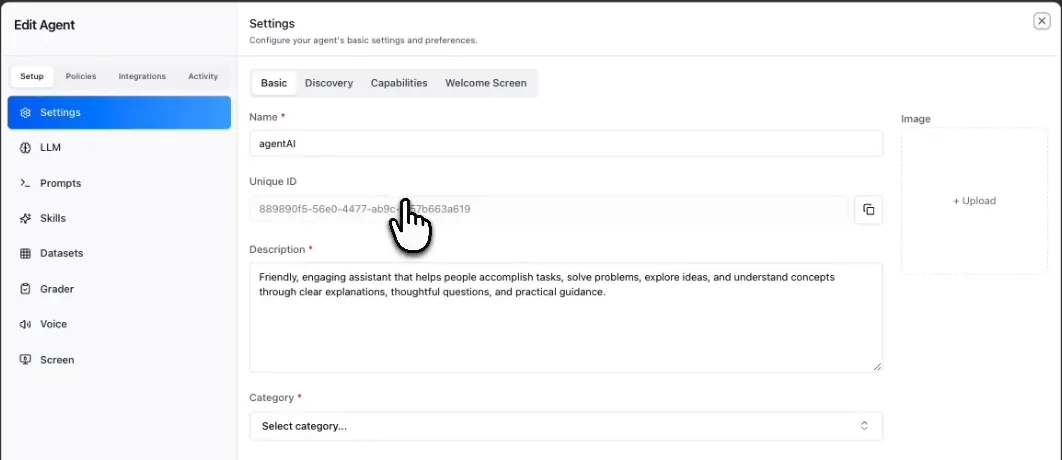
The server address is the platform's agent-chat endpoint followed by that ID:
https://asgi.data.iblai.app/mcp/agent-chat/<THE_AGENT_ID>On a self-hosted deployment the address is your own server.
How do I add an ibl.ai agent to Claude?
In Claude, open Settings → Customize → Connectors and add a custom connector. Give it a name and paste the server address.
Claude reads the address and detects how the server signs people in. Leave Sign in now selected, and let Claude register its OAuth client automatically. You do not paste an API key anywhere.
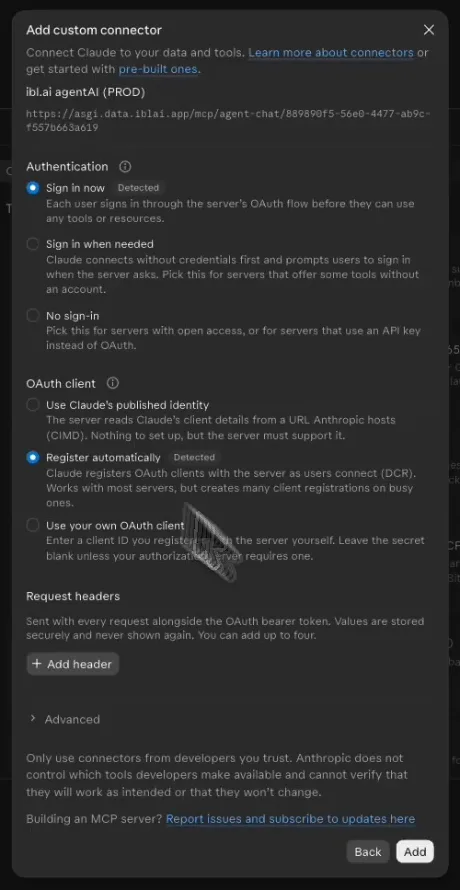
Press Connect. A browser window opens on ibl.ai, you approve, and Claude reports that it is connected. The connector then shows its tool and the permission it runs under.
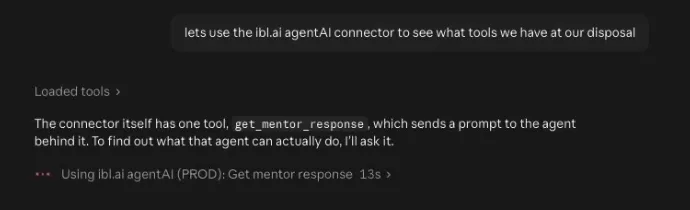
From the next chat you can ask in plain language. In the video we ask Claude to use the connector and see what is available; it finds the connector's one tool, which sends a prompt to the agent and returns its reply, and calls the agent to ask.
How do I add an ibl.ai agent to ChatGPT?
In ChatGPT, open Plugins, press Add and choose a custom MCP server. Fill in a name, an optional description and the same server address, and set Authentication to OAuth.
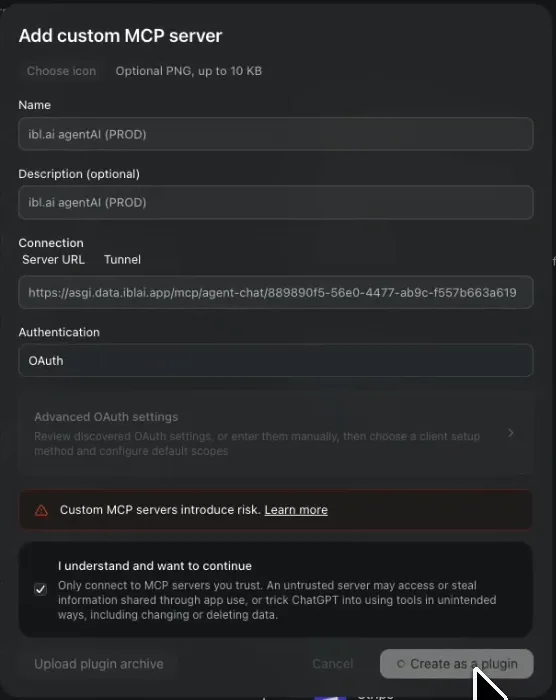
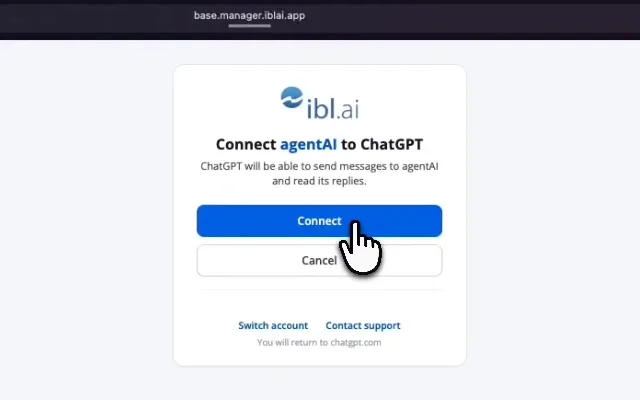
ibl.ai then asks you to confirm the connection, and says exactly what you are granting: ChatGPT will be able to send messages to the agent and read its replies. Press Connect and you return to ChatGPT.
The plugin appears under Personal. From the next chat ChatGPT can find the agent and use it; in the video we ask whether the plugin is available and ChatGPT confirms that it is.
Which agents can I connect this way?
Any agent you can use on ibl.ai. Each agent has its own address, so you can add several and name each connection after the agent behind it.
What the assistant reaches is the agent as you configured it in Agentic OS, not a copy. The platform is model-agnostic end to end: bring any model and switch anytime, and the assistant on the other side of the connector does not need to change.
For the technical reference, including the other platform tools available over MCP, see Built-in MCP Servers in the developer docs.