Agent Skills are now a first-class surface on the platform. A skill is a reusable playbook — written instructions plus optional reference files — that an agent follows for one specific job, such as researching a topic on the web, reviewing code, or drafting a course spec.
The point is selective loading. The agent reads a skill only when it is relevant to the task at hand, so a single agent can carry many capabilities without every conversation paying the token cost of all of them.
The Skills panel
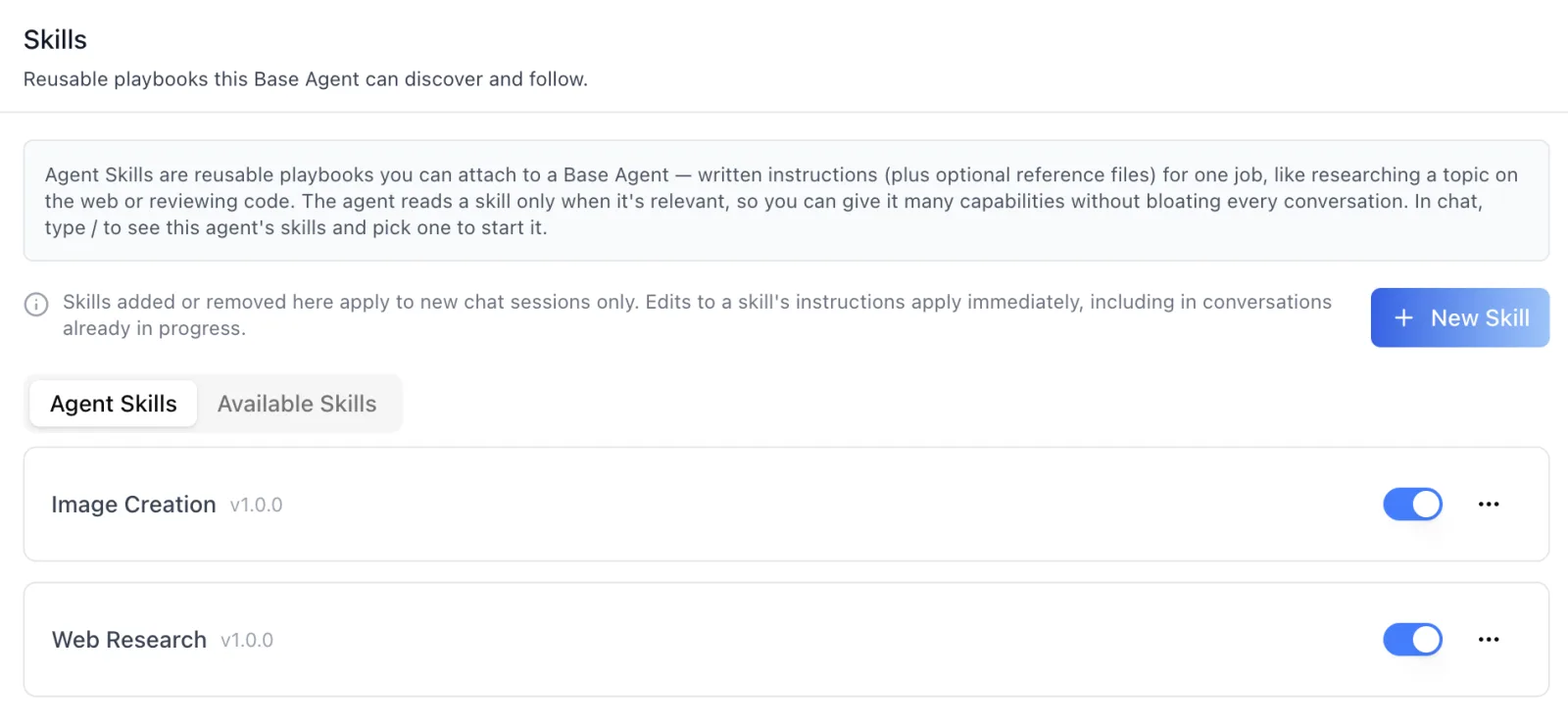
The panel splits into two tabs. Agent Skills is the agent's effective set — the skills assigned to it plus its own private skills, deduped by slug — each with an enable toggle and a row menu.
A note in the header states the rule that governs rollout: skills added or removed apply to new chat sessions only, while edits to a skill's instructions apply immediately, including in conversations already in progress. That split is deliberate. Changing what an agent is mid-conversation is disorienting; correcting how it does a job should not require anyone to start over.
An organization-wide catalog
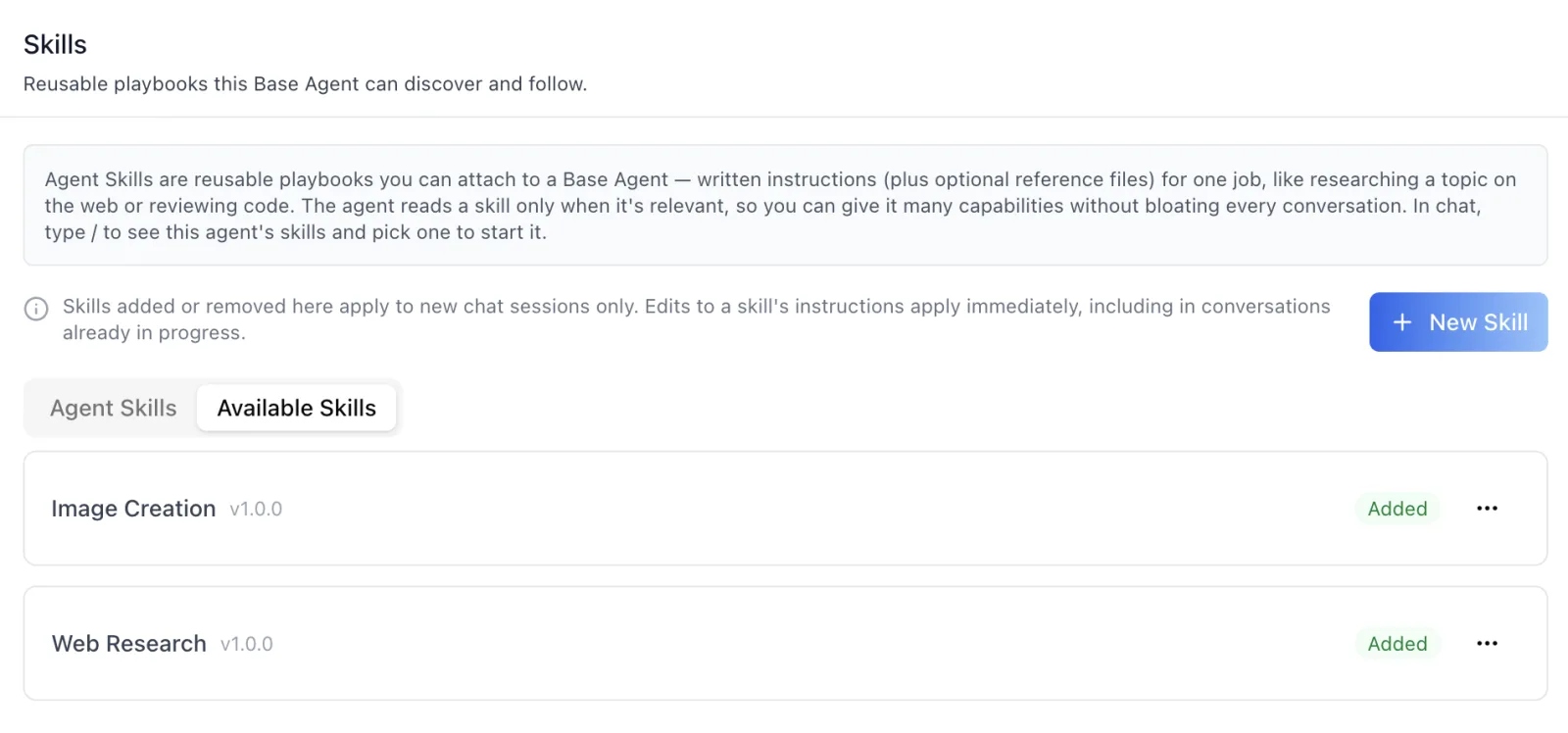
Available Skills is the organization's full catalog. Write a skill once and attach it to as many agents as you want with Add to Agent; skills already covered by the agent's set show a green Added chip instead.
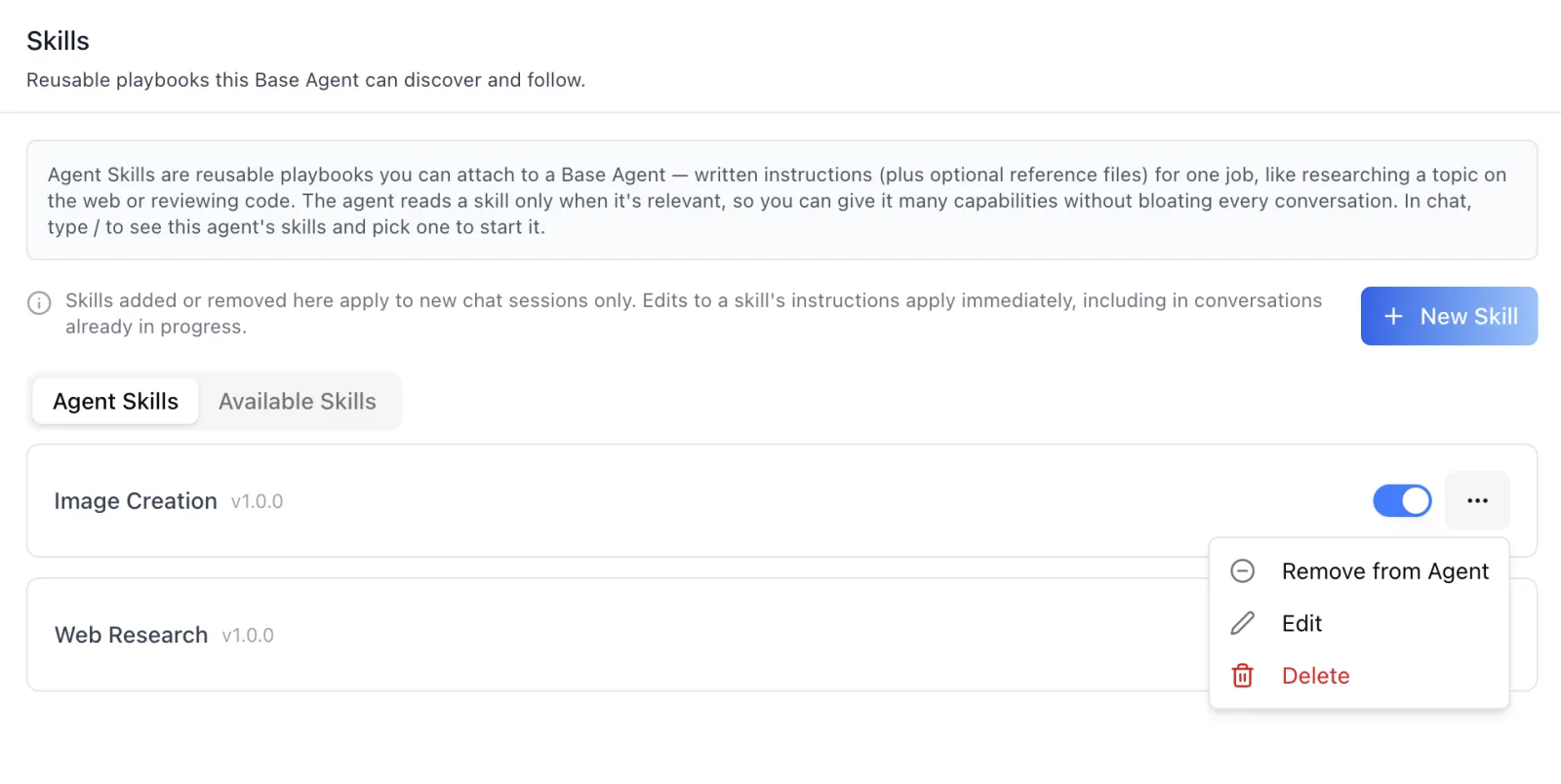
Each row carries the actions that match its scope. Remove from Agent detaches a skill from one agent and leaves it in the catalog for everyone else. Edit and Delete change the skill itself, organization-wide — and appear only for skills your organization owns, so featured skills stay read-only rather than failing at save time.
Private skills and slug precedence
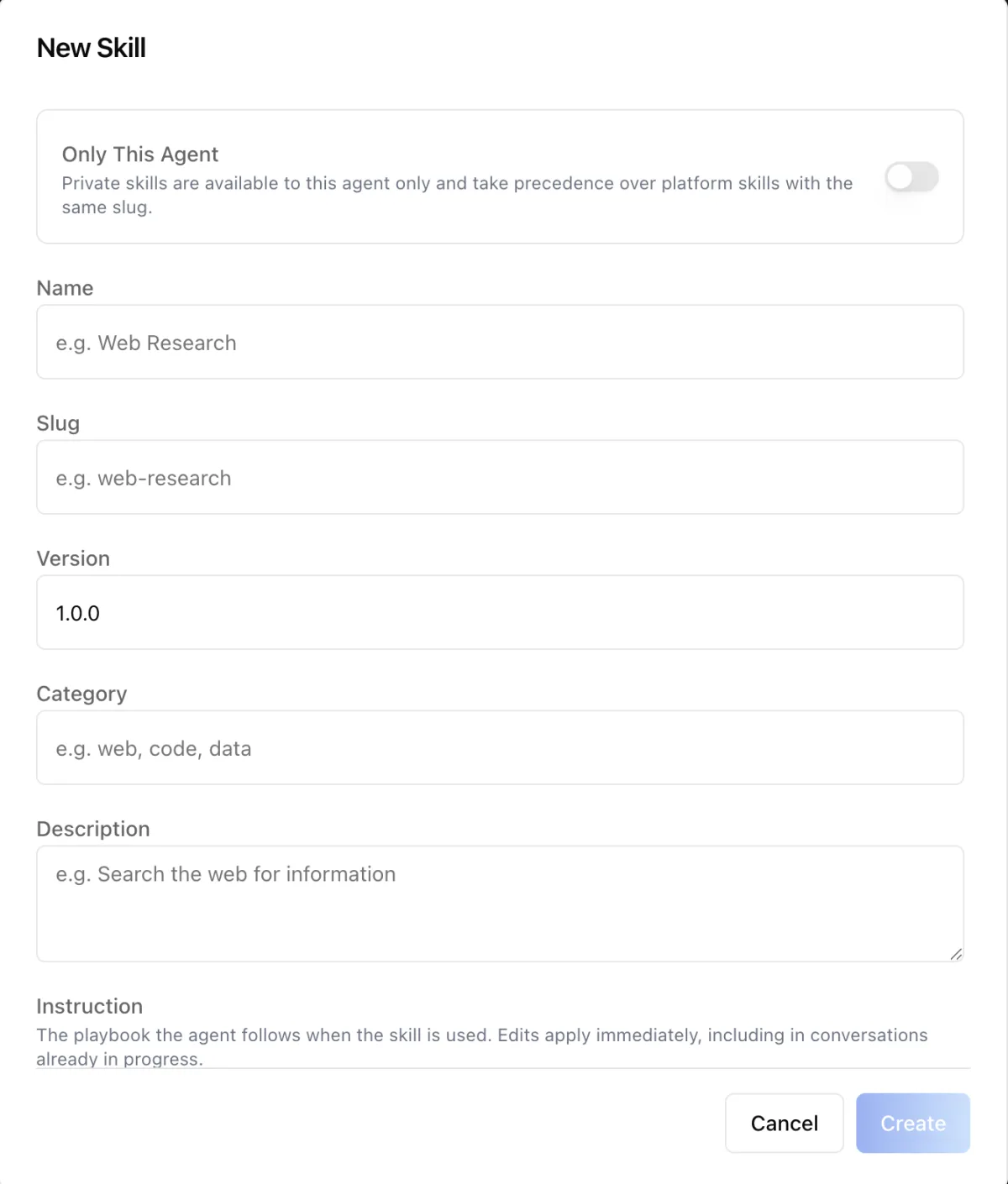
A skill created with Only This Agent is private to that agent, and it takes precedence over an organization skill with the same slug. That gives teams a clean override path: publish a standard web-research playbook for the whole organization, and let one agent run a specialized version of it under the same name, with no forking and no rename.
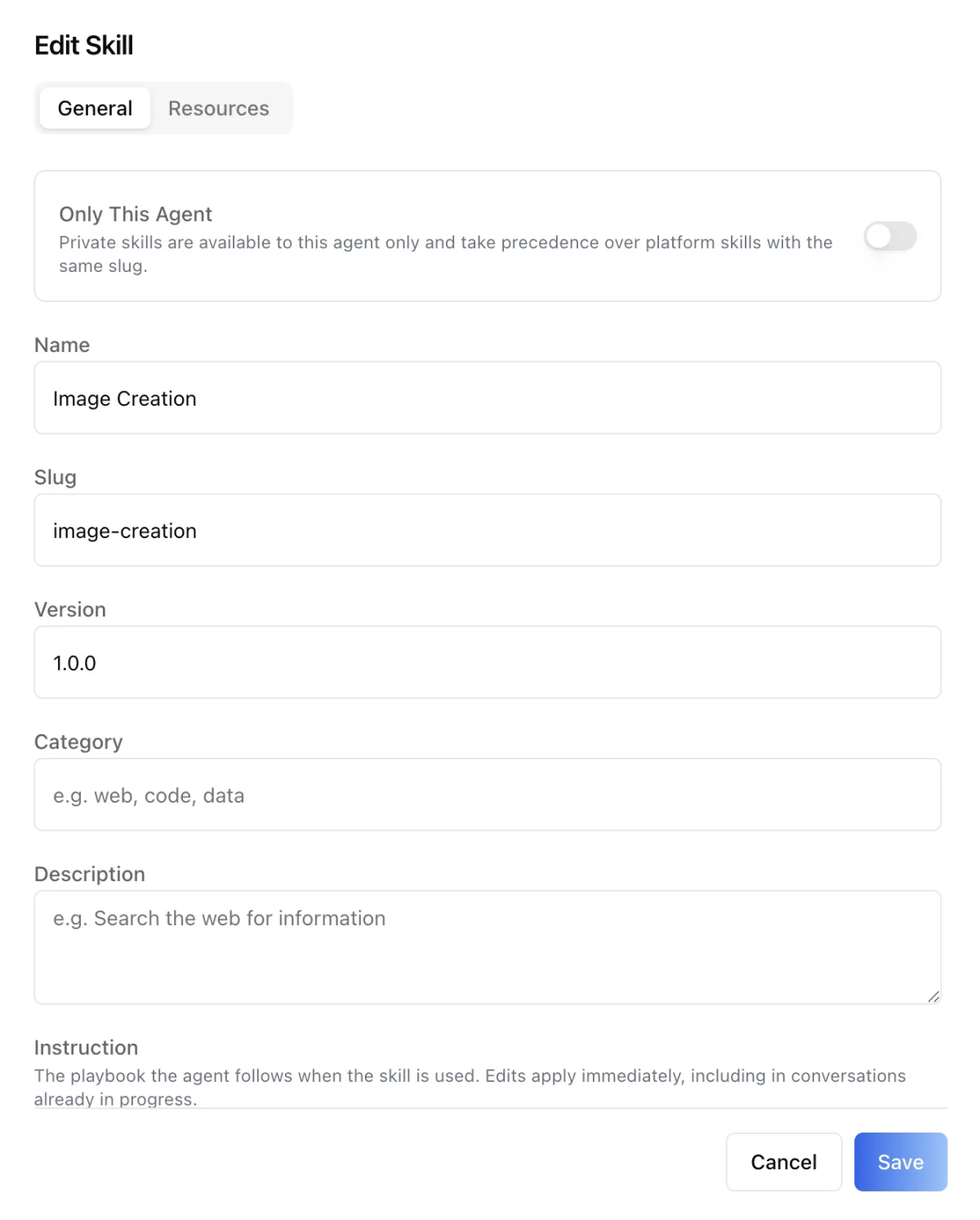
Skills carry a name, slug, version, category, description, and the instruction text itself — the playbook the agent follows.
File resources
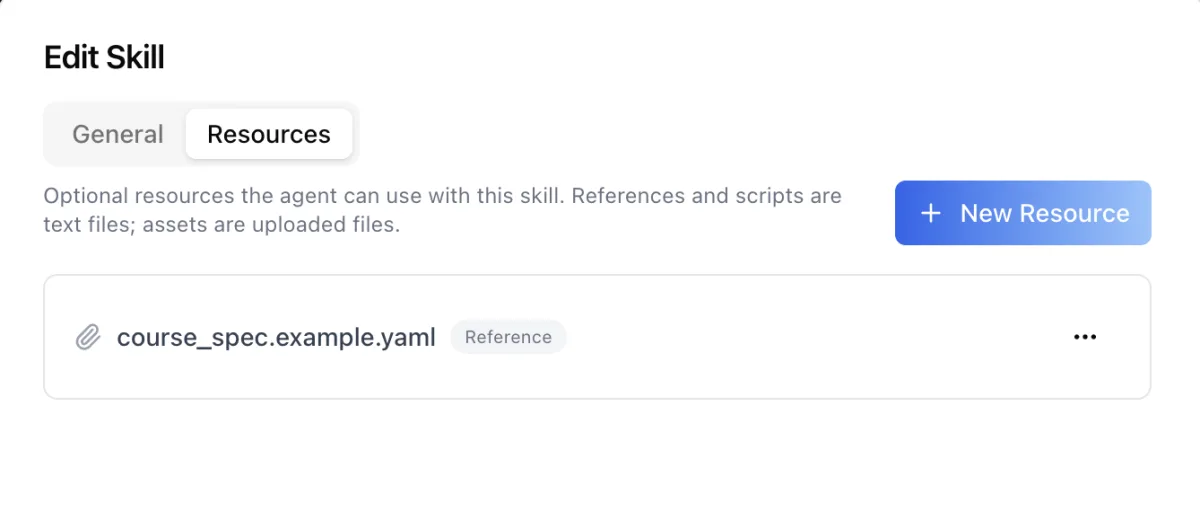
Instructions are often not enough on their own. A skill can carry files: reference and script resources are text, and assets are uploaded files. A course-drafting skill can ship the YAML spec it targets; a code-review skill can ship the style guide it enforces.
Invoking a skill from chat
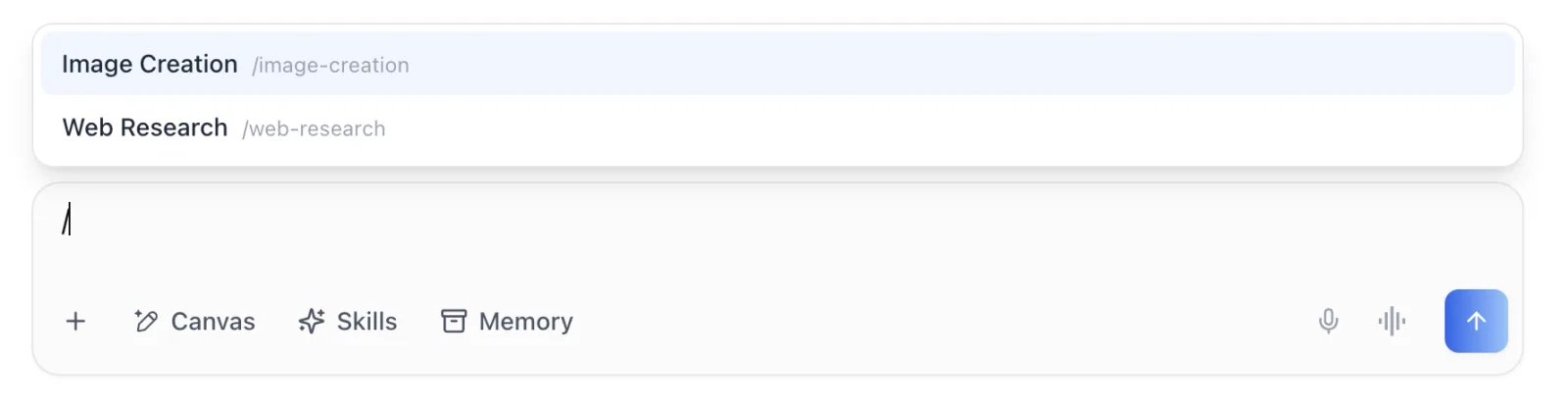
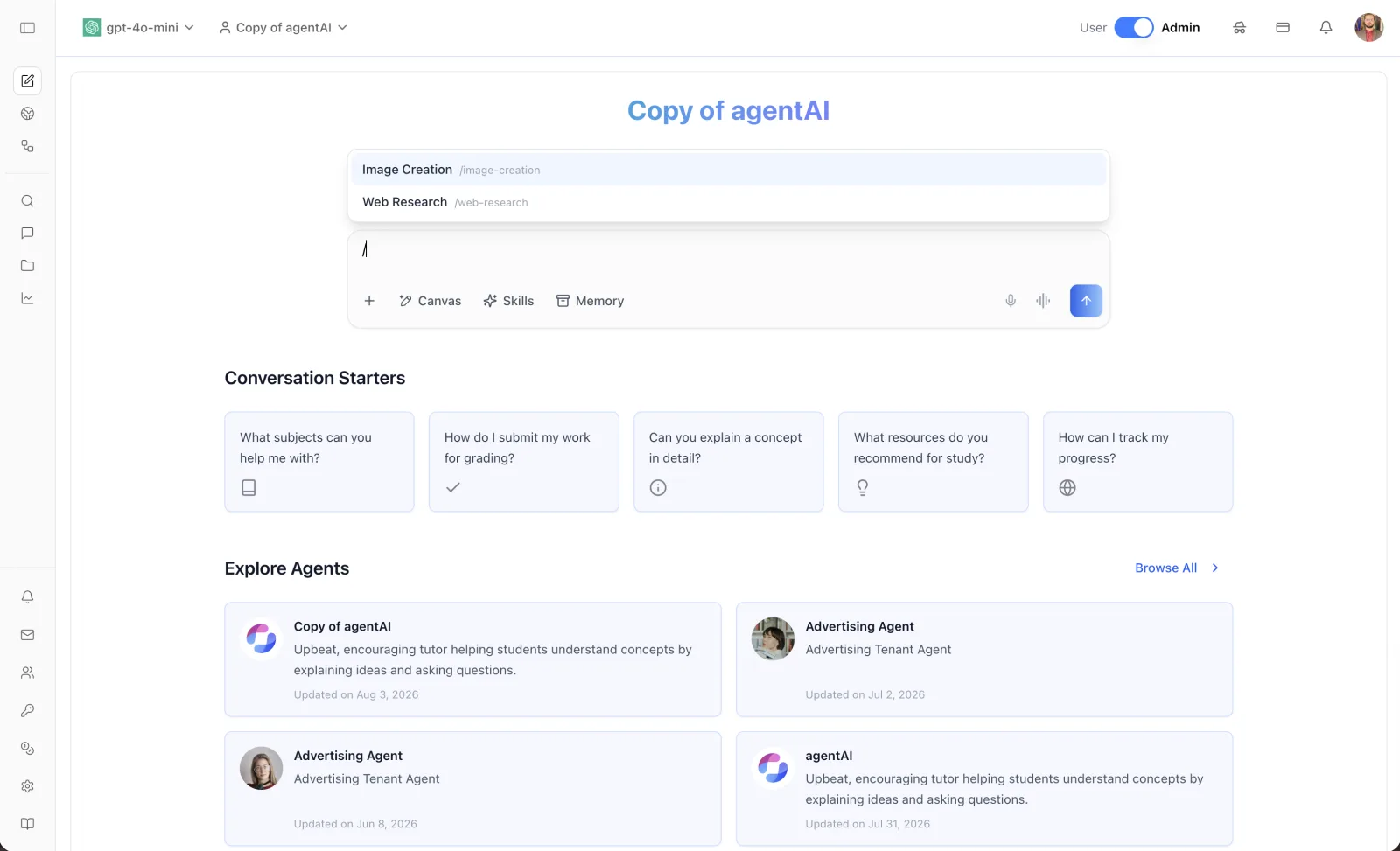
Skills are discoverable in the conversation itself. Typing / as the first word of a message opens a picker listing the agent's enabled skills by name and slug; arrow keys browse, Enter or Tab selects, and Esc dismisses it. Plain text that happens to start with / is never blocked.
Available in the SDK
The same surface ships to developers building on the platform. AgentSkills is an independent component — it takes a platform key and an agent ID and manages its own fetching, dialogs, and pagination — and the chat / picker turns on with a single prop, or accepts a host-supplied skill list for custom composers. The picker's pieces are exported individually for anyone building their own composer.
Agent Skills apply to Base Agent agents, and are managed independently of the Claw sandbox — no sandbox instance is required.
Documentation: Agent Settings: Skills.