The ibl.ai Chrome extension puts the agents you already built on the platform into a side panel on whatever page you are on, with the same memory and the same model you chose, and lets them read and act on the open tab; model calls go through your own platform session and nothing else leaves the browser, because on ibl.ai you own all the code and the data.
It is on the Chrome Web Store as version 1.1.9, updated October 23, 2026, a 263 KiB install in four languages. The source is in the open iblai/os repository, under extensions/chrome.
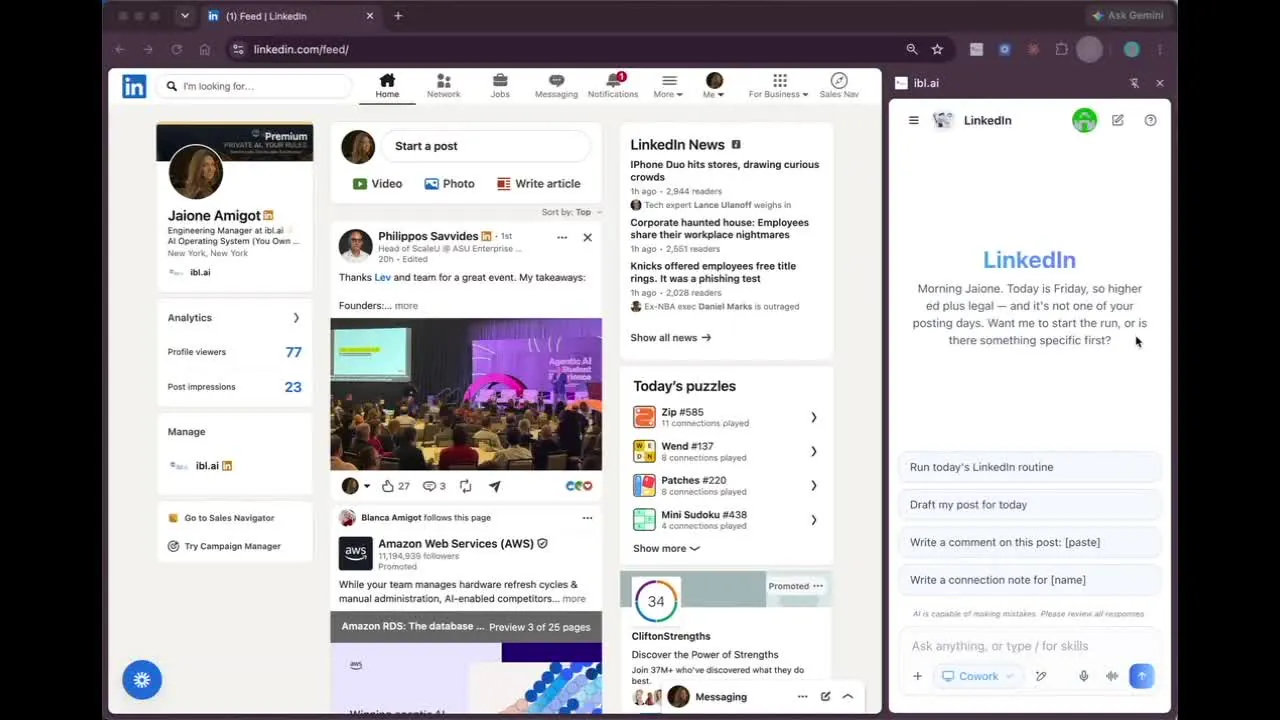
The demo that explains it fastest is a post our colleague Jaione Amigot published on LinkedIn: she opened LinkedIn, clicked the extension, and the LinkedIn agent she had built on ibl.ai drafted the post and pressed Publish.
What does the ibl.ai Chrome extension actually do?
It opens the platform's chat in Chrome's side panel, one click from the toolbar, on any site. The panel is the chat and nothing else: no tabs, no settings row.
You sign in once, pick any of your organization's agents, and the text of the active tab is fed to that agent as context.
That means the agent you spent weeks tuning on ibl.ai, with its system prompt, its skills, its connectors and its memory, is the one answering in the browser.
Conversations and memory are shared with the ibl.ai web app, so a chat started in the panel is waiting for you on the desktop.
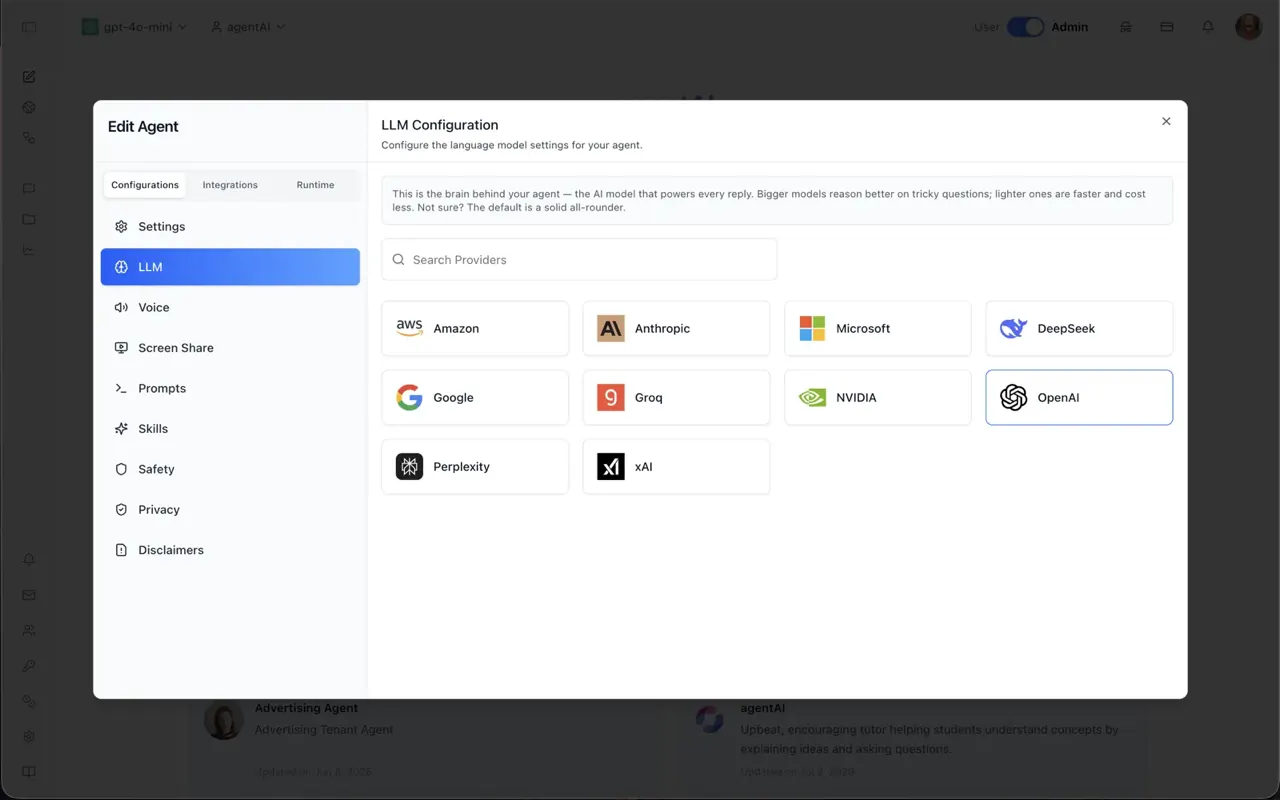
Switch the underlying model whenever you want. The panel is not tied to one vendor's assistant: the first run lists what your platform allows and picks one, and a model from a provider that reads images also receives a picture of the tab on every step.
How does Cowork drive the browser from the side panel?
Cowork is the same pill as in the desktop app. In the browser the driver is the extension's own service worker, and it runs one loop: read the page, decide one action, perform it, repeat until the goal is answered.
It is on when the panel opens, and its switch remembers when you turn it off.
Because the clicks are real, Chrome shows its "is debugging this browser" bar on the tab for exactly as long as a run lasts. The worker detaches the moment the run ends, and opening DevTools on that tab ends the run with a message.
Controls inside iframes and open shadow roots, such as an embedded editor or Gmail's chat, are numbered like the page's own, and an action lands in the frame its element lives in.
With a model that reads images, the agent can also click or type at a point on the picture, for what it can see but the list does not hold.
What will the agent refuse to do, and how do I keep it on a leash?
It never types into a password or payment field. That is refused in the page itself, whichever approval mode is set, and such a field's contents are never read back either. Only http and https pages can be driven at all.
The Approvals setting in the Cowork panel decides whether it checks with you first. Automatic, the default, acts without asking. Ask Me raises an approve-or-deny card before a submit, a payment, a send or a delete, the same card the desktop app uses.
Every action is reported as it happens, with the agent's own commentary beside it, and typed text is never shown in that log. A run that hits the 40-step ceiling says so, and a follow-up message of "continue" picks up where it left off.
Where does my data go when I use the extension?
To your own platform, and nowhere else. Model calls go through the platform's OpenAI-compatible endpoint with the session you signed in with, which is why the agent, its memory and its data connectors are the ones you configured on ibl.ai rather than a vendor's copy.
The install Google publishes is pointed at os.ibl.ai.
An organization that runs its own deployment of Agentic OS, in its own cloud, on-premise or air-gapped, builds the same extension against its own instance: one build-time variable sets the host, and the manifest's content-security policy only lets the panel talk to the hosts you name.
That is the difference the LinkedIn post was pointing at. Most AI browser assistants rent access to one vendor's model, send the page to that vendor's server and bill per seat.
On ibl.ai the extension is a window onto an operating system you run, priced on usage, with the full source under a perpetual license.
How quickly is the extension moving?
Nine versions in five weeks, each one a tagged release of the open repository. The table is drawn from the iblai/os release notes.
| Extension | iblai/os release | What shipped |
|---|---|---|
| 1.1.0 | v0.151.0 · Sep 18 | Cowork drives the active browser tab from the side panel |
| 1.1.1 | v0.155.1 · Sep 23 | Sees and drives elements inside iframes and open shadow roots |
| 1.1.2 | v0.158.6 · Sep 30 | Switching organizations inside the panel holds, with the embed parameters kept |
| 1.1.3 | v0.165.2 · Oct 10 | Pick any of your agents from the side panel; every build also kept as a downloadable artifact |
| 1.1.6 | v0.171.4 · Oct 16 | Downloads allowed from inside the panel's sandboxed frame |
| 1.1.7 | v0.175.0 · Oct 21 | Real clicks through the DevTools protocol, a picture of the tab for image-reading models, focusable widgets listed, narration rows |
| 1.1.8 | v0.177.0 · Oct 22 | Act by position on the picture, double-clicks, on-screen elements first, page text that ignores what a modal covers |
| 1.1.9 | v0.180.0 · Oct 23 | The panel's Cowork flag read by the app; agent component 2.13.2 |
Publishing is automatic: a version bump in the manifest on main builds the panel, zips it and uploads it to the Chrome Web Store, and the release is always pointed at os.ibl.ai because the build runs with no local configuration.
Earlier milestones are in the September 25 and October 16 platform updates.
How do I install it, and what does it cost?
Add it from the Chrome Web Store, click the toolbar icon, and sign in with your ibl.ai account. The panel's own strings come in English, Spanish, French and Simplified Chinese, and the agent answers in the first of Chrome's preferred languages unless you write to it in another.
An ibl.ai account is the only requirement. The free tier costs $0, includes renewable monthly credits and needs no credit card. Organizations on their own deployment point the build at their instance, and the rest of the platform's clients are on the download page.
ibl.ai is family-owned and operated from New York, NY, and SOC 2 Type II certified. If you want the extension wired to your own systems through MCP connectors, talk to the team or book a 30-minute demo.