ibl.ai agents that run code do it in an isolated Linux virtual machine with no network access by default, and the allowlists and keys that open it up now have their own screens — an organization-wide Virtual Machine settings tab and a Network Access section on every agent's Sandbox tab — on a platform where you own all the code and the data.
The capability itself is not new. VM network policies, credential-backed secrets and runtime billing were documented on September 23, 2026 and covered in Agent Sandboxes: A Real Linux VM, Locked to Hosts You Allow.
What landed in iblai/vibe on October 2 is the part an administrator can actually operate: both records, and the controls that bind them to an agent, as interfaces rather than REST calls.
Where do you manage what an agent's VM can reach?
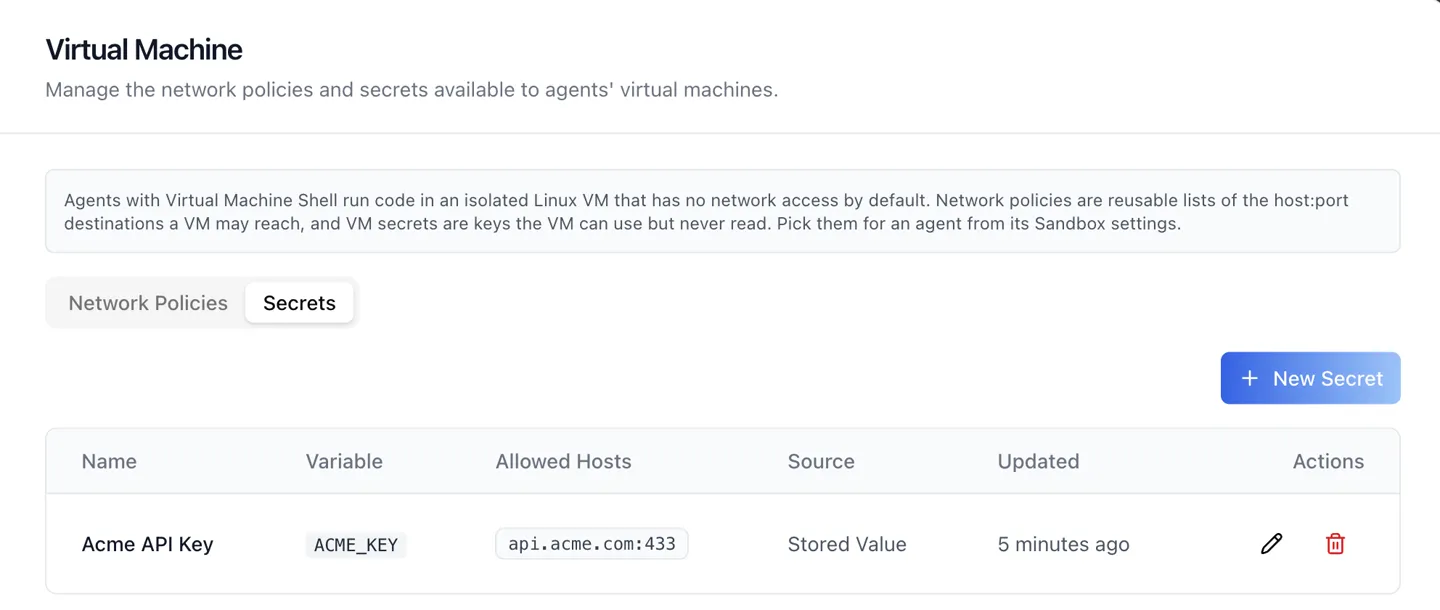
In organization settings, under a new Virtual Machine tab — "Manage the network policies and secrets available to agents' virtual machines." It holds two sub-tabs.
Network Policies are reusable, named lists of the host:port destinations a VM may reach, with up to 100 entries each. One policy is written once and reused across agents.
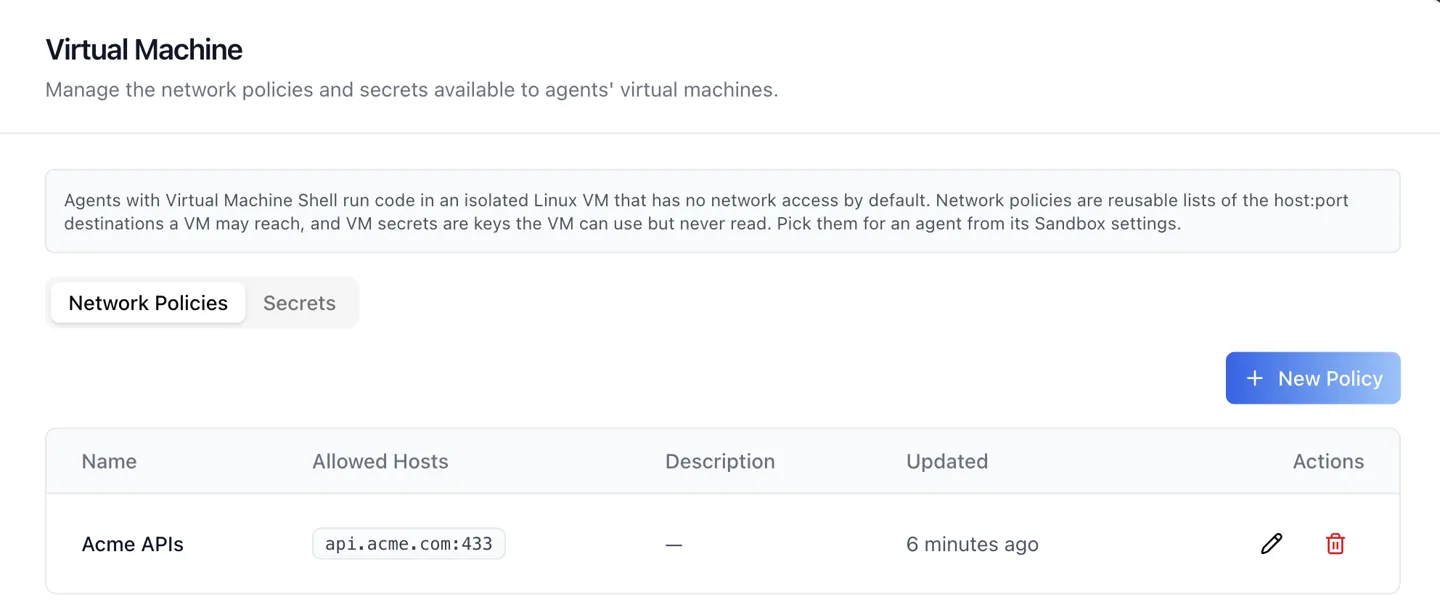
Secrets are keys a VM can use but never read. Both record types are organization-wide and shared by every agent, so the same allowlist does not get re-typed per agent.
How do you limit one agent without limiting the rest?
On that agent's Sandbox tab. While Virtual Machine Shell is the selected sandbox kind, a Network Access section appears — "Decide what this agent's virtual machine can reach and which credentials it can use."
It opens with four egress profiles, in the order the screen lists them:
| Egress profile | What the VM gets |
|---|---|
| No Network (default) | The VM cannot reach anything |
| Package Registries | PyPI, npm, apt and apk only, for installing packages |
| Public Internet | Any public host; private networks, localhost and cloud metadata stay blocked |
| Custom Allowlist | Only the hosts in the network policy you pick |
Under Custom Allowlist a network policy is required, and the picker lists the hosts that policy allows directly beneath it.
Create Policy and Edit Policy open the policy dialog in place. Manage Policies — and Manage Secrets below it — open the whole organization surface in a popup, rather than navigating away mid-edit.
The Secrets list appears under Public Internet or Custom Allowlist, as a checkbox list capped at 20 per agent.
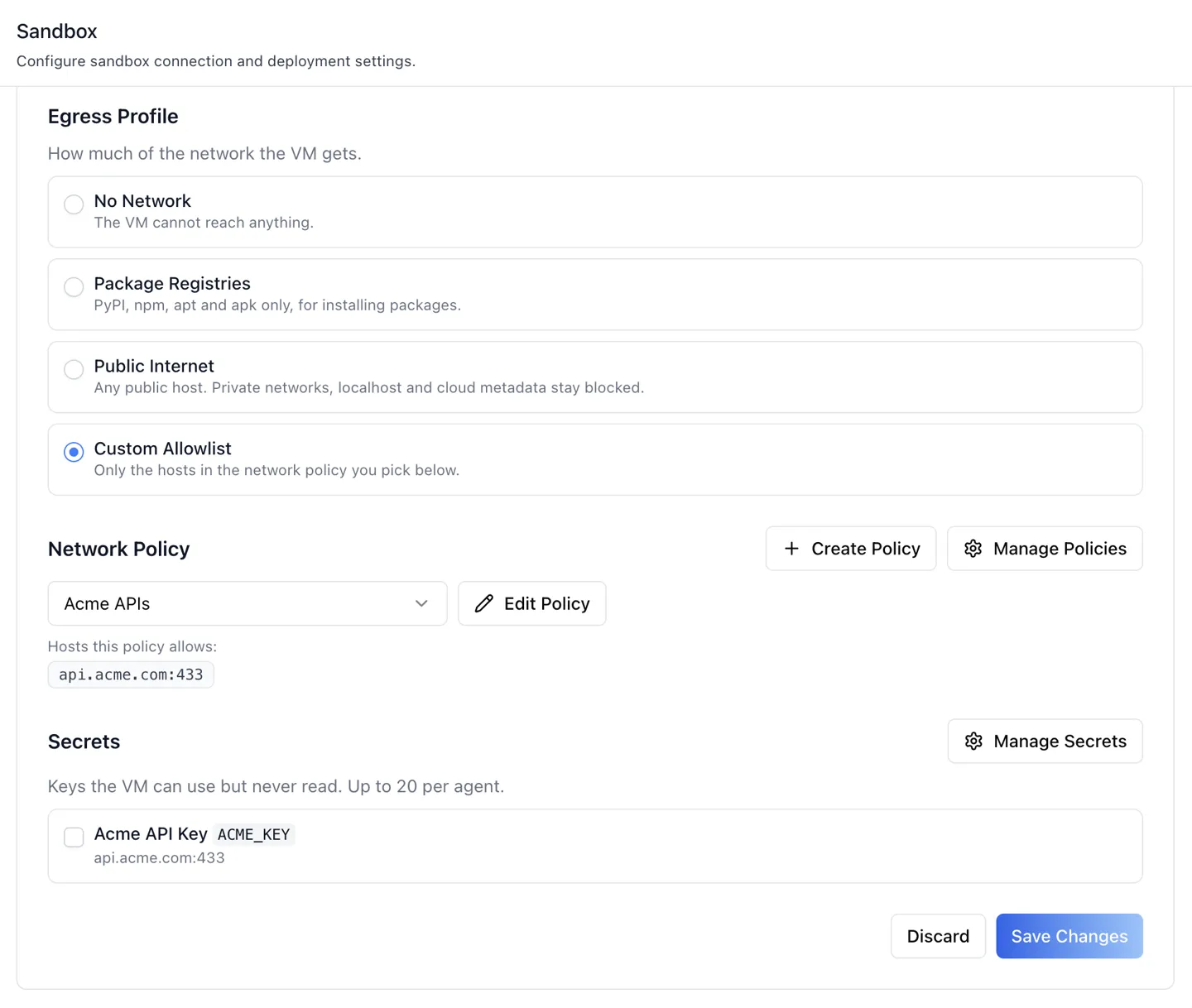
In that screenshot the secret is listed and available to tick, not yet bound — binding is the checkbox, and the panel's own note reads "Keys the VM can use but never read."
The section also refuses to let you save something incoherent, which is the part that makes a narrow policy survive contact with real editing.
Narrowing an agent to No Network or Package Registries while secrets are still bound raises an Unbind Secrets? dialog rather than silently dropping them.
If a bound secret needs a host the chosen policy does not allow, an amber panel lists each environment variable against its missing hosts, with a one-click Add Hosts to {policy} and Save.
And deleting a policy an agent still uses is refused outright — the dialog names the agents blocking it and hides the Delete button until they are moved off. So a secret can never open a path the policy does not.
How does a secret stay usable but unreadable?
By never being readable from inside the machine. The environment variable holds a placeholder, and the real value is substituted only on TLS requests to that secret's own allowed hosts.
So an agent can call your API with your key and still cannot print it, log it, or send it somewhere else. The dialog states the consequence plainly: "Only these hosts receive the real key, so keep it to the narrowest host that needs it."
A secret takes its value from one of two sources, and the second is the one worth using:
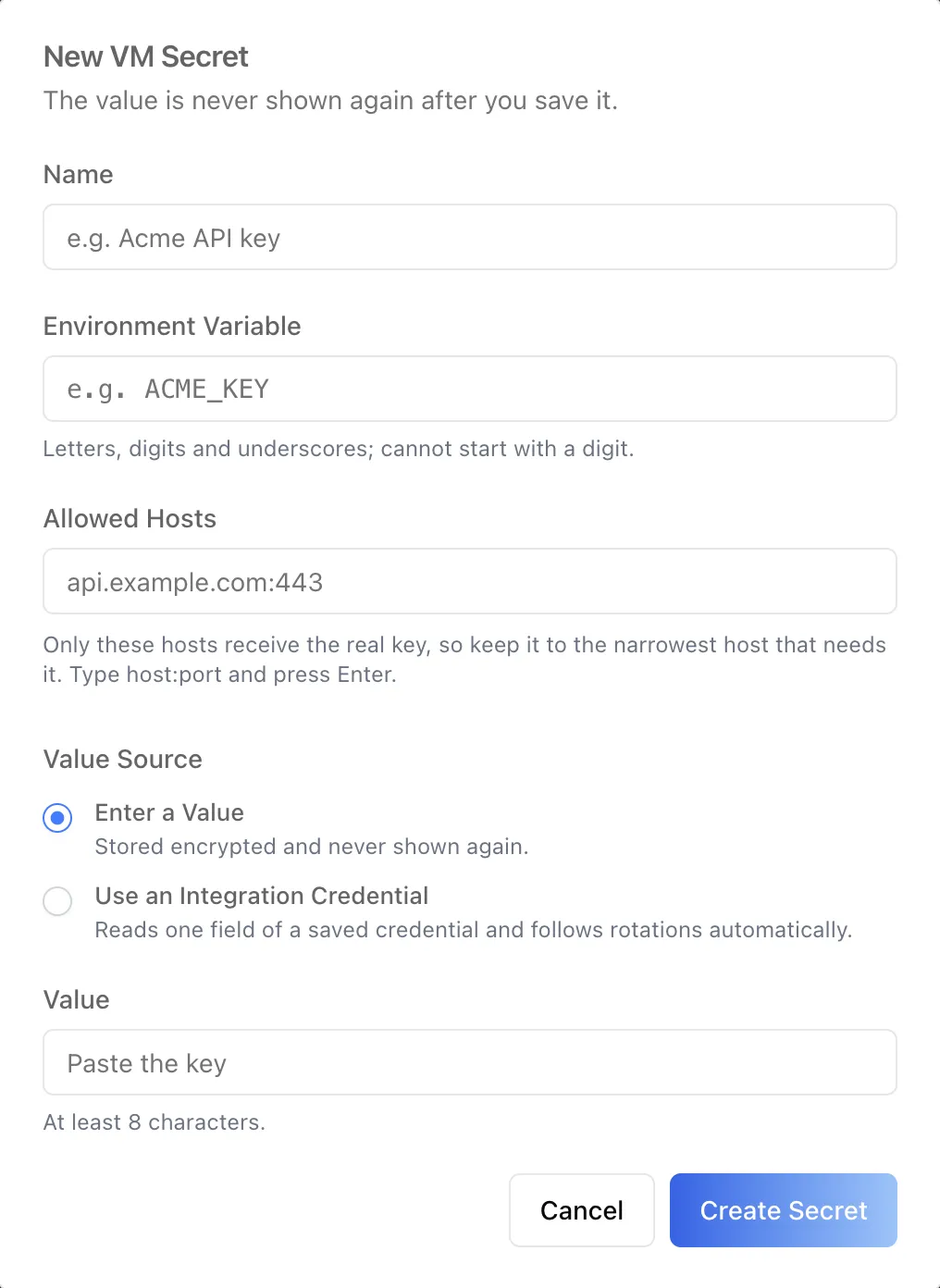
Enter a Value stores the key encrypted, and the dialog is explicit that it is never shown again after saving.
Use an Integration Credential reads one field of a credential the organization already saved — and follows rotations automatically, so rotating once updates every agent that uses it.
The variable name accepts letters, digits and underscores and cannot start with a digit; a pasted value must be at least 8 characters, and a masked-looking value such as sk-**** is refused outright.
The host rules are where deny-by-default stops being a slogan. Entries are host:port with no scheme, path or wildcard, and localhost, metadata*, instance-data* and the .local, .internal and .localhost suffixes are all refused, as are reserved IP ranges.
Policies may name an IP address; secrets may not. The environment variable cannot be renamed after creation, and no endpoint ever returns a stored value — the table shows only where it came from.
Who can see and change these?
Only people granted it, and the two record types are governed separately. The organization tab needs list, write and delete permissions on both network policies and VM secrets. Organization admins hold them by default; ordinary users do not.
The agent-side pickers show on the two list permissions alone, and each hides independently if its list is refused. The save is checked separately, and binding a secret to an agent additionally needs the secret-write permission.
When both lists are forbidden, the organization tab renders a single permission notice instead of two empty tables.
What does this change in practice?
It changes who can turn the control on.
Deny-by-default egress is only useful if somebody actually configures the exceptions, and a control that requires writing REST calls is one most organizations leave at its default forever — which, here, means agents that cannot reach anything.
Moving both records onto screens, with the bindings next to the agent they apply to, is what makes a narrow allowlist an ordinary administrative act rather than an engineering project.
The underlying runtime is unchanged and documented in the agent sandbox update, including per-second VM billing.
Both surfaces are documented as skills in iblai/vibe, read from the SDK source, so apps built with Agentic Vibe pick them up as the published SDK catches up. Agentic OS runs them today.
1.6M+ users across 400+ organizations run the platform this way, including NVIDIA, MIT, and Syracuse University.
Want to see agent egress control on your own stack?
We can walk your security team through deny-by-default agent sandboxes, policies and secrets on infrastructure you own. Book a 30-minute demo or talk to the ibl.ai team — ibl.ai is family-owned and operated from New York, NY.