When someone chatting with an ibl.ai agent asks for a person, the agent files a support ticket that your team reads, answers and closes in that agent's own Support inbox, now switched on with its own Human Support control, on a platform where you own all the code and the data.
The inbox first shipped in the platform in July, listed as a new human-support tab in the July 31 platform update. Agentic Base documented it as a mountable component in v1.9.0 on August 4, 2026.
The newest step came in v2.29.0 on November 26, 2026: the Support tab's on/off toggle became the Human Support switch, saving its own setting instead of editing the agent's tool list.
The rename is part of the platform-wide change that gave each agent capability its own switch and removed the separate Tools tab (November 27 platform update).
How does an AI agent hand a conversation to a human?
The user asks for one, in plain words, in the middle of a chat. While Human Support is on, the agent's human-support tool files a ticket; nobody creates tickets by hand, and the REST API has no create endpoint either.
The agent writes the ticket's subject and description itself, often as formatted Markdown or HTML. The platform attaches the rest on the server: the requester's username, email and name, and the chat session the request came from.
The REST list filters by that session, so a team can go from a ticket straight to the conversation that raised it.
Every ticket then walks three statuses, Open → In Progress → Closed, and lands in the inbox of the one agent it was raised with.
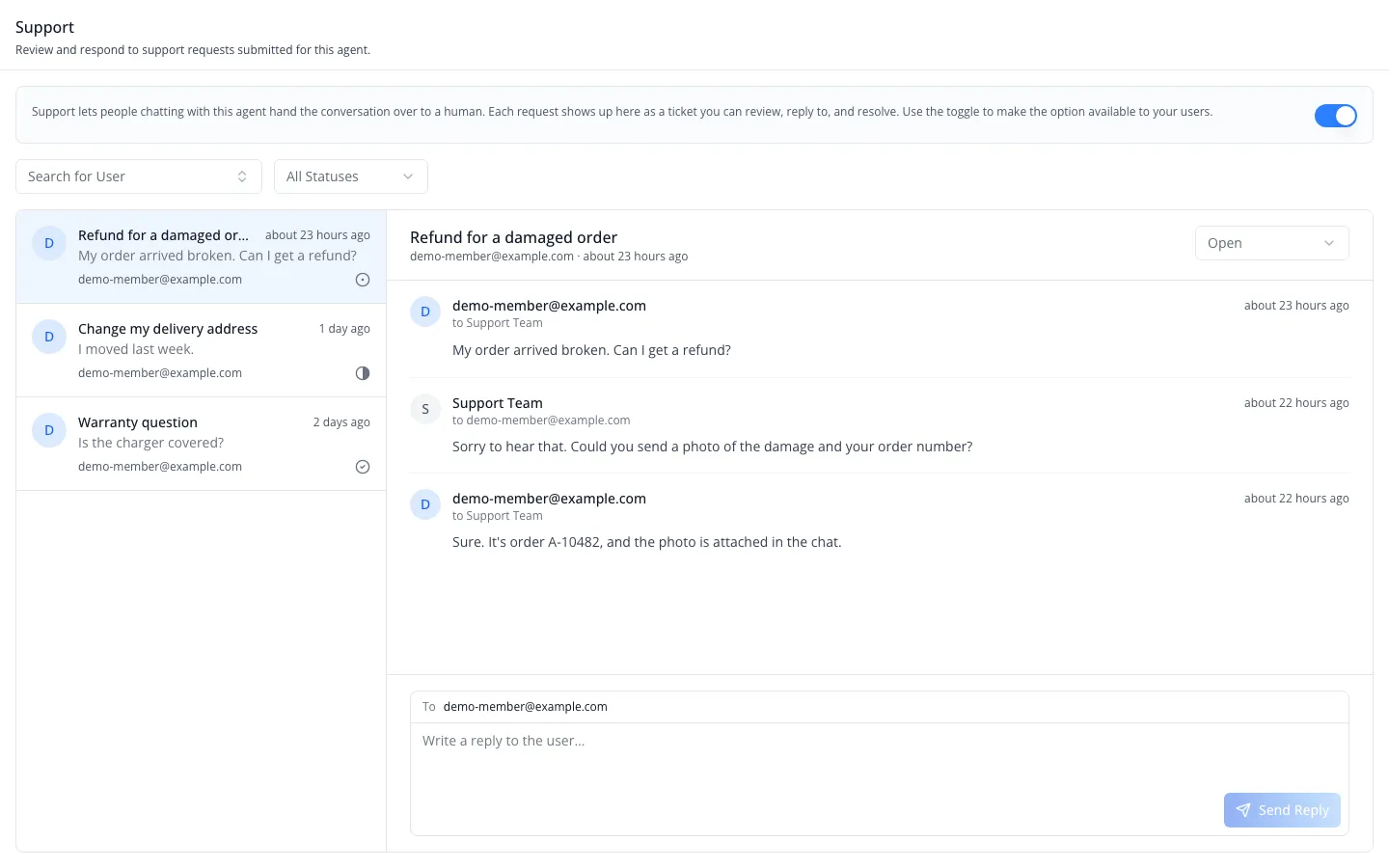
What does a support team see in an agent's support inbox?
A list on the left and the selected ticket on the right, read like an email. Each row shows the requester, the subject, when it arrived, a preview and a status icon; two filters narrow the list to one person or one status.
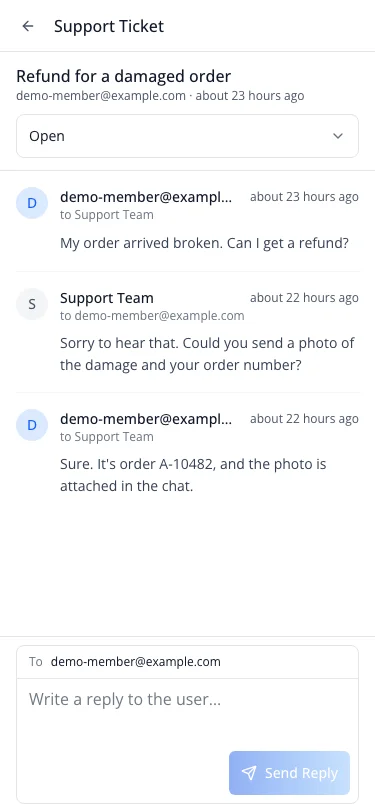
The ticket shows its subject, the requester and a Status selector at the top, then the thread oldest first: the request the agent wrote, then every reply. Anyone answering who is not the requester appears in the thread as Support Team.
A reply goes in the box at the bottom, already addressed in its To line, and Send Reply adds it to the thread.
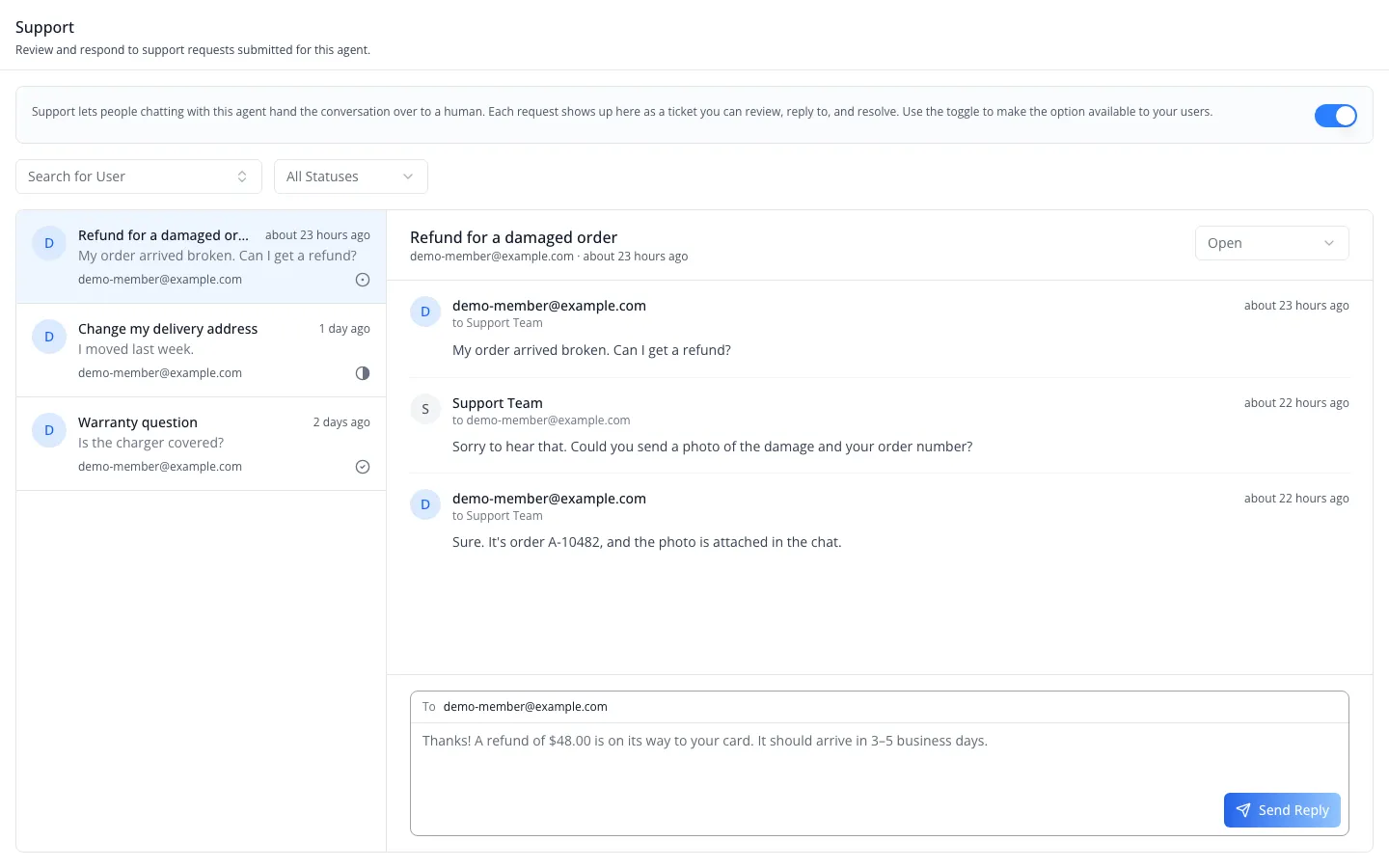
Closing is deliberate. A Closed ticket replaces the reply box with "This ticket is closed. Set it back to Open or In Progress to reply.", so nobody answers a resolved case by accident.
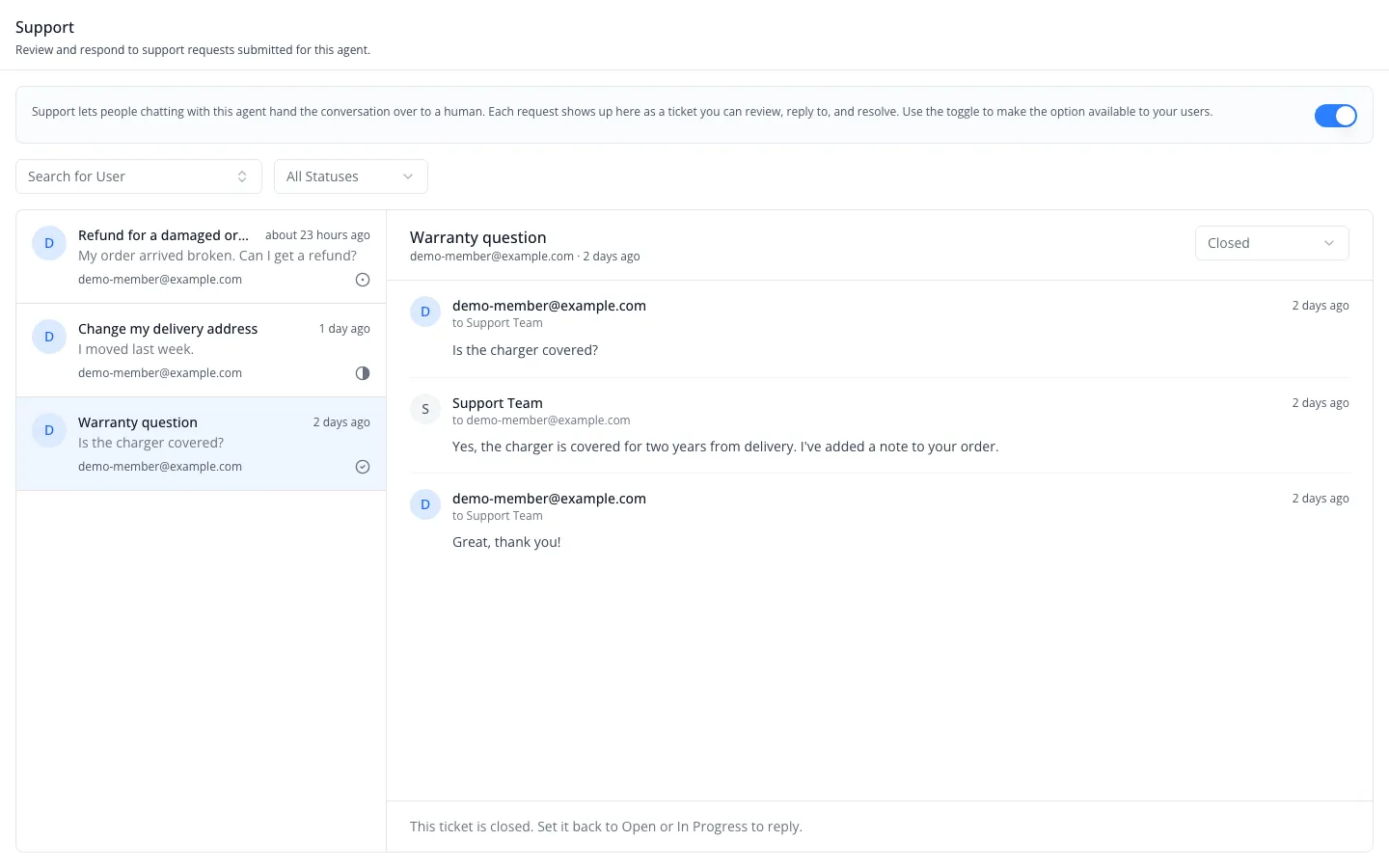
The list never scrolls: it shows as many tickets as fit the screen and pages the rest, 10 a page between 768 and 1023 px wide.
Who can see the support tickets raised with an agent?
Organization admins see every ticket for the agent; everyone else sees only the tickets they raised themselves.
The same rule holds in the interface and on the ticket calls in the REST table below, from listing tickets to closing them, so a customer can follow their own request without seeing anyone else's.
The tickets, requester details included, are part of the data you own.
How do you turn human hand-off on or off for an ibl.ai agent?
With the Human Support switch in the info box at the top of the agent's Support tab. One click saves the agent's capability_human_support setting and confirms with "Human Support turned on"; there is no Save button and no list of tools to edit.
It is one of ten per-agent capability switches, alongside web search, code interpreter and screen sharing.
Turning it off hides the hand-off from users, while existing tickets stay workable.
The switch locks itself, with the reason written under it, when the person may not change it, or, while it is off, when the agent's model cannot use the tool ("Pick another model in the LLM tab to turn it on.").
The separate switch needs platform API 4.467.0 or later. On an older release the switch is hidden and the inbox still works.
Does the support inbox work on a phone?
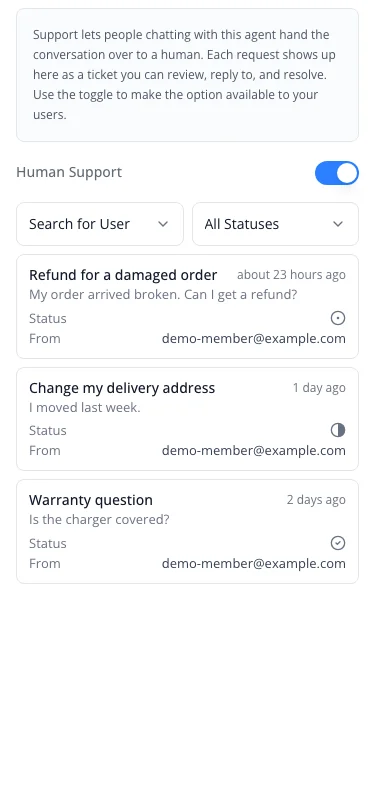
Yes. Below 768 px each ticket becomes a card with its status and sender, the Human Support switch sits on its own row, the filters open as sheets from the bottom, and a "Page x of y" pager replaces the page numbers. Tapping a ticket opens it full screen, with Back.
How does a developer add the support inbox to their own app?
With one React component. Inside the AgentSettingsProvider that wraps every agent tab, AgentHumanSupportTab from @iblai/iblai-js (3.1.0 or later) needs no props: it reads the organization, agent and user from the provider and does its own fetching and saving.
A partial labels object renames any string, from the title to Send Reply.
Teams that would rather build their own screen get a REST twin with the same rules:
| Action | Request |
|---|---|
| List tickets | GET support-tickets/, filtered by agent, status, requester or chat session, paged |
| Read the thread | GET support-ticket-messages/?ticket={id} |
| Reply | POST support-ticket-messages/ with the ticket and the message |
| Change status | PATCH support-tickets/{id}/ to Open or In Progress |
| Close | POST support-tickets/{id}/close/ |
| Turn hand-off on | capability_human_support: true in the agent's settings PUT |
The walkthroughs are the iblai-vibe-agent-support and iblai-api-agent-support skill pages. In Agentic OS an admin finds the same inbox under the agent's Activity group, as the Support settings guide shows. It is one of the agent controls you can mount in your own app.
Want to see an agent hand a customer to your team?
We can show one of your agents filing a ticket mid-chat and your team closing it from the inbox, on infrastructure you control. Book a 30-minute demo or talk to the ibl.ai team — ibl.ai is family-owned and operated from New York, NY.