Agentic Vibe 2.0 turns the coding agent you already use into an ibl.ai app builder: one install, four questions, and a working AI app with sign-in, an agent, users and admins, memory, analytics and billing — and on ibl.ai you own all the code and the data.
The toolkit is MIT-licensed on GitHub, and the app it builds is yours to ship to the web, desktop and mobile.
Version 2.0 of iblai/vibe shipped on September 9, 2026. It merged two toolkits into one install, rebuilt the documentation around the journey a builder actually takes, and put the core app into a starter template.
It is one of 40 releases in the 31 days to September 23 — 26 of them in the fourteen days after 2.0 shipped.
How do you build an ibl.ai app from Claude Code, Codex or Cursor?
You install the skills into the agent you already use, then start a conversation. One command covers Claude Code, OpenAI Codex, Cursor, OpenCode and Copilot:
npx skills add iblai/vibe --allClaude Code users can install it as a plugin instead — the same skills plus the SDK-docs MCP server, updated with /plugin update — through /plugin marketplace add iblai/vibe and /plugin install iblai-vibe@iblai.
Then you type /iblai-vibe-start. It asks four questions: a new project or existing code; one organization, many, or none; who signs in; and what the app is about. Every other skill reads the answers, so the rest of the build fits the shape you chose.
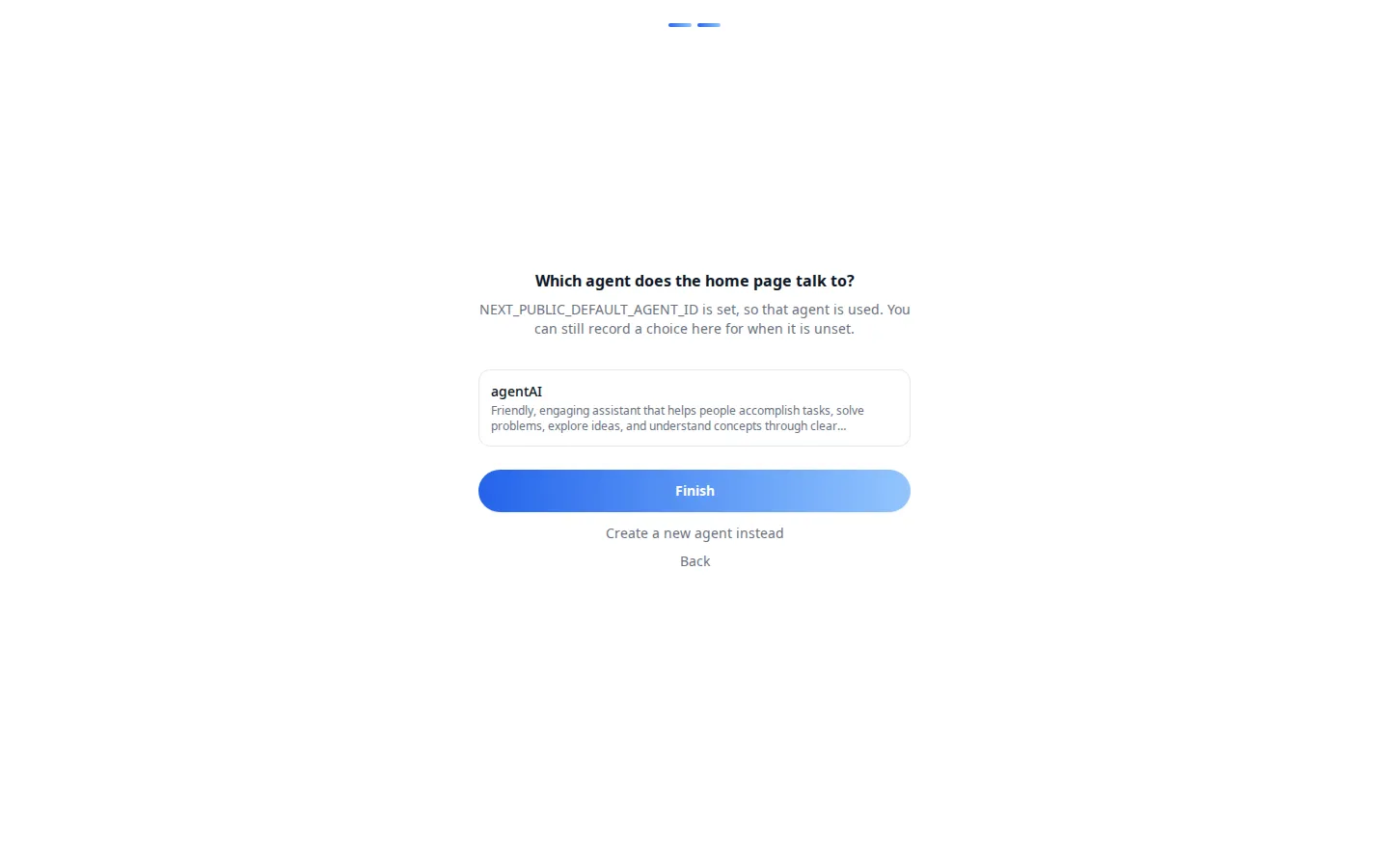
Connecting the app to an ibl.ai organization is one click in the browser, or two pasted values. The API token is written straight into the project's environment files and never passes through the chat — the coding agent builds with it but never sees it.
Thirty seconds after you sign in, you are chatting with your own agent, with users, an admin area, custom user and organization settings, memory, analytics and billing already wired.
What does the Agentic Vibe starter app include?
The starter is a real application, not a demo page. After sign-in, the home page is a conversation with your agent, with suggested follow-ups, voice input, Canvas and Memory in the composer.
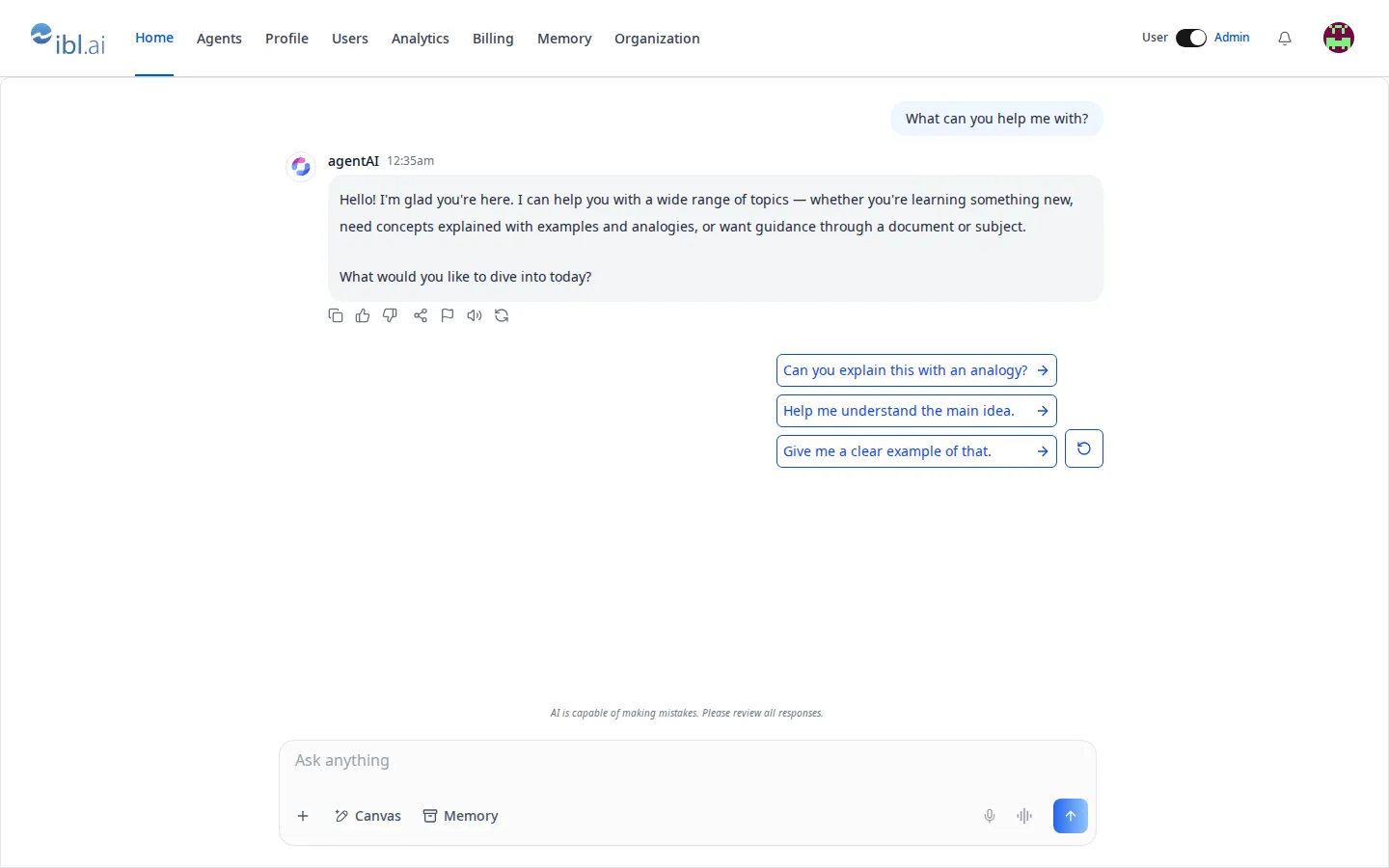
Out of the box, the starter wires up:
- Sign-in with ibl.ai SSO, pinned to your organization.
- A home page that is a chat with your agent,
/agentsto browse, and/setupto pick or create one. - Users and admins — a profile, a User/Admin switch, and an admin area for people, invites, roles, analytics, billing, memory and organization settings.
- Custom data per user and per organization, stored on the platform — no database of your own to run.
- Tests in Vitest and Playwright, plus a server helper for anything the components don't cover.
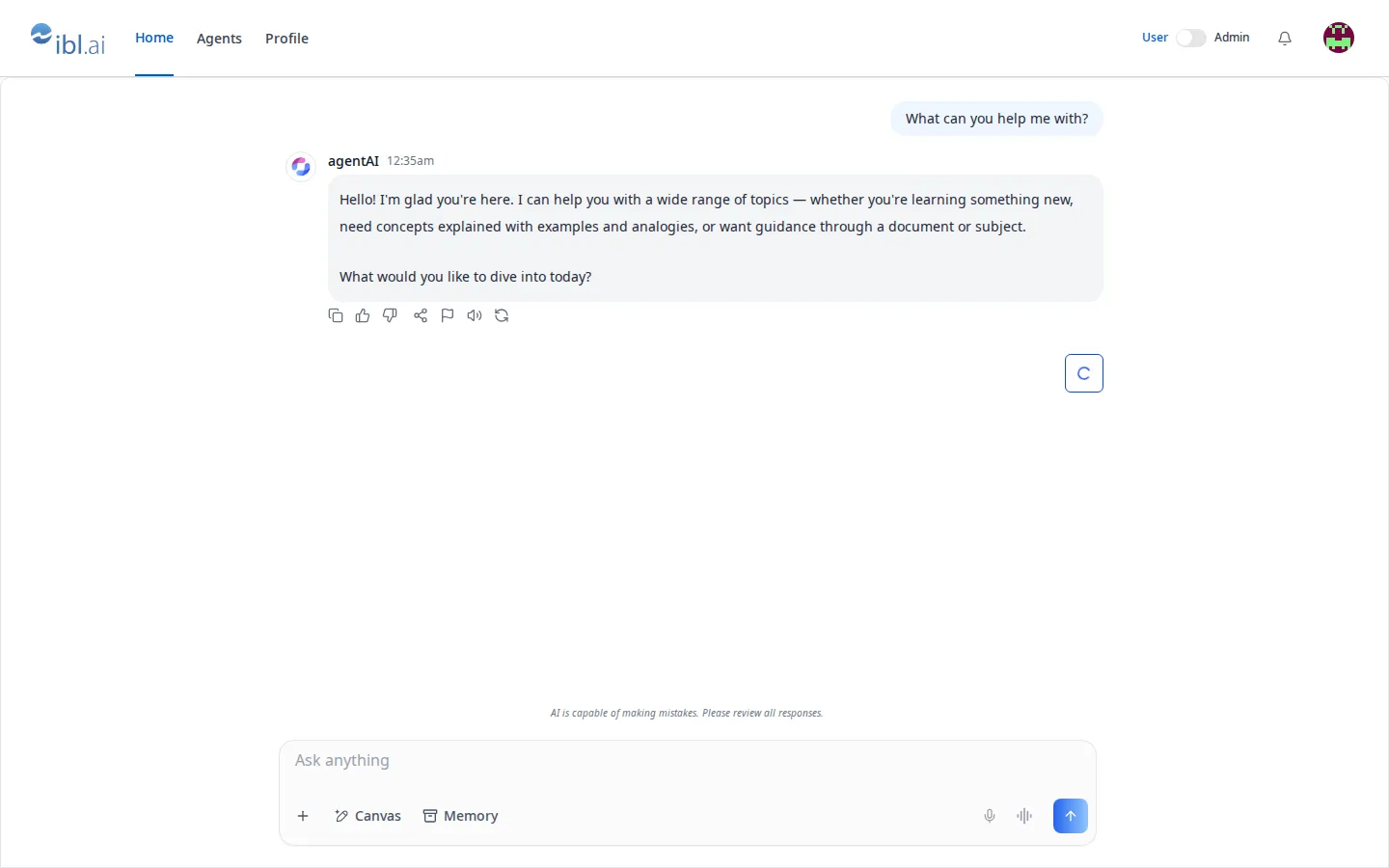
The same app reads differently to each person. An administrator sees eight sections; a user sees Home, Agents and Profile. The switch in the top right moves between the two views.
How do admins manage users in an app built with Agentic Vibe?
Through the platform's own management screens, mounted in your app. The Management panel has seven tabs — Users, Groups, Roles, Policies, Teams, Alerts and Applications — with search, invitations, a role per person and a policy set per person.
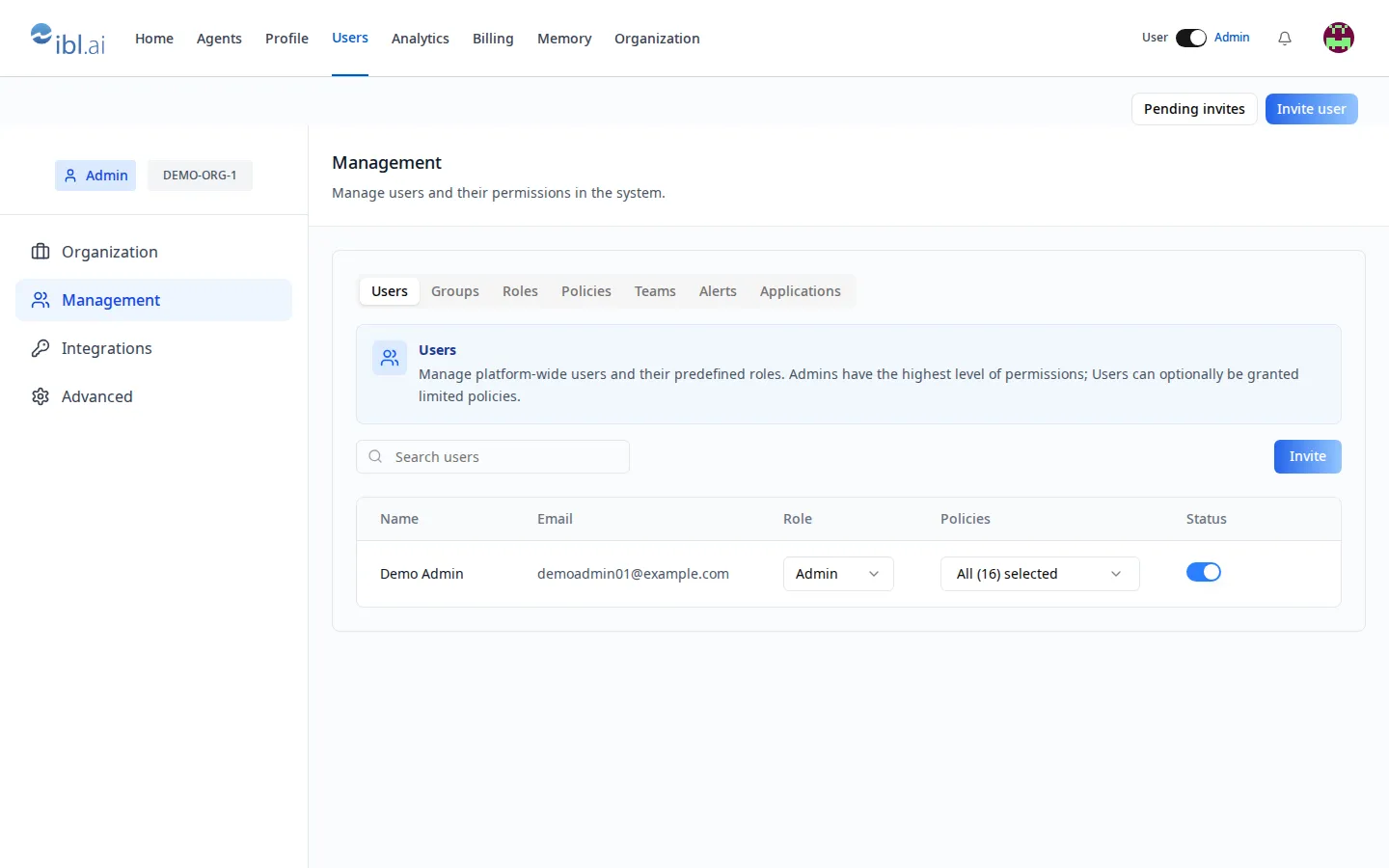
None of this is a mock-up to be rebuilt later. Roles and policies are the platform's role-based access control, so what you grant in your app is enforced by the same backend that runs Agentic OS.
What are the two skill families in Agentic Vibe 2.0?
Version 2.0 merged the separate iblai/api toolkit into iblai/vibe, so one install now carries two families. Skills named iblai-vibe-* mount a visual component in your app; skills named iblai-api-* do the same work headlessly over REST, for a script, a CI job or your own backend.
| Kind | What it produces | Skills |
|---|---|---|
| ui | A screen in your app — a page, tab, dialog or widget | 54 |
| api | The exact REST contract, a script or a server route | 66 |
| guide | A decision page that routes you to the right skill | 15 |
| ops | Builds, tests, deploys, releases and upgrades | 11 |
| security | Authorized-use security reviews | 8 |
| Total | One install | 154 |
Most capabilities exist in both families. Custom data per user, for example, is /iblai-vibe-user-metadata with a screen or /iblai-api-profile-metadata without one — pick by where the code runs.
How do you ship an app built with Agentic Vibe?
With one more skill. /iblai-vibe-ops-deploy gives you a URL; /iblai-vibe-ops-build wraps the same codebase in Tauri and builds it for macOS, Windows, iOS and Android. The deployment paths cover platform hosting, your own server, and the app stores.
The toolkit runs against ibl.ai's hosted environment by default. The full platform codebase — the backend these skills talk to — is available under license to run on your own infrastructure, which is where the ownership model stops being a feature and becomes the architecture.
More on the product at Agentic Vibe, and the mirrored documentation at /developer/vibe.
Want to build your organization's AI app this way?
The ibl.ai team builds with these same skills every day, and we can stand one up with you on your data. Book a 30-minute demo or talk to the ibl.ai team — ibl.ai is family-owned and operated from New York, NY.