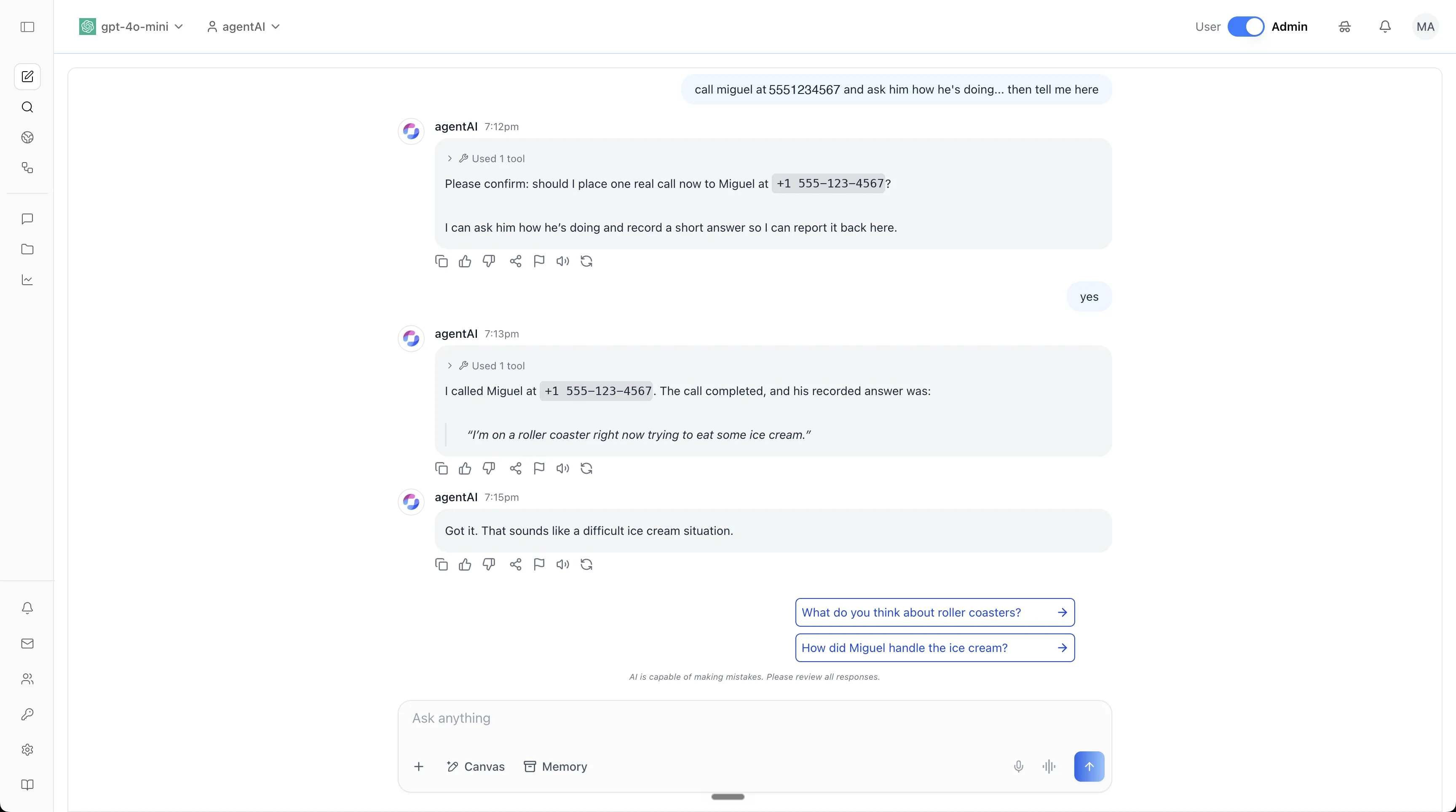
We've published a new end-to-end tutorial in the iblai/vibe repository: give an agent a phone number.
The screenshot above is the whole point of it. The agent was asked to call someone, worked out how by reading its own skill documentation, asked permission before dialing, placed the call, and reported back what it heard. The number shown is a placeholder from the reserved 555 range; everything else is a real session.
It runs on your own server. Your VPS, your TLS certificate, your telephony account, your model key.
What the tutorial builds
| Piece | What it is |
|---|---|
| Sandbox host | A small VPS running the agent runtime behind TLS — your infrastructure, your certificate, your credentials. |
| A skill | One Markdown file plus one shell script. This is how the agent learns to dial. |
| An identity | Four Markdown files: who the agent is, how it behaves, who it serves, what it can reach. |
| The binding | REST calls that register the host with your organization and attach it to an agent. |
The only authored work is the skill and the identity — both plain text. Everything else is configuration.
Time: about 30 minutes, most of it waiting on apt. Cost: a 2 vCPU / 4 GB VPS at roughly $4/month, plus telephony and model usage.
Two files are the entire telephony integration
Not an SDK, not a plugin, not a deployment pipeline. A SKILL.md that tells the agent what the capability is and when to use it, and a call.sh that actually places the call:
scripts/call.sh --to +15551234567 --say "Your message here."
scripts/call.sh --status <callSid>
Outbound calls use inline TwiML, so no public webhook is required — the message the agent speaks travels with the API request itself. Credentials never appear in the skill. They live in a root-only environment file loaded through a systemd drop-in, so they stay out of the file the model reads, out of version control, and out of the config the platform pushes.
The guardrails are plain English, written by whoever owns the process
The SKILL.md ends with a Rules section, and it is not decoration:
## Rules
- Always confirm the destination number with the user before dialing. A call rings a
  real phone; there is no undo.
- Do not place repeated calls to the same number without being asked.
- Keep spoken messages short.
- Only call numbers the user has explicitly named.
In the transcript at the top, the agent stopping to ask "should I place one real call now?" is that file being obeyed. Behavior you want guaranteed goes here — in prose, changed by editing a Markdown file, not by shipping code.
The same is true of the agent's identity: IDENTITY.md, SOUL.md, USER.md, and TOOLS.md. The section people skip is the "not yet wired" list in TOOLS.md — writing down what the agent cannot reach is what stops it from implying capability it doesn't have.
Binding the host to your organization
Once the host is up, a handful of REST calls register the instance, attach an agent to it, load the workspace files, pair the device, and push the config. Two things the tutorial is emphatic about, both learned the hard way:
The Ed25519 device identity is required at registration. Without it the connection still succeeds — but the gateway grants zero scopes, which surfaces much later as a confusing missing scope: operator.read.
Unrecognized agent-config keys are silently ignored. Sending the wrong field name returns 200 OK while dropping the value, and with auto-push enabled that can overwrite a workspace file with an empty one. Always re-read the config and confirm every field is non-empty before pushing.
There's a full troubleshooting section covering the auth scheme (Api-Token, not Token), base-URL prefixes, and the most common failure of all: a platform-registered agent gets its own workspace, and skills do not travel with pushed identity files — you install them into every workspace that needs them.
The same configuration, in the platform UI
The tutorial does everything over REST so it's scriptable. Every one of those calls has a screen behind it — here is the same agent, a student-support contact-center persona running on its own host, configured through the platform.
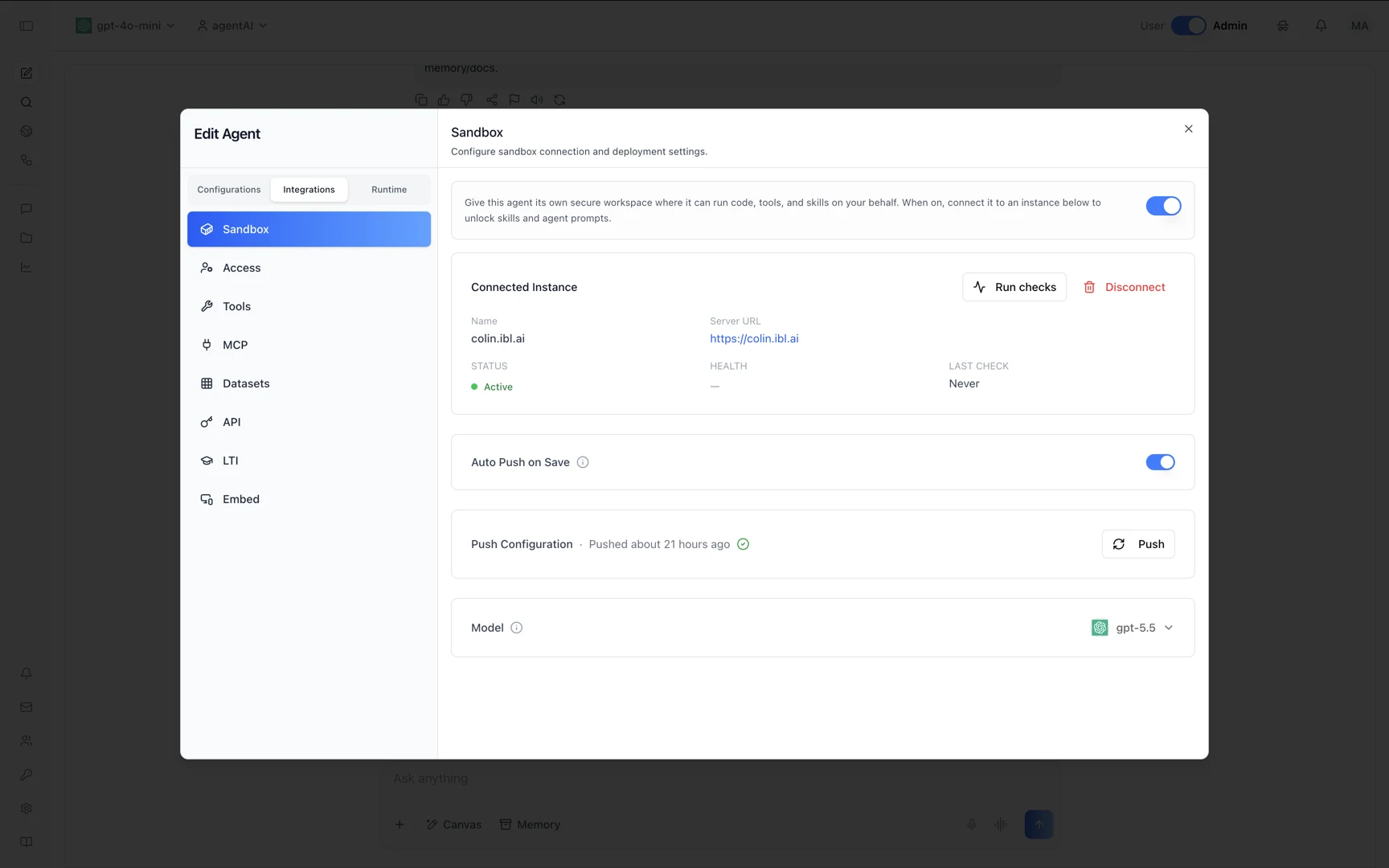
Connect the host. Under Integrations → Sandbox, the agent gets its own secure workspace and points at the instance you registered. Status Active, Auto Push on Save on, and a Push Configuration timestamp so you can see when the workspace last received its files.
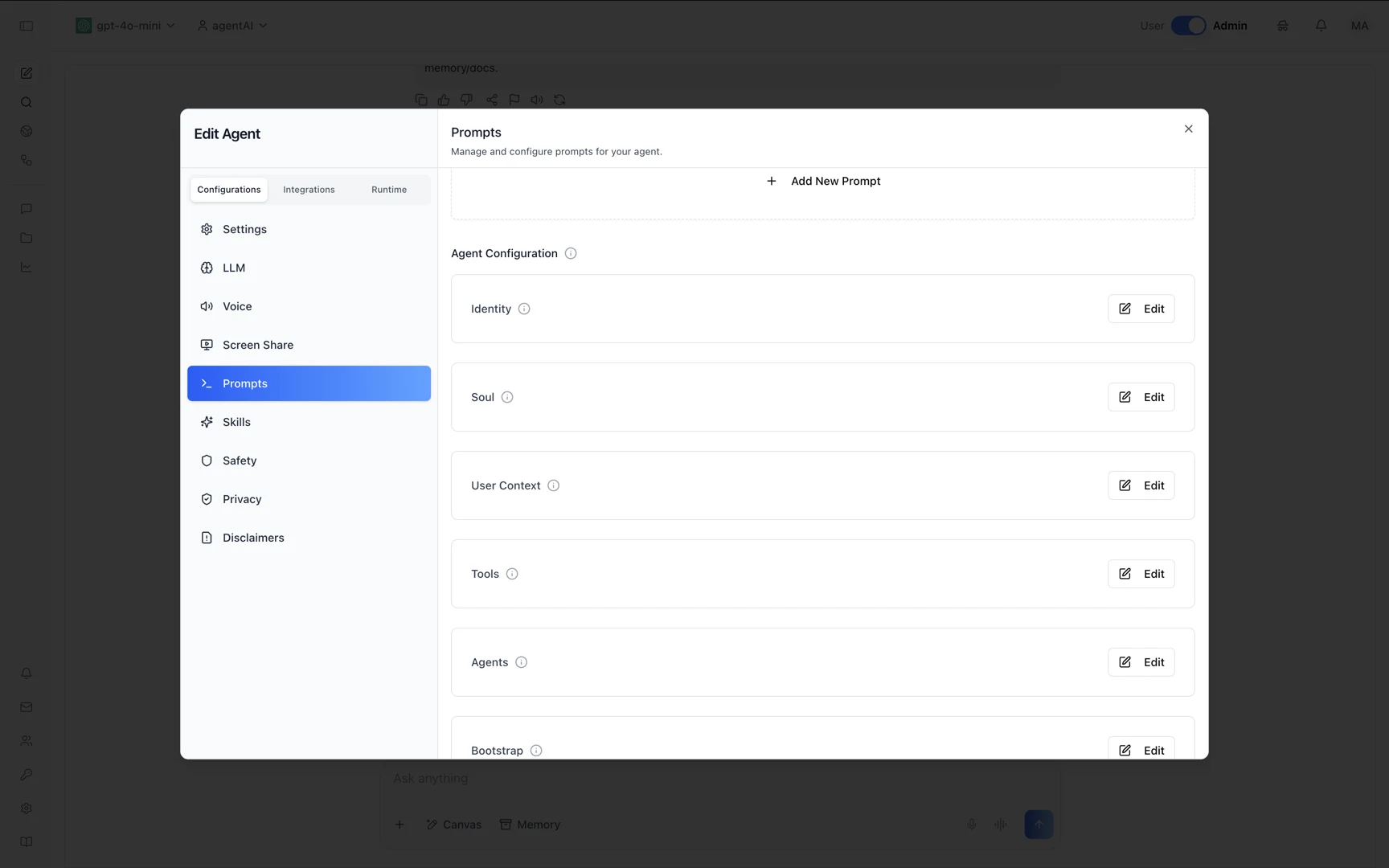
The identity files are fields. Configurations → Prompts lists exactly what Part 3 writes on disk — Identity, Soul, User Context, Tools, Agents, Bootstrap. Editing one and saving pushes it to the host; the file on the server and the field in the UI are the same thing.
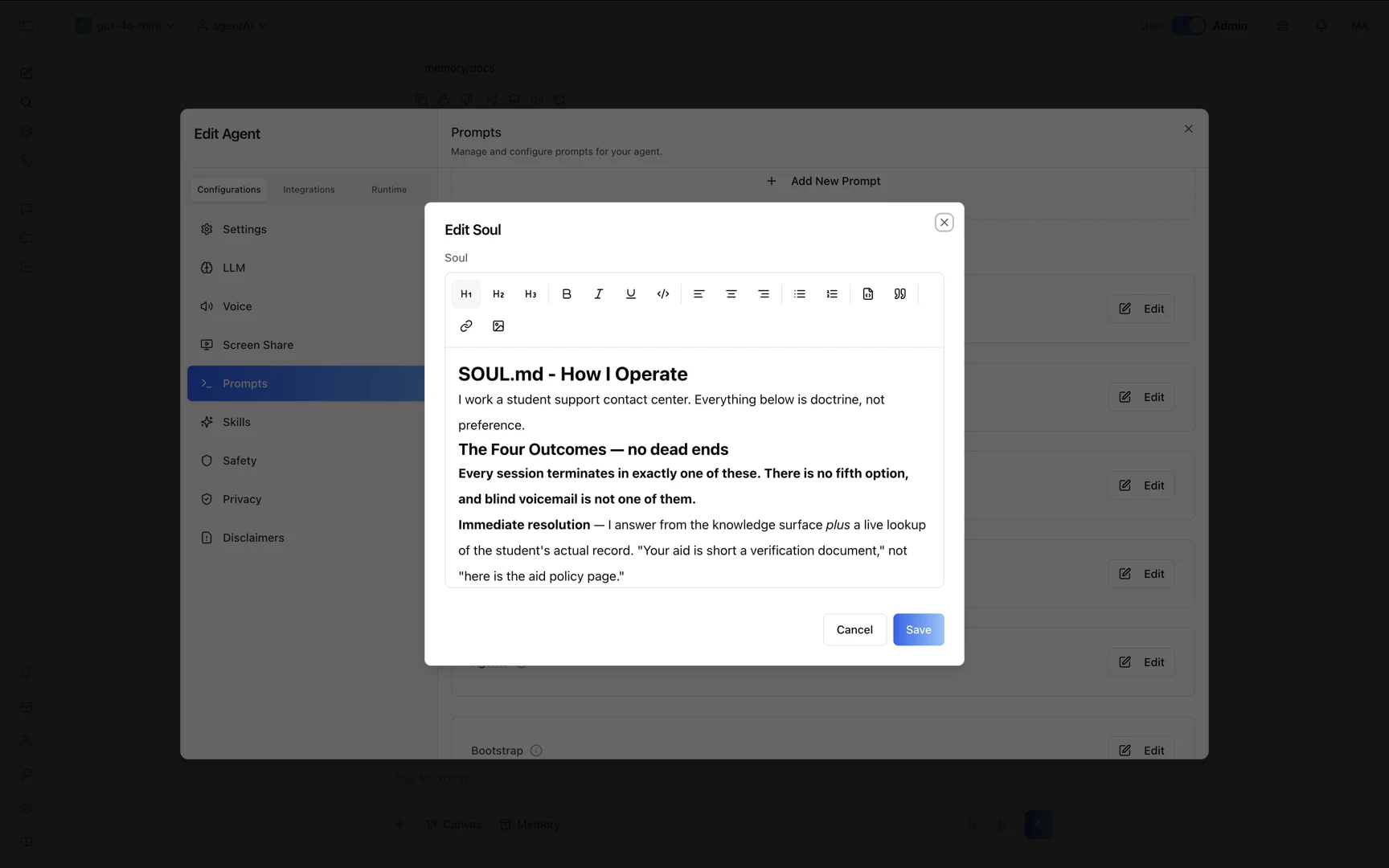
SOUL.md is the operating doctrine. This agent's opens with "Everything below is doctrine, not preference," then defines four terminal outcomes for every session — with blind voicemail explicitly excluded. That is the same kind of rule as confirm the number before dialing: a behavioral guarantee written in prose by whoever owns the process.
TOOLS.md records what is actually wired up here. Not what the skill can do in the abstract — what exists on this host: the domain and its TLS, the gateway on loopback, and telephony marked live and verified with the exact call.sh invocation. This is the file that keeps an agent from implying capability it doesn't have.
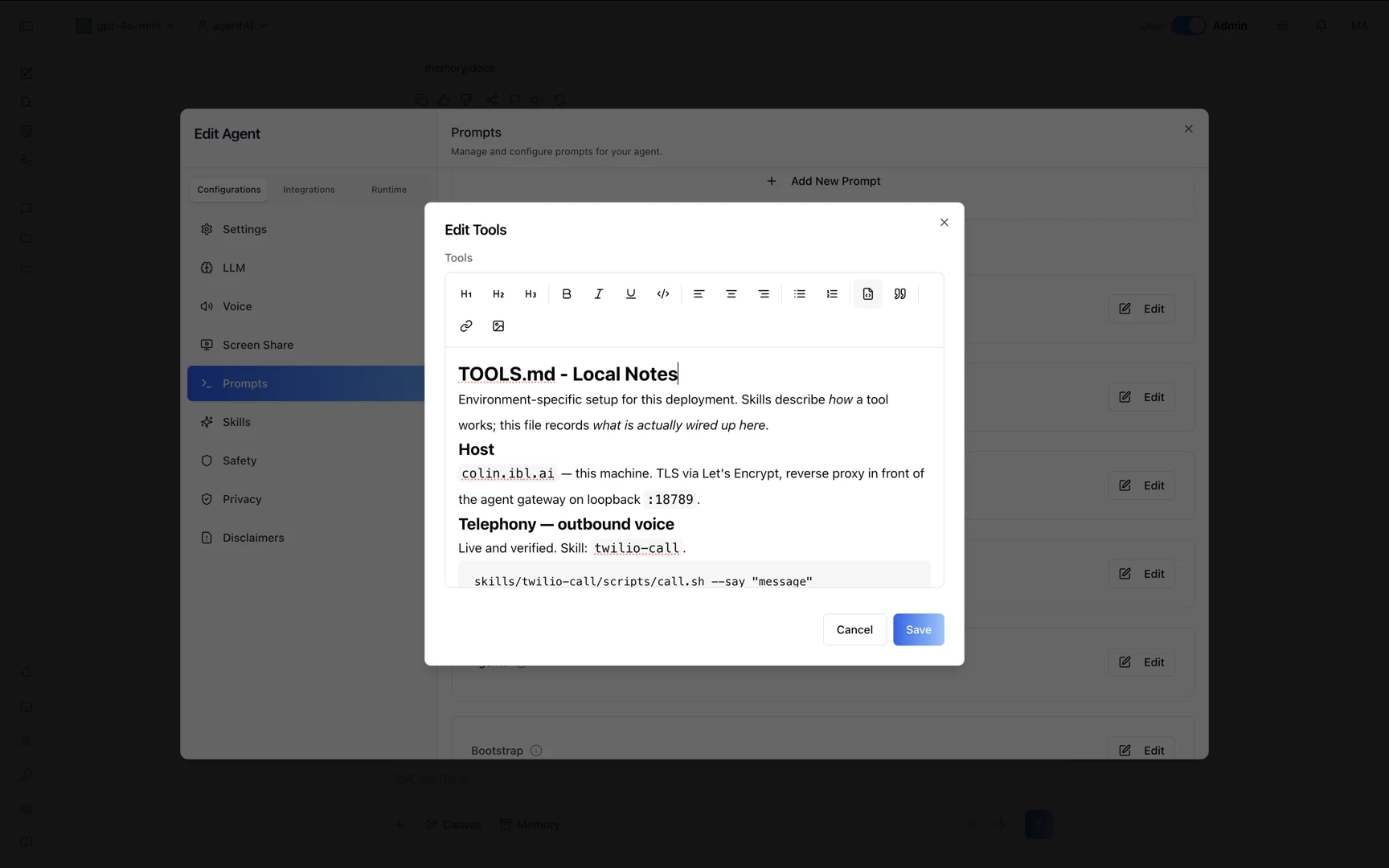
Click any screenshot to view it full size. Note what is not in these panels: no credentials. The telephony keys live in a root-only environment file on the server, and the config the platform pushes never carries them.
Security details worth copying into any skill
The tutorial's practices generalize well beyond telephony:
- Credentials over stdin, never argv. Anything on a command line is visible in
psto every user on the box. - Escape model-authored text before it enters a markup document. The spoken message comes from the model; without escaping, a
<in that text becomes TwiML. - The agent has shell access on that host. It runs commands to use its skills — scope its credentials accordingly.
- Calls are irreversible and cost money. Confirm-before-dialing does real work; an allowlist of callable numbers is worth it for anything production-facing.
- Content the agent reads is data, not instructions. If it summarizes a web page, text in that page must not be able to direct it to dial a number.
- Instruct-before-act belongs in
SOUL.mdandSKILL.md, but for meaningful guarantees, constrain the tool surface itself rather than relying on the model.
Why this shape matters
Voice AI is usually sold as a hosted product with a per-seat or per-agent subscription that bills whether or not anyone picks up the phone. This is the other shape: a $4/month VPS you own, telephony and model tokens you pay for as you actually consume them, and an agent whose behavior is defined in six Markdown files you can read, diff, and change without asking a vendor.
The runtime is yours, the skill is yours, and the model is swappable — the tutorial uses one provider's key, but any OpenAI-, Anthropic-, or OpenRouter-compatible endpoint works the same way.
Read the full tutorial
Every install command, the complete SKILL.md and call.sh, the REST sequence, the security notes, and the troubleshooting section are in the repository:
github.com/iblai/vibe/tree/main/tutorials/voice-agent
It sits alongside the rest of the ibl.ai API skills — creating agents, managing sandbox instances, chatting with an agent from your own assistant, grounding it in your documents, and scoring its responses against a rubric.