Code Mode, the coding agent built into ibl.ai's Agentic OS, now runs from a phone: pair it to the desktop app with a QR code, and the phone drives the same agent editing files, running commands and committing in a workspace on your own computer.
On ibl.ai you own all the code and the data — and with Code Mode, the code the agent writes never leaves your machine.
Phone access shipped with the /iblai-vibe-os-agent-code-mode skill on September 17, 2026, which adds the whole of Code Mode — desktop and phone — to any app built with Agentic Vibe. For what Code Mode does on the desktop, see the original Code Mode announcement.
How does Code Mode work in Agentic OS?
Switch on the Code pill in the chat composer, and a chat turn stops going to the hosted agent. The desktop app starts the open-source opencode coding agent for that chat, and it edits files, runs shell commands and commits changes in a git-backed workspace on your computer.
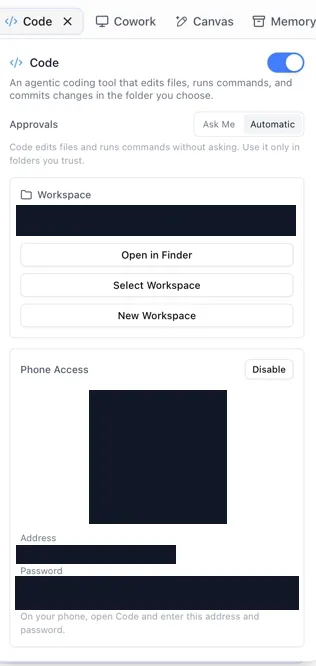
Every operation the agent wants surfaces as a permission card in the reply, which you allow or deny. Switch Approvals from Ask Me to Automatic and it proceeds on its own — the app's own advice is to use that only in folders you trust.
In these screenshots, the pairing code, password, workspace path and network address are redacted.
How do you use Code Mode from a phone?
A phone can't run a coding agent itself, so it pairs with the desktop instead.
On the desktop, turn on Phone Access in the Code settings; it shows a QR code, an address on your local network, and a password — a fresh one every time Phone Access is switched on, and the host shuts down with the app.
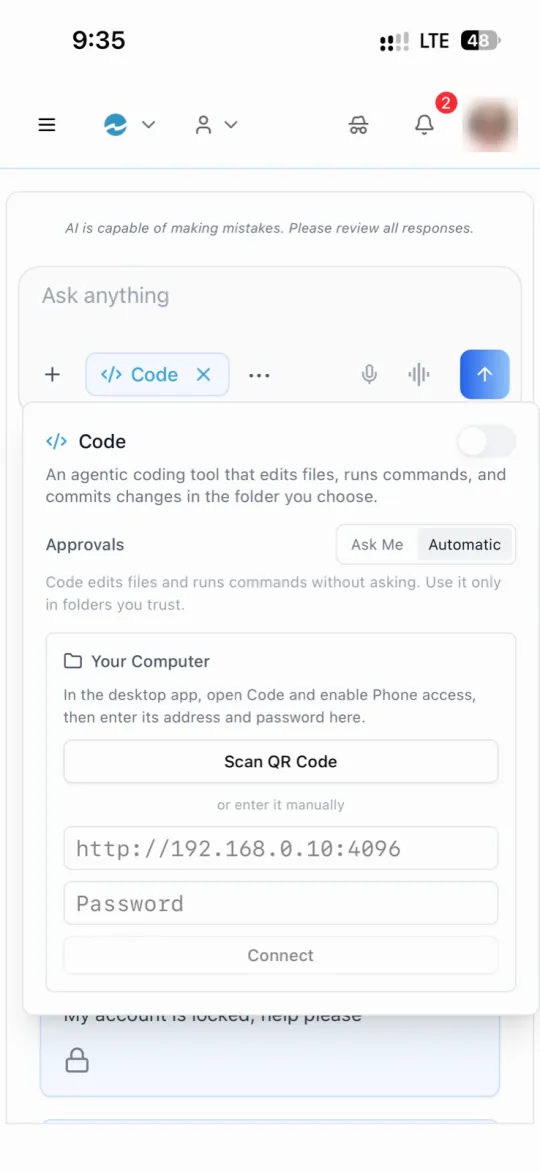
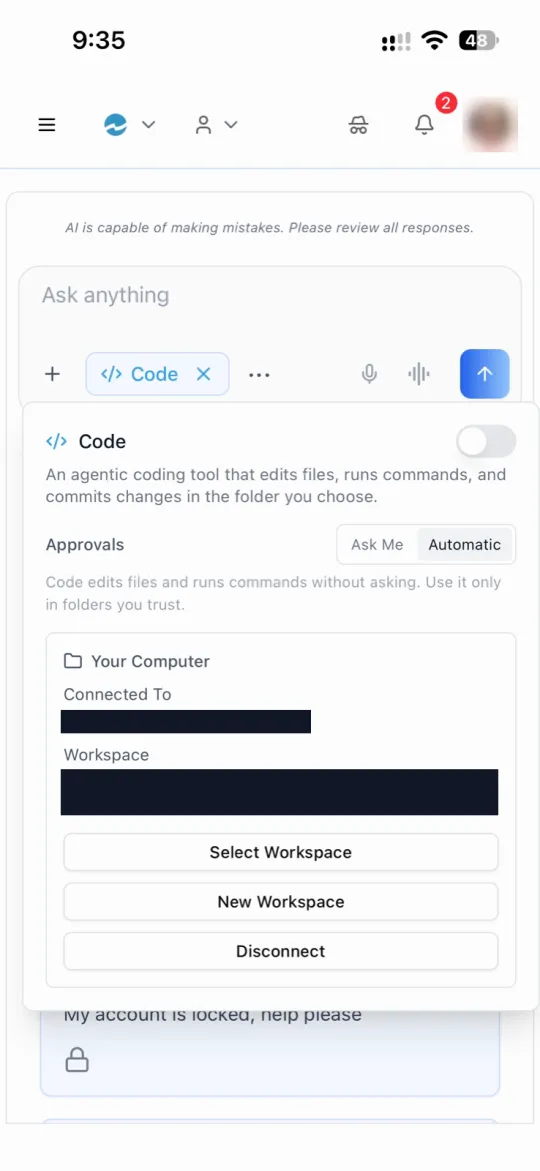
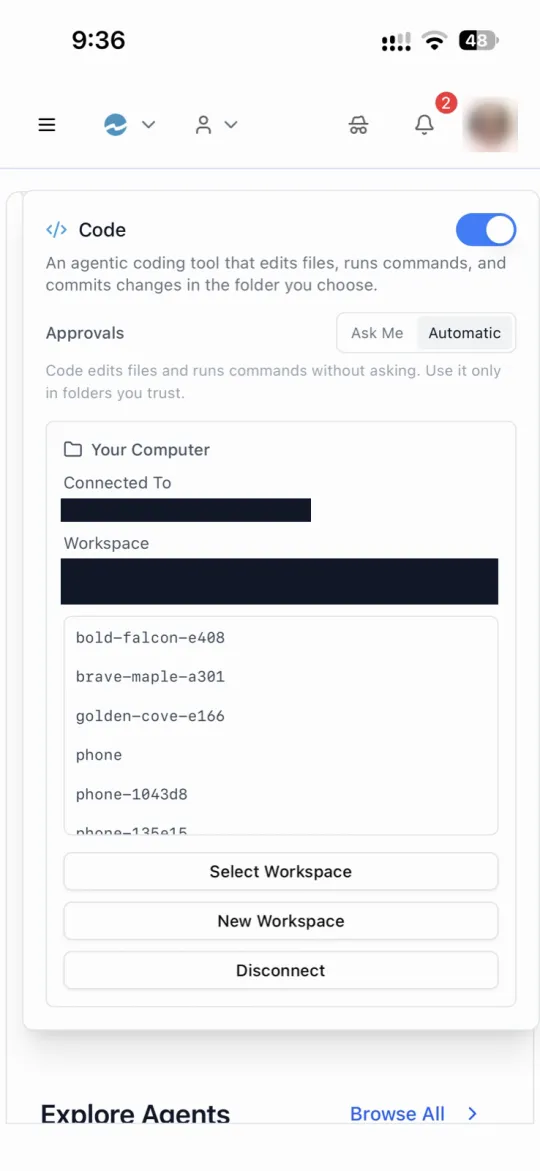
On the phone, open Code and scan the QR code, or type the address and password. Once connected, the phone shows which computer it is talking to and which workspace is open, and can select another workspace, start a new one, or disconnect.
From there, a turn typed on the phone runs on the desktop against that workspace — the same agent, the same files, the same approval cards. The phone is a remote control, not a second copy of your code.
Is it safe to give a coding agent access to your computer?
Code Mode is built so the agent works inside limits you set, rather than on trust.
- It never holds your real token. Its model calls go to ibl.ai's OpenAI-compatible API through a local proxy that injects your token out of the agent's reach; the only credential the agent receives is a scoped, week-long, revocable API key.
- It runs sandboxed — through the operating system's own sandbox on macOS, and bubblewrap on Linux.
- It works in a workspace you choose, git-backed, so every change is a commit you can inspect or undo.
- It asks first unless you tell it not to; a permission card left unanswered for 180 seconds counts as a denial.
The agent also picks up skills: each agent's skills sync from the platform, along with the latest Agentic Vibe release, so the coding agent knows how to build on ibl.ai before you ask.
Where does Code Mode run?
Code Mode runs on macOS and Linux desktops, in the directly distributed build of the desktop app, and phones on iOS and Android use it as paired clients.
The skill ships the implementation itself — the desktop app's Rust modules and the chat components — rather than a specification to re-implement, so an app built with Agentic Vibe gets the same Code Mode that Agentic OS runs.
Want your team coding with agents on your own machines?
We can show Code Mode running end to end — desktop, phone and approvals. Book a 30-minute demo or talk to the ibl.ai team — ibl.ai is family-owned and operated from New York, NY.