Spend limits are now a first-class control on the platform. An administrator can put an enforceable ceiling on LLM spend at three scopes — the whole workspace, a single agent, or one person on one agent — and decide, per limit, whether reaching it stops the work or simply raises an alarm.
The three scopes stack. A request has to clear every limit that applies to it, so the tightest one governs.
A cap on a single agent
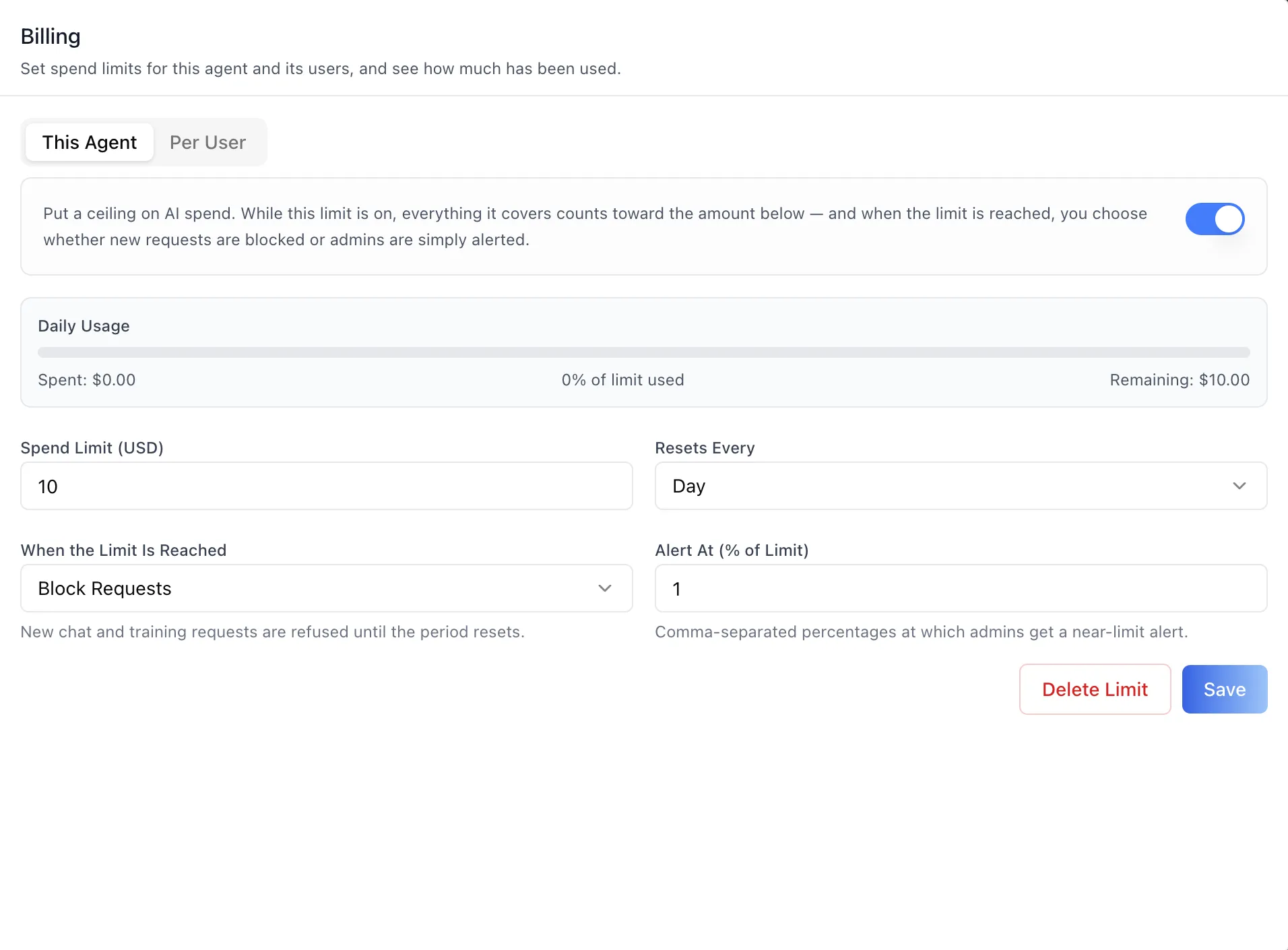
Every agent now has a Billing panel in its settings. A cap is an amount, a reset period — Day, Week, Month, or Year — and a decision about what happens when the amount runs out.
Once a cap is saved, the panel shows spend against it every time you open it: a progress bar that runs blue, turns amber at 80% of the limit, and goes red once it is passed, alongside the spent, percent-used, and remaining figures.
When the Limit Is Reached is the consequential field. Block Requests refuses new chat and training requests until the period resets — a hard stop. Alert Only lets the work continue and alerts administrators instead. Enforcement is server-side, so a blocked request fails for every client, with a distinct error code that can be told apart from a provider rate limit.
Alert At (% of Limit) takes a comma-separated list of percentages, 80, 95 by default, and fires under either mode. That is what gives an administrator time to act before a hard block lands on someone mid-conversation.
A cap on one person
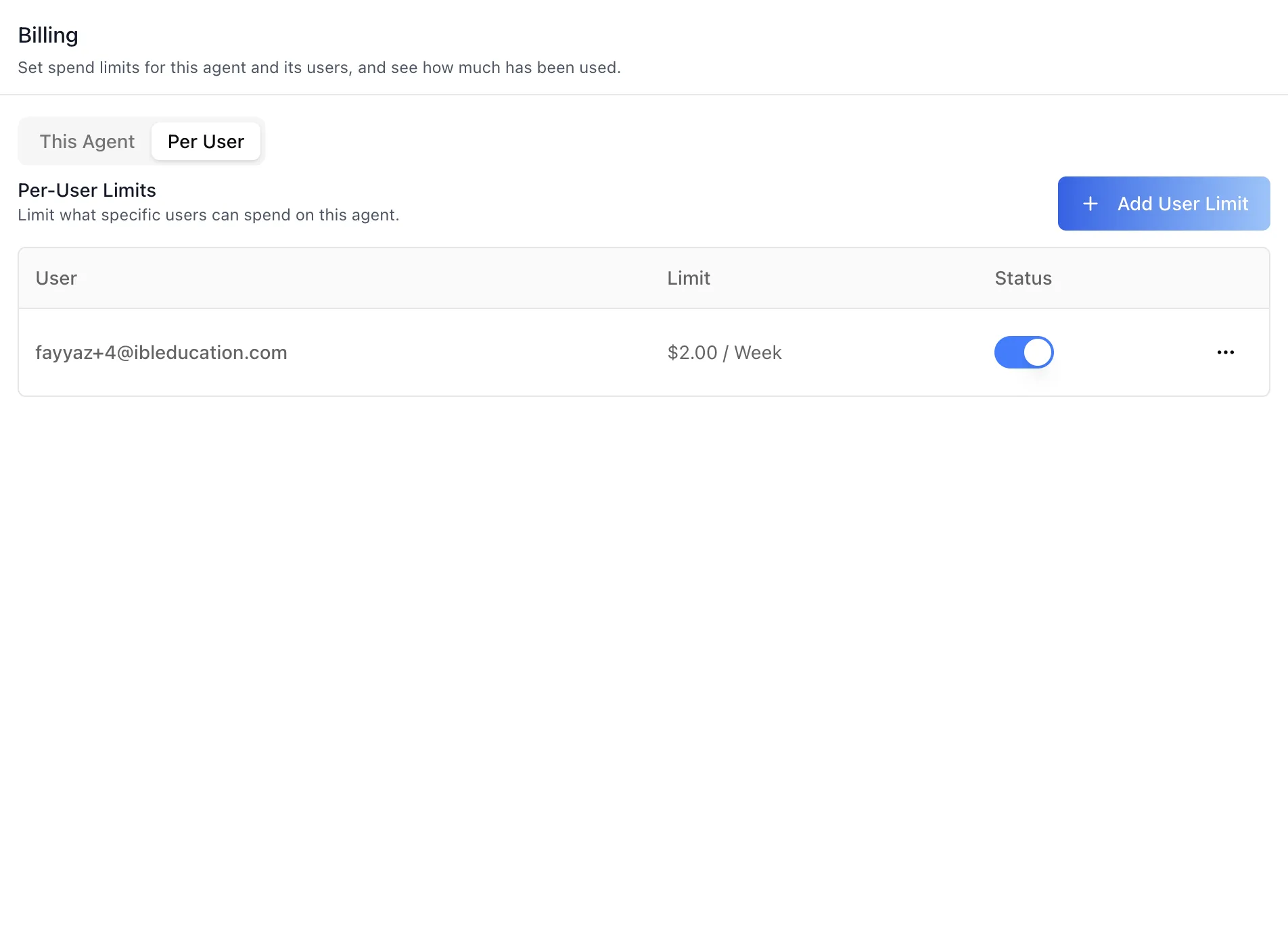
The Per User sub-tab holds explicit limits for named people on this agent. Each row shows the person by email, their limit written as amount and period, and a status toggle that saves immediately.
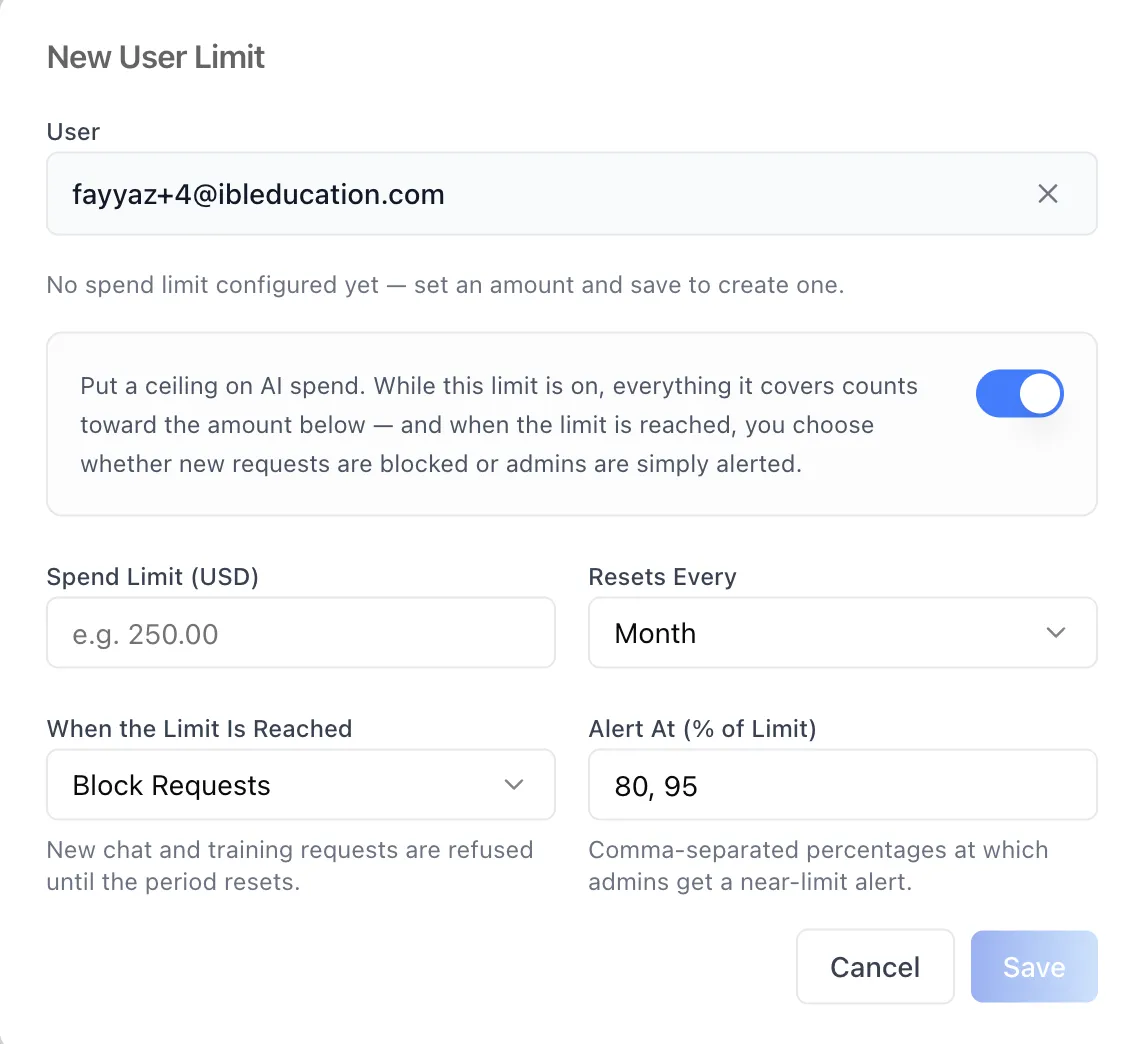
Adding one starts with a search across real platform accounts rather than a free-text field, so a limit can never be attached to a name that does not exist. A per-user limit narrows one person's share of the agent's budget — their spend still counts toward the agent's own cap.
A ceiling on the whole workspace
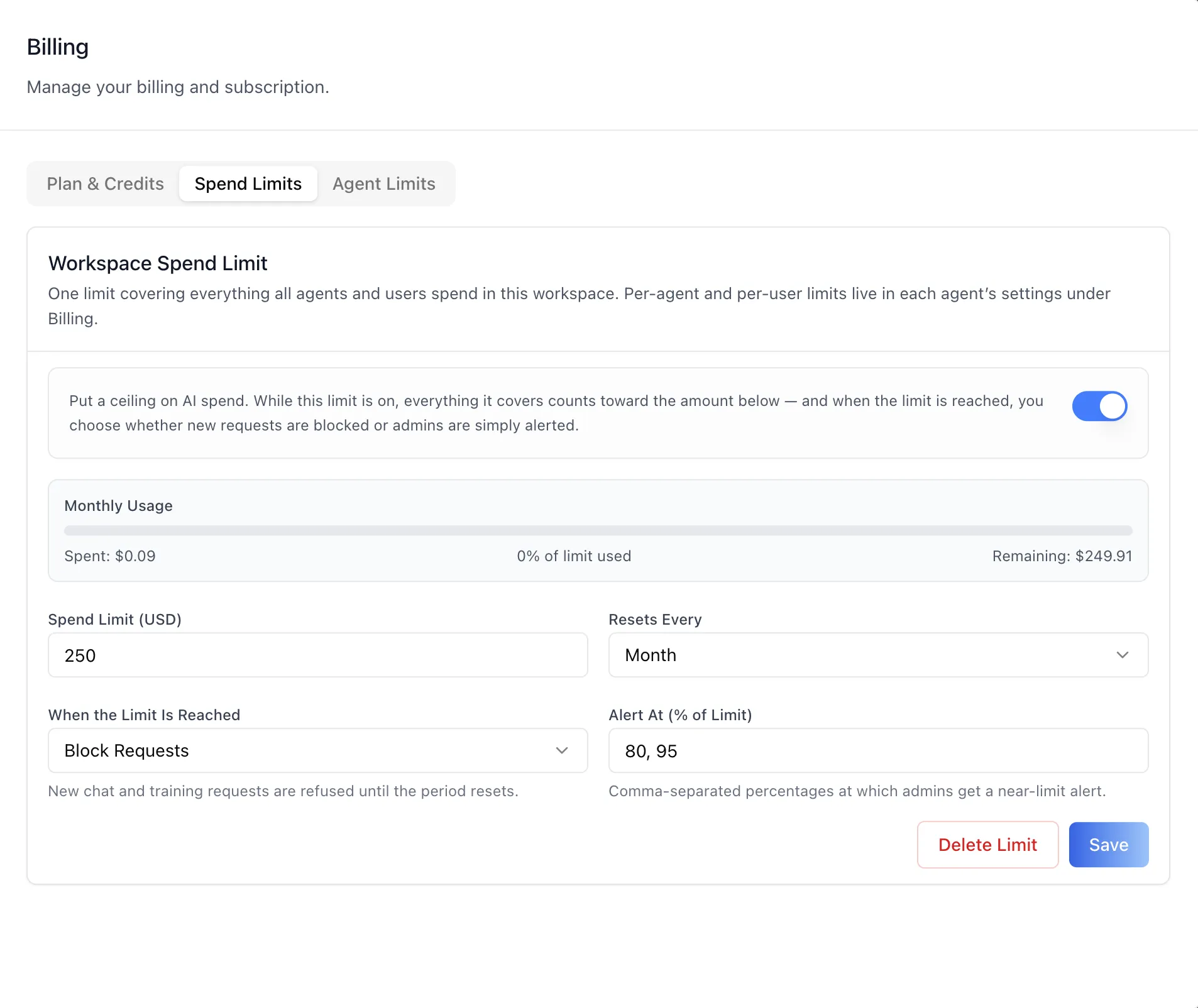
The organization's Billing page grew from one tab to three. Spend Limits is the widest scope: one ceiling covering everything every agent and every user spends.
Before a limit exists, this tab shows what the workspace has actually spent — this month and all time — so the number you pick is grounded in real usage rather than guessed at.
Every agent's cap in one table
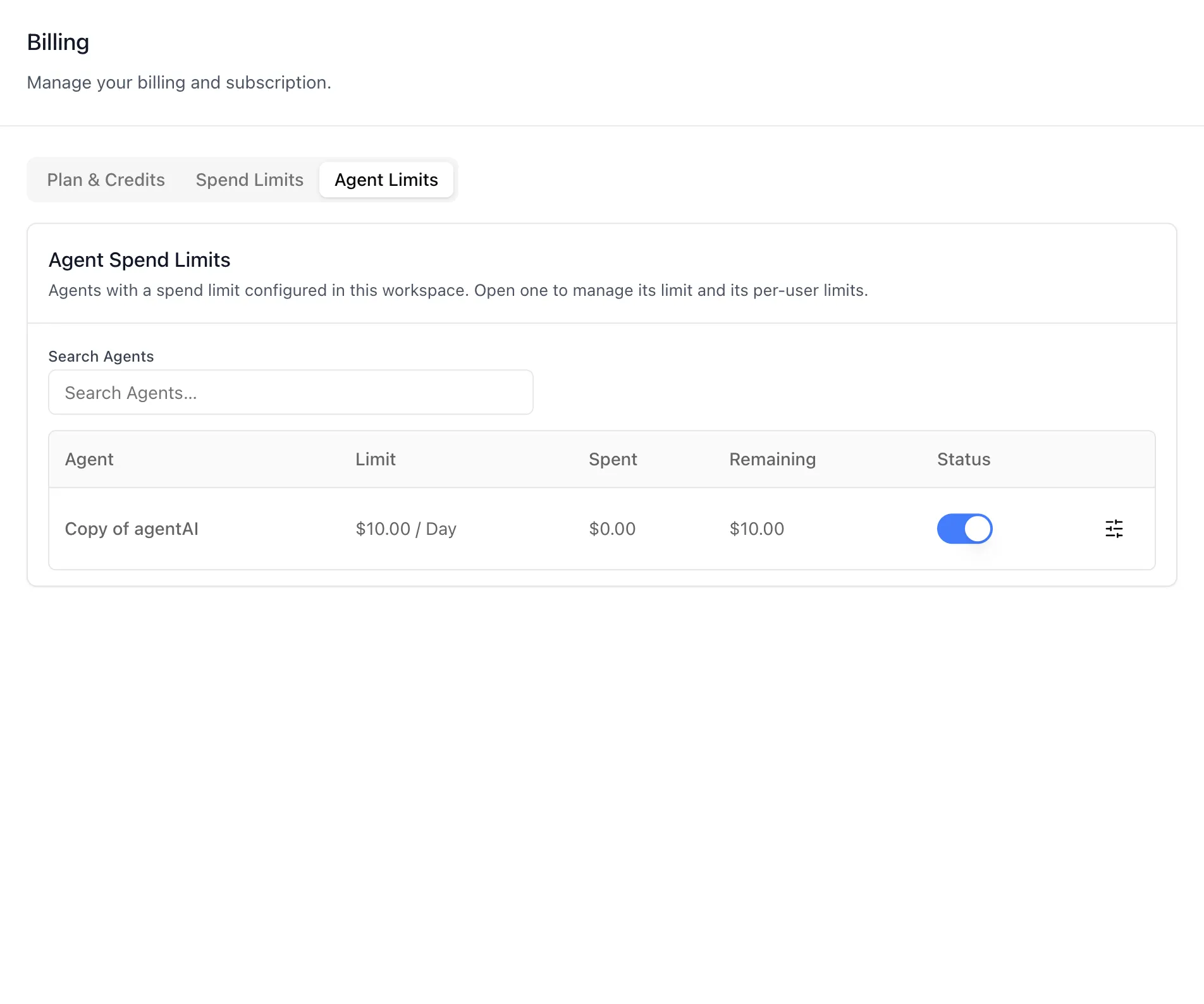
Agent Limits is the cross-agent view: every agent in the workspace that has a cap, with what it has spent and what is left, in one table. The status toggle turns a cap off without deleting it, and searching for an agent that has no cap yet offers to set one.
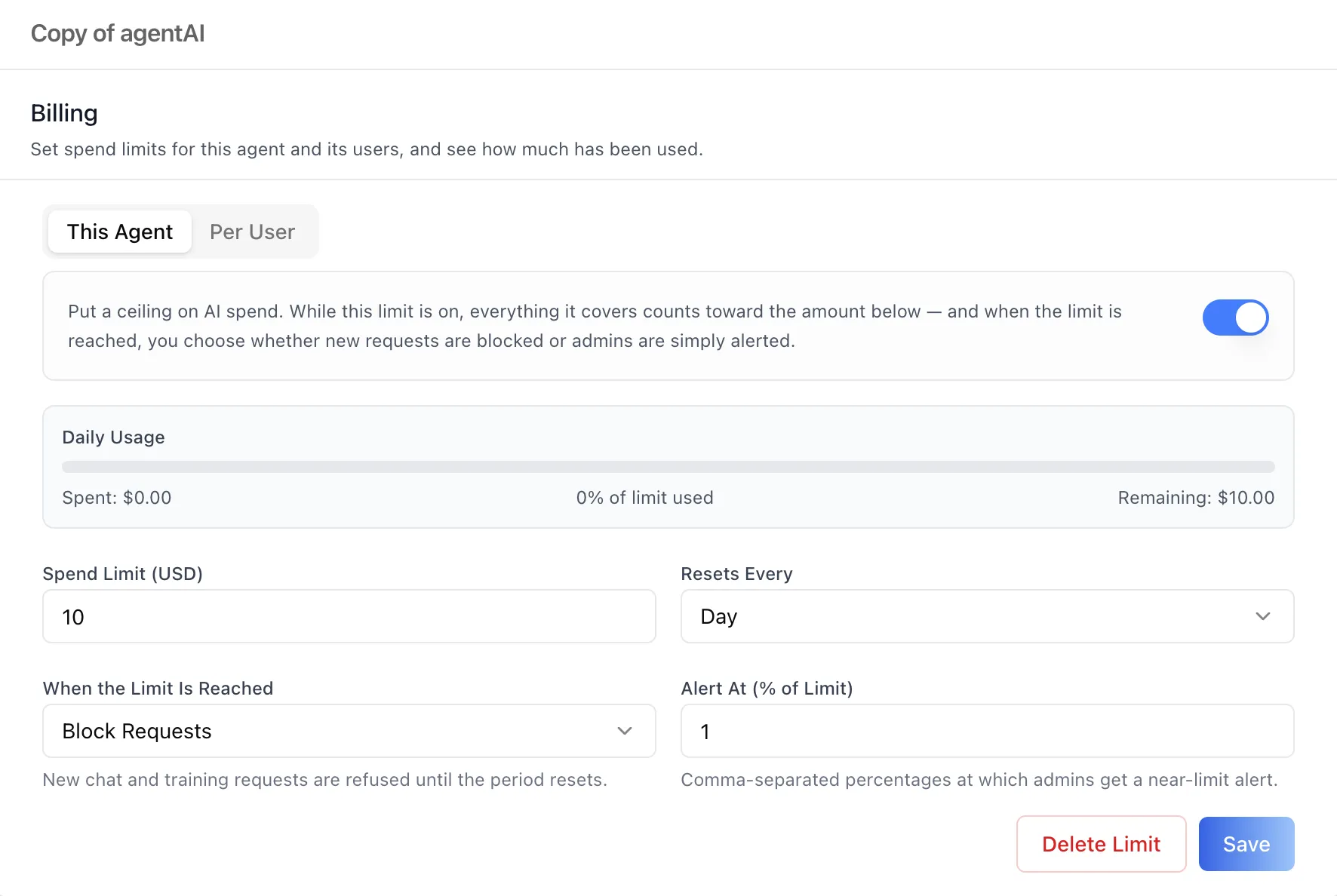
Manage opens that agent's full Billing editor in place — both sub-tabs, per-user limits included — so an administrator can work through every agent in the workspace without navigating into each one.
Documentation
- Agent Settings: Billing — the per-agent and per-user scopes
- Organization Settings: Billing — plan and credits, the workspace-wide limit, and the cross-agent table
The same surfaces ship in the ibl.ai SDK, so a product built on the platform can mount the spend-cap editor directly, along with a learner-safe usage indicator that shows people how close they are to a limit without ever showing them dollar amounts.