History
Description
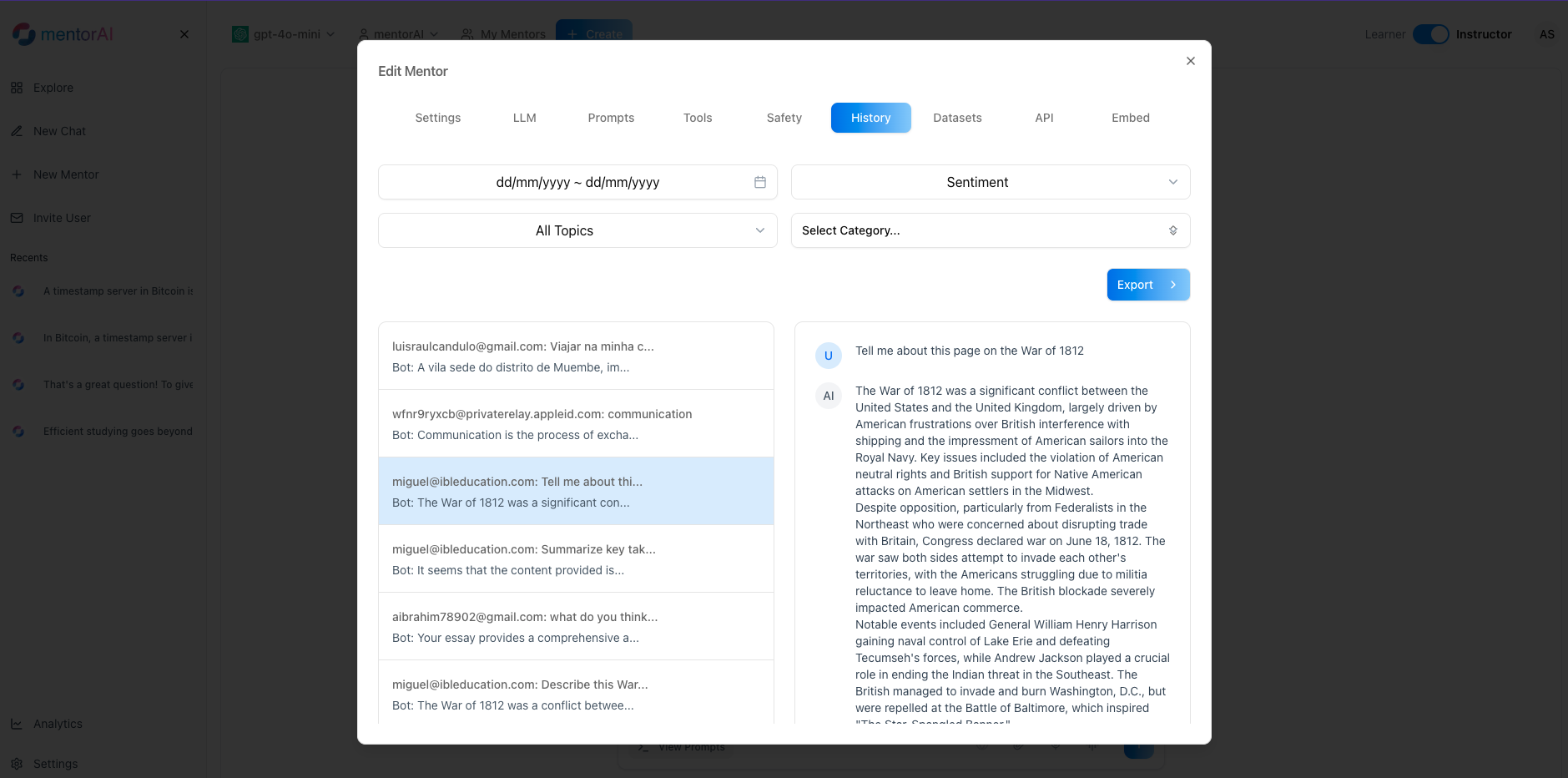
The History panel records every conversation between a mentorAI and its learners. Administrators can review transcripts, apply filters (date, sentiment, topic, category), and export data for deeper analysis—revealing learning trends, common pain points, and opportunities to improve both course content and mentor behavior.
Target Audience
Administrator
Features
Complete Chat Log
View every session the mentor has had, with user identifiers or Anonymous labels if the mentor is set to anonymous.
Transcript Viewer
Click any session to open the full learner question and mentor response thread.
Multi‑Facet Filters
Narrow results by Date Range, Sentiment, Topic, or Category to focus your review.
CSV Export
Download filtered or full histories for analysis in spreadsheets or BI tools.
Insight Generation
Identify frequent questions, learning gaps, and tone alignment to guide prompt tweaks or additional training materials.
How to Use (step by step)
Open the History Panel
- Sign in to mentorAI
- Click the mentor’s name dropdown
- Select History
Review the History List
- See every chat session plus user identifiers (name, username, email, or Anonymous)
Inspect an Individual Chat
- Click a session in the left‑hand list
- The full transcript appears, showing the learner’s questions and mentor’s responses
Apply Filters
- Date Range – limit to a semester, week, or custom period
- Sentiment – isolate positive or negative reactions
- Topic – focus on specific subjects
- Category – filter by predefined learner categories
Export Conversations
- Click Export
- A CSV downloads containing the visible (filtered) data for off‑platform analysis
Pedagogical Use Cases
Identify Learning Gaps
Filter by negative sentiment or repeated questions to spot concepts that confuse learners.
Refine Course Materials
High‑frequency topics may indicate areas needing clearer explanations or additional resources.
Assess Mentor Tone & Style
Review transcripts to ensure the mentor’s language aligns with institutional guidelines and learner expectations.
Prompt & Dataset Optimization
Use findings to tweak the system prompt or add new datasets that address common queries.
Accreditation & Quality Assurance
Exported histories provide evidence of learner support and instructional effectiveness.
By accessing, filtering, and exporting chat histories, administrators gain actionable insights to continuously improve both the mentorAI and the educational experience it supports.