API
Description
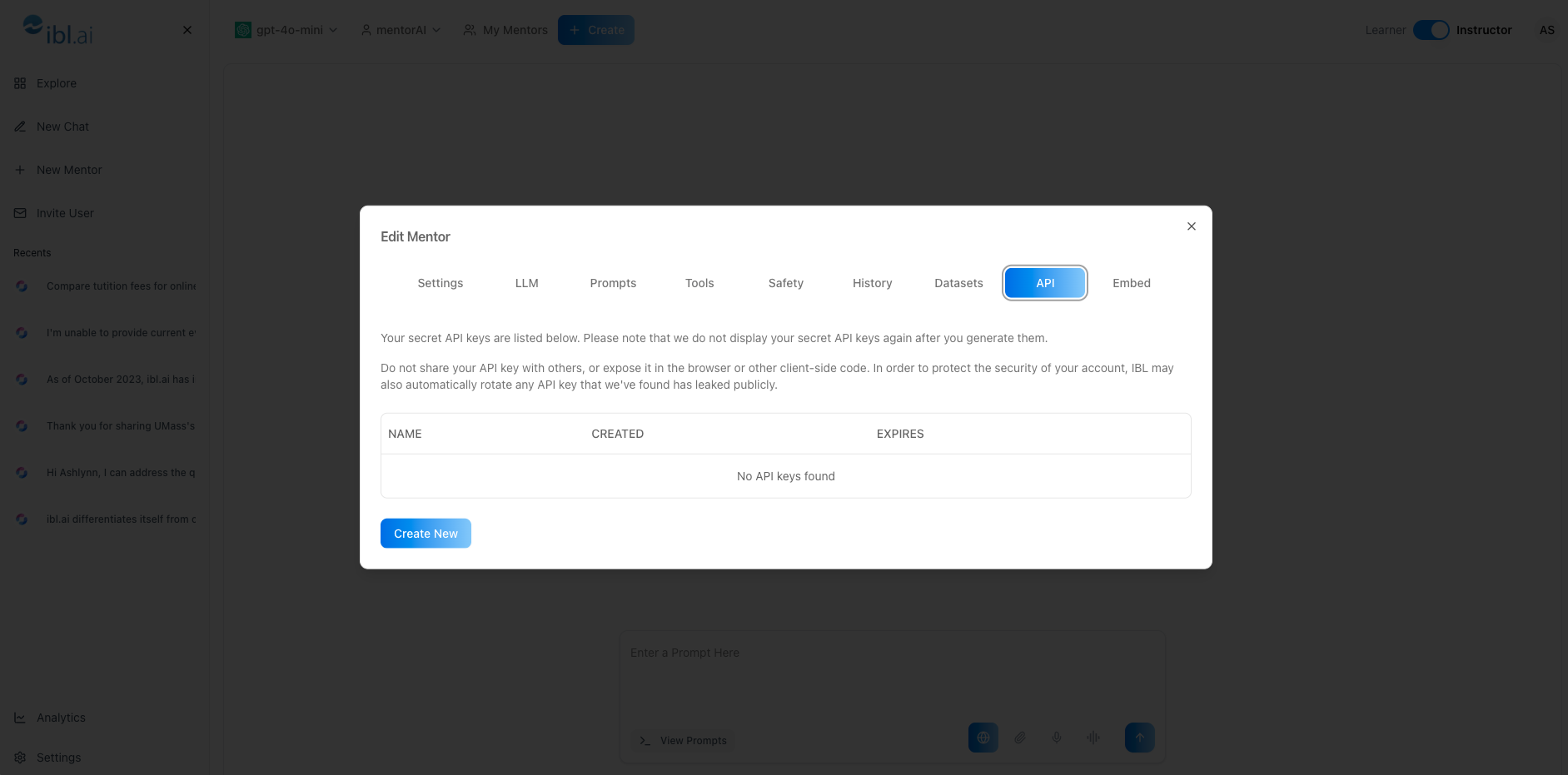
The API feature lets you generate secure keys for a mentor and use them to call mentorAI’s REST endpoints. With an API key, you can integrate mentorAI into other systems—LMS dashboards, custom analytics pipelines, or third‑party apps—while controlling access and expiration dates for security.
Target Audience
Instructor
Features
Scoped API Keys
Generate unique keys per mentor, limiting access only to that mentor’s data and functionality.
Custom Expiration Dates
Set a “use‑by” date (e.g., 30 days) to minimize risk if a key is misplaced.
One‑Time Display
Keys are shown only once; you must copy and store them securely.
Built‑In Authorization Flow
Use the key to authorize calls in mentorAI’s API platform (Swagger / Postman collection).
Seamless System Integration
Connect mentorAI with learning‑management systems, CRMs, grading tools, and more.
How to Use (step by step)
Create an API Key
- Click the mentor’s name in the header
- Select the API tab
- Choose Create New
- Enter a descriptive name (e.g., “LMS‑integration‑Aug 2025”)
- Set an expiration date—typically one month ahead
- Click Submit
- Copy the API key that appears (it will not be shown again).
- Store it in a secure vault or environment variable
Authorize in the API Platform
- Open mentorAI’s interactive API documentation
- Click Authorize
- Paste your copied API key and confirm
- Close the authorization dialog
Call an Endpoint
- Select any available endpoint (e.g.,
/chat,/datasets,/grades) - Review its required parameters
- Enter test values and click Execute (or use cURL / code snippets)
- Examine the JSON response to confirm success
Rotate or Revoke Keys (Optional)
- Return to the API tab to deactivate or delete keys when no longer needed
- Create new keys for different integrations to maintain granular control
Pedagogical Use Cases
LMS Grade Sync
Pull mentorAI quiz results via API and push them into your institution’s gradebook automatically.
Custom Analytics Dashboards
Fetch conversation counts, tool usage stats, or student progress metrics for real‑time reporting.
Single‑Sign‑On (SSO) Extensions
Use the API to validate user sessions and embed mentorAI directly inside campus portals.
Automated Enrollment
Script the creation of new mentors or the assignment of students to mentors each semester.
Content Management Pipelines
Upload datasets or update system prompts programmatically to keep mentors in sync with new course materials.
With an API key in hand, you can seamlessly integrate mentorAI’s capabilities into your existing systems—extending its reach while maintaining strict security and control.