/iblai-vibe-agent-analytics
Mirrored from
iblai/vibe·skills/agents/iblai-vibe-agent-analytics/SKILL.md. This page is generated — edit it in the repository, not here.
Add the agent Analytics tab (AgentAnalyticsTab) -- a launcher, not a
dashboard. Scope: per agent. It shows one card per analytics report
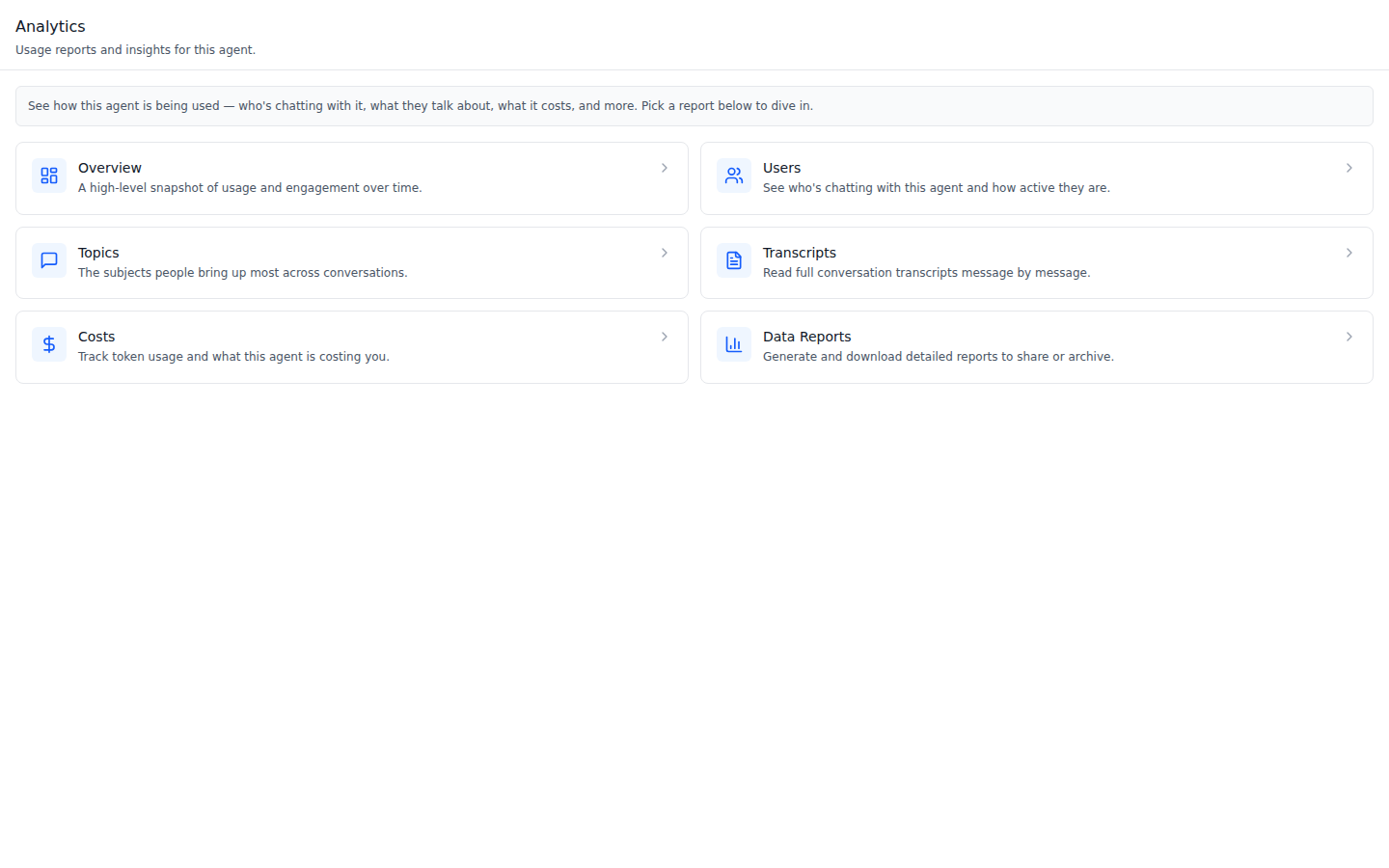
(Overview, Users, Topics, Transcripts, Memory, Costs, Audit, Data Reports);
clicking a card calls your onNavigate(value) so the host routes to that
report, scoped to this agent. The reports themselves are the
AnalyticsLayout pages from /iblai-vibe-analytics. This is one tab in the
agent-settings family indexed by /iblai-vibe-agent.
Hub -- an info box, then the cards. Here Memory and Audit are excluded because the host has no route for them (vibe-starter's case).
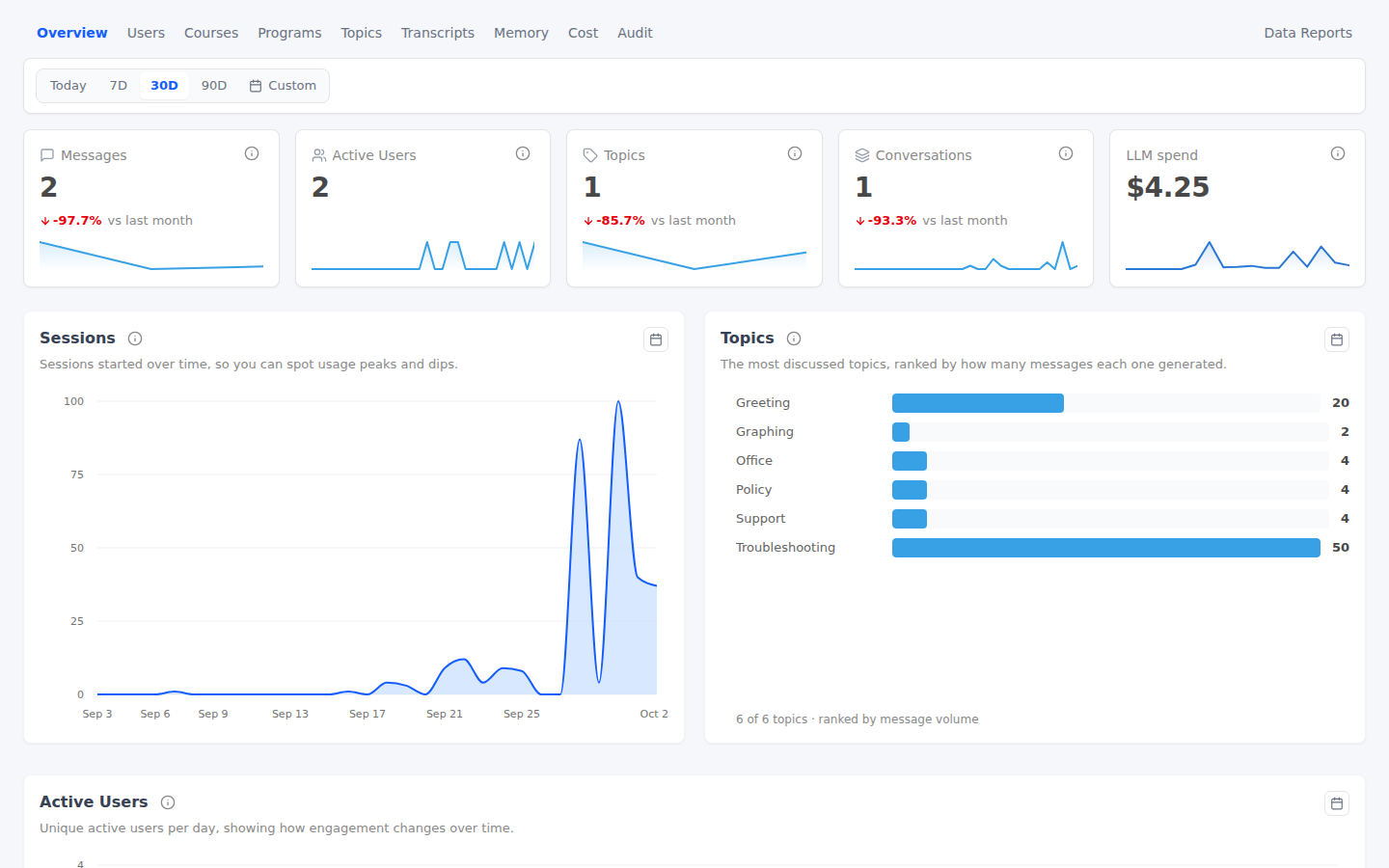
Destination -- Overview routed to vibe-starter's
/admin/analytics?agent=<uuid>, the org dashboard narrowed to this agent.
Common setup (brand, conventions, env files, verification): see docs/skill-setup.md.
Prerequisites
- Auth set up (
/iblai-vibe-auth, or vibe-starter). @iblai/iblai-js@^2.36.2(resolves@iblai/web-containers1.41.1).- Analytics pages to land on: vibe-starter's
/admin/analytics/*, or the agent-scoped layout in/iblai-vibe-analytics("One agent instead of the org"), mounted at/agents/<uuid>/dashboards. - A real agent UUID. Ask the user; never invent one.
Step 1: Check Environment
Look for iblai.env in the project root with PLATFORM, DOMAIN, and
TOKEN. If it is missing, tell the user:
"You need an iblai.env with your platform configuration. Download the
template and fill in your values:
curl -o iblai.env https://raw.githubusercontent.com/iblai/vibe/refs/heads/main/iblai.env"
Step 2: Mount AgentAnalyticsTab
The tab fetches nothing and does not read AgentSettingsProvider; it only
needs onNavigate. Map each card's value to a route you have, and exclude
the ones you do not:
// app/(app)/agents/[mentorId]/analytics/page.tsx
"use client";

import { AgentAnalyticsTab } from "@iblai/iblai-js/web-containers/next";
import { useParams, useRouter } from "next/navigation";

export default function AgentAnalyticsPage() {
  const router = useRouter();
  const { mentorId } = useParams<{ mentorId: string }>();

  return (
    <div className="flex h-full flex-col bg-white">
      <AgentAnalyticsTab
        // vibe-starter has no Memory or Audit analytics routes.
        excludeTabs={["memory", "audit"]}
        onNavigate={(value) =>
          router.push(`/admin/analytics${value ? `/${value}` : ""}?agent=${mentorId}`)
        }
      />
    </div>
  );
}
With the agent-scoped layout from /iblai-vibe-analytics, route to
/agents/${mentorId}/dashboards/${value} (plain …/dashboards for
Overview) instead and
drop excludeTabs for the reports you added. Keep the dashboards off
/agents/<uuid>/analytics/: that route is this hub, and the Overview card
(value "") would route back to it. Hide audit unless the viewer holds
/mentors/{mentorDbId}/#view_audit_logs (/iblai-vibe-rbac), as the OS
does. In a modal, close it before router.push.
Step 3: Change the cards (Optional)
There is no labels prop: the copy comes from the SDK's i18n
(analyticsTabLabels.*). To change a card's text, icon, or order, pass your
own tabs (start from DEFAULT_ANALYTICS_HUB_TABS):
import {
  AgentAnalyticsTab,
  DEFAULT_ANALYTICS_HUB_TABS,
} from "@iblai/iblai-js/web-containers/next";

<AgentAnalyticsTab
  tabs={DEFAULT_ANALYTICS_HUB_TABS.map((t) =>
    t.value === "financial" ? { ...t, label: "Spend" } : t,
  )}
  onNavigate={(value) => console.log("open", value)}
/>;
Step 4: Use MCP Tools for Customization
get_component_info("AgentAnalyticsTab")
get_component_info("AnalyticsLayout")
<AgentAnalyticsTab> Props
Import from @iblai/iblai-js/web-containers/next.
| Prop | Type | Required | Description |
|---|---|---|---|
onNavigate | (value: string) => void | Yes | Called with the card's value; the host navigates |
tabs | AnalyticsHubTab[] ({ value, label, description, icon? }) | No | Replace the cards. Defaults to the localized standard set |
excludeTabs | string[] | No | Card values to hide (e.g. audit without permission) |
Card values (they match the AnalyticsLayout routes): "" Overview,
users, topics, transcripts, memory, financial (Costs), audit,
reports (Data Reports).
Related Exports
From @iblai/iblai-js/web-containers/next:
DEFAULT_ANALYTICS_HUB_TABS-- the English card list (value, label, description, icon).AGENT_ANALYTICS_TAB_LABELS-- the English fallback copy:header(title,description),infoBox,openAria(label), andtabs(labelanddescriptionper card key:overview,users,topics,transcripts,memory,financial,audit,reports).AnalyticsHubTab,AnalyticsTabLabels,AgentAnalyticsTabProps-- types.
Platform data
The tab itself calls no API. The pages it opens read the analytics
endpoints with mentor_unique_id set to the agent: see /iblai-vibe-analytics
for the hooks and the REST twin
/iblai-api-analytics.
Step 5: Verify
Run /iblai-vibe-ops-test before telling the user the work is ready:
pnpm build-- must pass with zero errors.pnpm test-- vitest must pass.- Touch test
/agents/<uuid>/analyticsin the browser as/iblai-vibe-ops-testsays, signed in as an admin: the cards render; click each one -- none may 404, and each lands on a report for this agent; read the console; check the phone width.
Important Notes
- A hub, by design: the OS renders this tab inside its edit-agent modal
and leaves the dialog for full-page analytics. Embed the dashboards
themselves with
/iblai-vibe-analytics. - Every card needs a route: exclude any
valueyour app does not serve, or the click 404s. - vibe-starter's tab strip drops
?agent=: itsapp/(app)/admin/analytics/layout.tsxroutes tabs without the query, so after landing on a report, switching tabs shows the whole organization. Carry?agent=through itsonTabChangeif you need the scope to stick. - Brand guidelines: BRAND.md