/iblai-vibe-agent-chat-sidebar
Mirrored from
iblai/vibe·skills/agents/iblai-vibe-agent-chat-sidebar/SKILL.md. This page is generated — edit it in the repository, not here.
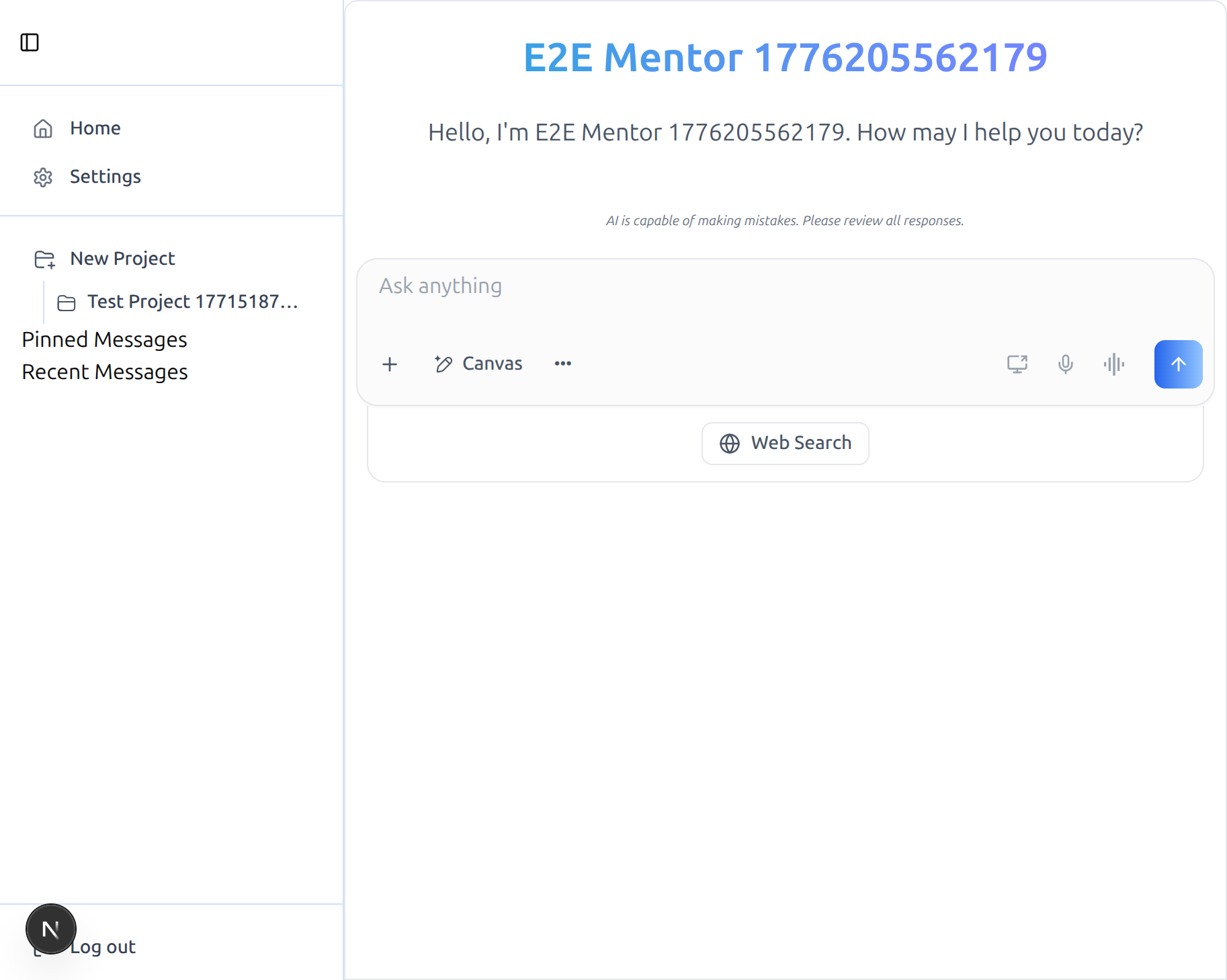
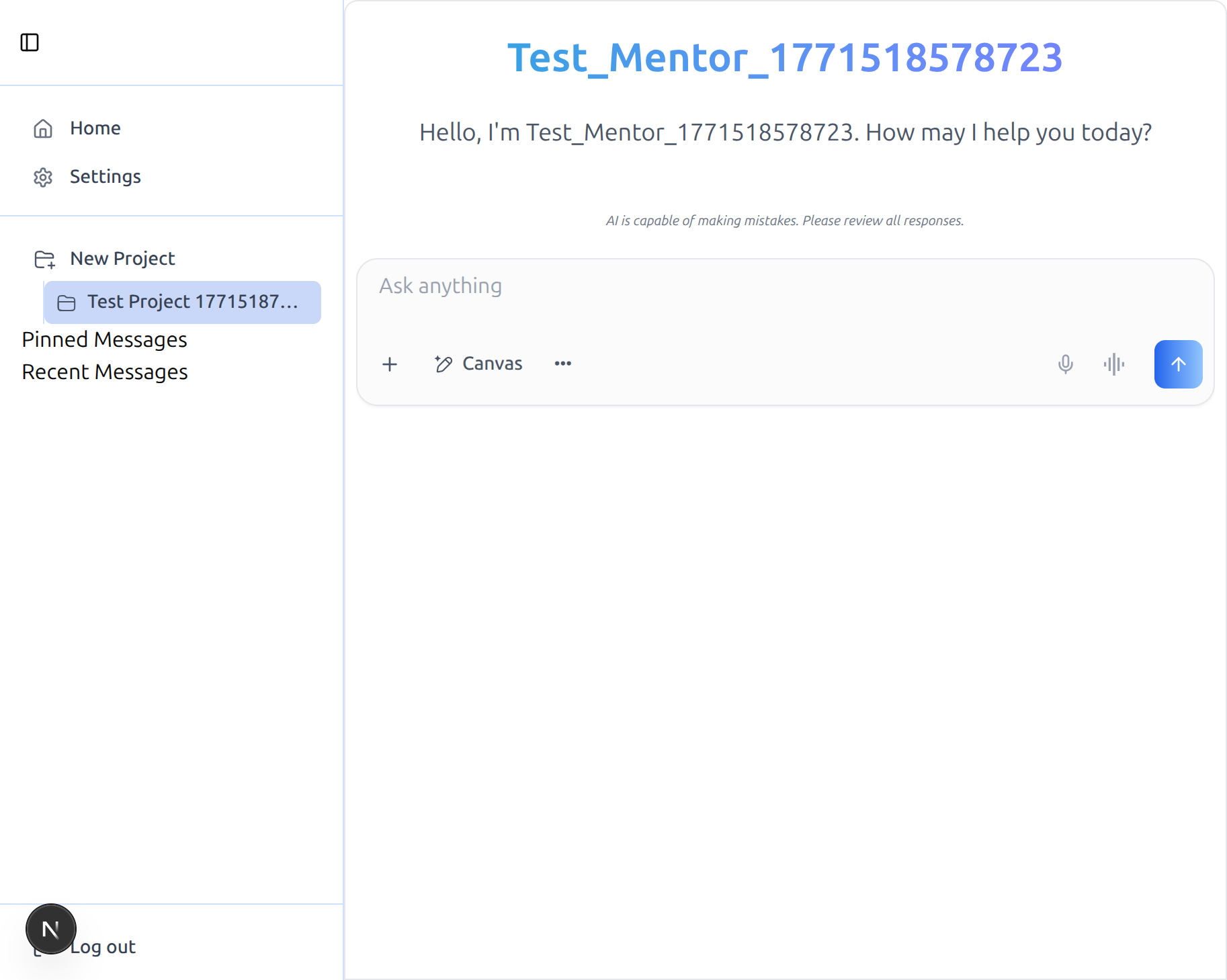
Add the SDK's AppSidebar next to the Chat component to get the full
ibl.ai shell: a Projects dropdown (list, create, rename, delete,
navigate), Pinned Messages, Recent Messages, host-defined content
items (top of sidebar) and footer items (bottom). The sidebar is fully
host-themable through shadcn's SidebarProvider and works on top of the
/iblai-vibe-agent-chat route wiring.
Builds on top of
/iblai-vibe-agent-chat. This skill assumes the host already has<Chat>rendering correctly — same providers, same store slices, same peer deps. If you haven't done that yet, run/iblai-vibe-agent-chatfirst.
Do NOT add custom styles, colors, or CSS overrides to the SDK
AppSidebar. It ships with its own styling. Keep the component as-is.
Do NOT implement dark mode unless the user explicitly asks for it.
Common setup (brand, conventions, env files, verification): see docs/skill-setup.md.
Prerequisites
/iblai-vibe-agent-chatmust be working — theChatcomponent renders at/agents/<mentorId>/chat-new(or wherever you placed it), backed by the providers tree and reducers it requires.@iblai/iblai-jsmust exportSidebarProviderandAppSidebarfrom@iblai/iblai-js/web-containers/next. If your published version doesn't includeSidebarProvider, you'll getuseSidebar must be used within a SidebarProvider— the SDK source needs to re-exportSidebarProviderfromcomponents/ui/sidebar. Use a version with that export, or pin to a worktree that has it.
What Gets Wired
| File | Change |
|---|---|
app/agents/[mentorId]/chat-projects/page.tsx | New route rendering <SidebarProvider> + <AppSidebar> + <Chat> side-by-side |
public/icons/new-project.svg | Copied from the SDK monorepo's apps/mentor/public/icons/ |
public/icons/projects.svg | Same — referenced by the SDK at absolute path /icons/projects.svg |
public/placeholder.svg | Same — referenced by SDK avatar/image fallbacks at /placeholder.svg |
Step 1: Copy the SDK Icons into public/
The SDK's ProjectsSidebarDropdown and several avatar fallbacks load
icons from absolute paths (/icons/new-project.svg,
/icons/projects.svg, /placeholder.svg) — i.e. they expect the host
app to serve these from its public/ folder. The package does not ship
these files. Add them once:
mkdir -p public/icons
# pull from the SDK monorepo if you have it cloned locally
cp <ibl-web-frontend-checkout>/apps/mentor/public/icons/new-project.svg public/icons/new-project.svg
cp <ibl-web-frontend-checkout>/apps/mentor/public/icons/projects.svg   public/icons/projects.svg
cp <ibl-web-frontend-checkout>/apps/skills/public/placeholder.svg      public/placeholder.svg
If you don't have the monorepo checked out, copy any 24×24 SVG that matches your brand and place them at those exact paths.
Step 2: Create the Route
Create app/agents/[mentorId]/chat-projects/page.tsx. The structure
mirrors /iblai-vibe-agent-chat's route but wraps everything in
<SidebarProvider> and mounts <AppSidebar> to the left of <Chat>:
"use client";

export const dynamic = "force-dynamic";

import { Suspense, useEffect, useState } from "react";
import { useParams, useRouter } from "next/navigation";
import {
  AppSidebar,
  Chat,
  SidebarProvider,
  type ChatConfig,
} from "@iblai/iblai-js/web-containers/next";
import {
  useUsername,
  useAxdToken,
  useUserTenants,
  useVisitingTenant,
  useIsAdmin,
  isLoggedIn,
} from "@iblai/iblai-js/web-utils";
import { Home, Settings, LogOut } from "lucide-react";
import { redirectToAuthSpa } from "@/lib/iblai/auth-utils";
import config from "@/lib/iblai/config";

export default function AgentChatProjectsPageWrapper() {
  return (
    <Suspense fallback={null}>
      <AgentChatProjectsPage />
    </Suspense>
  );
}

function AgentChatProjectsPage() {
  const { mentorId } = useParams<{ mentorId: string }>();
  const router = useRouter();
  const [tenantKey, setTenantKey] = useState("");

  useEffect(() => {
    const appTenant = localStorage.getItem("app_tenant");
    const tenant = localStorage.getItem("tenant");
    let currentTenant = "";
    try {
      currentTenant =
        JSON.parse(localStorage.getItem("current_tenant") ?? "{}")?.key ?? "";
    } catch {}
    setTenantKey(
      appTenant || currentTenant || tenant || config.mainTenantKey(),
    );
  }, []);

  const username = useUsername();
  const axdToken = useAxdToken();
  const { userTenants } = useUserTenants();
  const { visitingTenant } = useVisitingTenant();
  const isAdmin = useIsAdmin();

  const chatConfig: ChatConfig = {
    baseWsUrl: () => config.wsUrl(),
    supportEmail: () => `support@${config.platformBaseDomain()}`,
    authUrl: () => config.authUrl(),
    mainTenantKey: config.mainTenantKey(),
    navigateToAdminBilling: () =>
      router.push(`/agents/${mentorId}/settings?tab=billing`),
    navigateToExplore: () => router.push("/agents"),
    navigateToMentor: (id) => router.push(`/agents/${id}`),
  };

  if (!tenantKey) return null;

  return (
    <SidebarProvider>
      <div className="flex h-screen w-full">
        <AppSidebar
          contentItems={[
            { icon: Home,     label: "Home",     onClick: () => router.push("/") },
            { icon: Settings, label: "Settings", onClick: () => router.push(`/agents/${mentorId}/settings`) },
          ]}
          footerItems={[
            {
              icon: LogOut,
              label: "Log out",
              onClick: () =>
                redirectToAuthSpa(window.location.href, tenantKey, true),
            },
          ]}
          showProjects
          showPinnedMessages
          showRecentMessages
          projectsConfig={{
            tenantKey,
            username: username ?? "",
            isLoggedIn: isLoggedIn(),
            activeMentorId: mentorId,
            navigateToProject: (projectId, mentorUniqueId) =>
              router.push(
                `/agents/${mentorUniqueId}/chat-projects?project=${projectId}`,
              ),
            navigateToMentorInProject: (mentorUniqueId, projectId) =>
              router.push(
                `/agents/${mentorUniqueId}/chat-projects?project=${projectId}`,
              ),
          }}
        />

        <div className="flex flex-1 flex-col">
          <Chat
            isPreviewMode={false}
            mentorId={mentorId}
            tenantKey={tenantKey}
            config={chatConfig}
            redirectToAuthSpa={redirectToAuthSpa}
            username={username ?? null}
            userTenants={userTenants ?? []}
            visitingTenant={visitingTenant}
            axdToken={axdToken ?? ""}
            userIsStudent={!isAdmin}
          />
        </div>
      </div>
    </SidebarProvider>
  );
}
Why each new piece (vs /iblai-vibe-agent-chat):
| Item | Why |
|---|---|
<SidebarProvider> (root wrapper) | The SDK's AppSidebar calls useSidebar() internally — requires a SidebarProvider ancestor. |
<AppSidebar contentItems={...} footerItems={...} /> | Required props — the host owns the top and bottom menu sections. Pass an empty array if you don't want any. |
showProjects / showPinnedMessages / showRecentMessages | Toggle each panel. showProjects is what enables the projects dropdown. |
projectsConfig.{navigateToProject, navigateToMentorInProject} | Host-owned navigation. When the user clicks a project or a chat inside it, the SDK calls these so the host can route. We encode ?project=<id> so the active project can be picked up after navigation. |
projectsConfig.isLoggedIn: isLoggedIn() | Switches the dropdown between authenticated and anonymous triggers. |
Props
AppSidebar
| Prop | Type | Required | Description |
|---|---|---|---|
contentItems | MenuItem[] | yes | Top-of-sidebar host menu items (Home, Settings, etc.) |
footerItems | MenuItem[] | yes | Bottom-of-sidebar host menu items (Log out, Account, etc.) |
logo | ReactNode | no | Optional logo rendered in the sidebar header |
showProjects | boolean | no | Render the Projects dropdown |
showPinnedMessages | boolean | no | Render the Pinned Messages section |
showRecentMessages | boolean | no | Render the Recent Messages section |
projectsConfig | ProjectsConfig | only if showProjects | See below |
MenuItem
| Field | Type | Description |
|---|---|---|
icon | React.ComponentType<{className?: string}> | Lucide icon or any component that accepts className |
label | string | Visible label |
onClick | () => void | Host-owned click handler |
hasBorder? | boolean | Optional separator border |
ProjectsConfig
(Equivalent to ProjectsSidebarDropdownProps)
| Field | Type | Required | Description |
|---|---|---|---|
tenantKey | string | yes | Active organization — used for project list query + mutations |
username | string | yes | Authenticated username |
isLoggedIn | boolean | yes | Toggles authenticated vs anonymous trigger |
activeProjectId | string | no | Currently active project — highlight + expand |
activeMentorId | string | no | Highlight a specific chat inside the active project |
navigateToProject | (projectId, mentorUniqueId) => void | yes | Called when the user clicks a project or one of its chat items |
navigateToMentorInProject | (mentorUniqueId, projectId) => void | yes | Called right after a brand-new project is created — navigate to the project's first agent |
executeWithTrialCheck | (action: () => void) => void | no | Wraps user-initiated actions (open create / rename / delete modal, navigate) behind a free-trial check. Omit to run actions directly. |
renderUnauthenticatedTrigger | (trigger: ReactNode) => ReactNode | no | Render-prop for the "New Project" trigger when the user is signed out — typical use: wrap in an AuthPopover that redirects to /login. |
Step 3: Verify
pnpm build— must pass with zero errors.pnpm dev— openhttp://localhost:3000/agents/<NEXT_PUBLIC_DEFAULT_AGENT_ID>/chat-projects.- After SSO login, you should see:
- the sidebar on the left with Home / Settings at the top
(your
contentItems), - a New Project entry with the folder-plus icon,
- any existing projects below it with the folder icon,
- Pinned Messages and Recent Messages headers further down,
- Log out at the bottom (your
footerItems), - and the existing
<Chat>surface on the right.
- the sidebar on the left with Home / Settings at the top
(your
- Click an existing project. The URL should update to
/agents/<projectMentorId>/chat-projects?project=<projectId>, the sidebar item highlights, and the chat re-renders with the project's default agent. - Click New Project. The create-project modal opens; submit to
create one, and the SDK calls
navigateToMentorInProjectso your route changes to the newly-created project.
Known Gaps in the SDK
When opening a PR to land these patches upstream, note:
| Gap | Where | Suggested fix |
|---|---|---|
SidebarProvider (and friends) not in the public barrel | packages/web-containers/src/next/index.ts | export { SidebarProvider, SidebarTrigger, SidebarInset, useSidebar } from '../components/ui/sidebar'; — without this, AppSidebar can't be mounted by any host. |
| Icons referenced by absolute path but not shipped | projects-sidebar-dropdown.tsx, project-item.tsx, and several <img src="/placeholder.svg" /> fallbacks | Either bundle the SVGs into packages/web-containers/public/ with a rollup copy plugin emitting them into dist/, or import them as ES modules / inline data URIs so they ride along with the JS. |
Brand guidelines: BRAND.md