/iblai-vibe-org-metadata
Mirrored from
iblai/vibe·skills/organizations/iblai-vibe-org-metadata/SKILL.md. This page is generated — edit it in the repository, not here.
First time here? If
iblai.envhas noARCHITECTURE=, run/iblai-vibe-startfirst (four questions; two minutes) — it decides single-org / multi-org / headless and who signs in, and every skill reads the answer.
Every organization has one public metadata object. The ibl.ai OS keeps its own settings there (default agent, help center URL, chat width, feature toggles, the sign-in page branding), and your app can keep its own keys beside them. It is how an app remembers org-level choices — which agent the home page uses, what the app is called, a welcome message — without a database.
Common setup (brand, conventions, env files, verification): see docs/skill-setup.md.
The two rules
- PUT replaces the whole object.
PUT …/orgs/{org}/metadata/with only your keys silently deletesoverall_default_mentor,help_center_url,auth_web_mentorai, every toggle — and breaks the OS for that org. The helper in this skill always GET → merge → PUT, re-reading right before it writes. - It is a public read.
GET …/orgs/{org}/metadata/needs no auth. Never store a secret, a token, a price you do not want visible, or a person's data there. Ids and display strings only.
Writes need an org admin; the platform answers 403 otherwise.
What you get
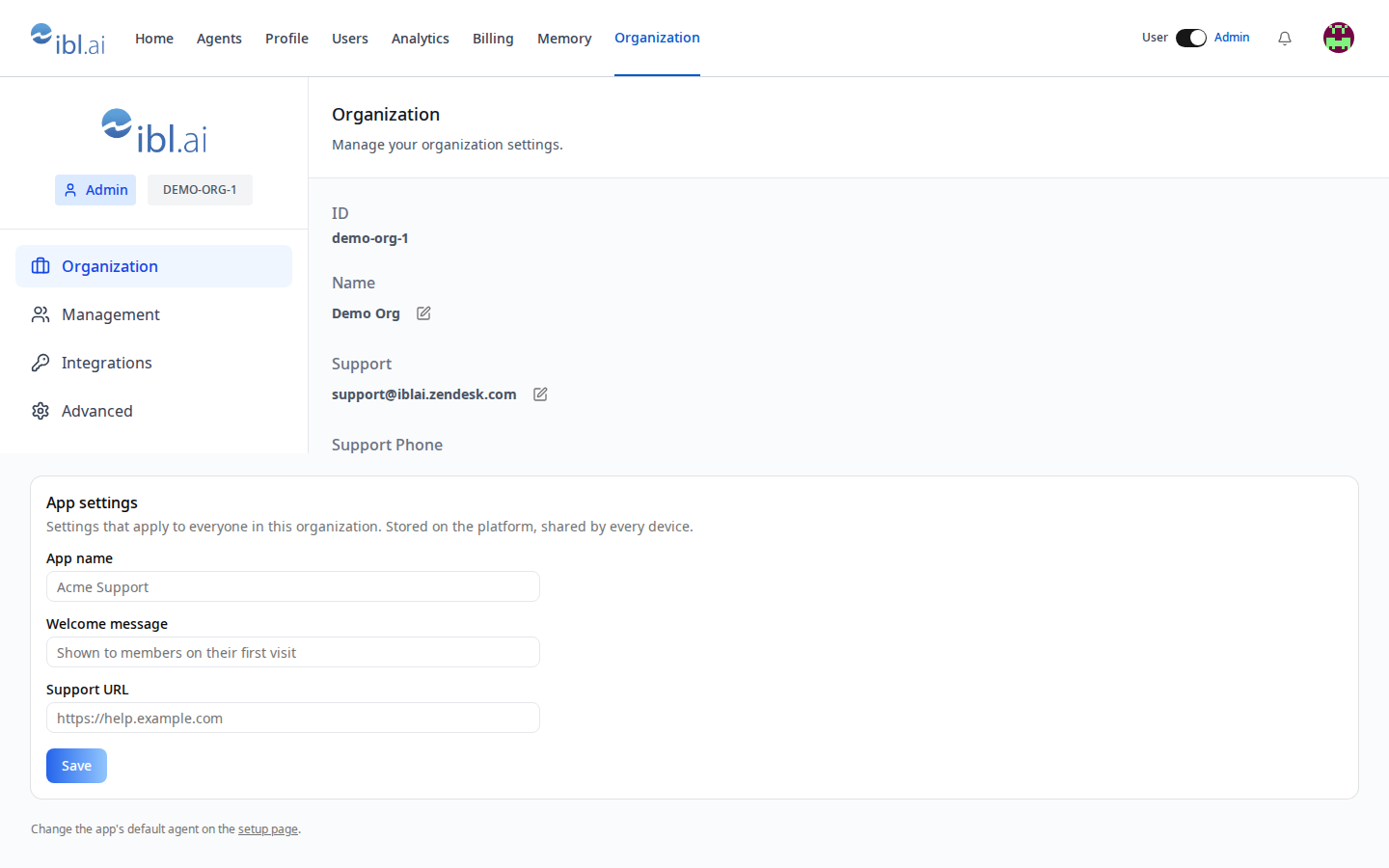
useOrgSettings<T>()inlib/iblai/metadata.ts(installed by/iblai-vibe-user-metadata; the two share the file) — typed read/merge undermetadata.apps.<slug>, GET-merge-PUT on write.OrgSettingsForm— an admin card (app name, welcome message, support URL) for/admin/organization.- vibe-starter's
/setupstoresdefaultAgentId,appName, andsetupCompletedAthere; the home page readsdefaultAgentIdwhenNEXT_PUBLIC_DEFAULT_AGENT_IDis empty.
Where branding lives instead
| Setting | Where | Skill |
|---|---|---|
| Org display name, light/dark logos, support email, Help Center toggle + URL | SDK Account → Organization tab (OrganizationTab) | /iblai-vibe-account |
| Default agent, Help/Accessibility menus, Community Agents, Report content, Chat History Export | SDK Account → Advanced tab — these are the OS's keys in this same object | /iblai-vibe-account |
Sign-in page title, logo, headline, footer credit, policy links (auth_web_*) | written by /iblai-vibe-auth Step 2 | /iblai-vibe-auth |
| Your app's own settings | apps.<slug> via this skill | here |
Step 1: Install
useOrgSettings ships in lib/iblai/metadata.ts — run
/iblai-vibe-user-metadata Step 2 if the app does not have it. Then render
assets/org-settings.tsx.j2 → components/settings/org-settings.tsx (needs
shadcn card, input, label).
Step 2: Use it
"use client";

import { useOrgSettings } from "@/lib/iblai/metadata";

type MyOrgSettings = { welcomeMessage?: string; supportUrl?: string };

export function Welcome() {
  const { settings } = useOrgSettings<MyOrgSettings>({ welcomeMessage: "", supportUrl: "" });
  return settings.welcomeMessage ? <p>{settings.welcomeMessage}</p> : null;
}
Admins save with update({ welcomeMessage: "…" }); every member reads it.
Mount <OrgSettingsForm /> on an admin-only page (/iblai-vibe-admin).
Step 3: Add your own keys
Extend OrgSettings in lib/iblai/metadata.ts and the form. Keep values
JSON-serializable and small; this object is fetched by every ibl.ai front
end that opens the org.
Verify
pnpm typecheck && pnpm test.- Before and after saving, compare
curl -s https://api.$DOMAIN/dm/api/core/orgs/$PLATFORM/metadata/ | python3 -m json.tool— onlymetadata.apps.<slug>changed;overall_default_mentorand theauth_web_*blocks are intact. - A non-admin's save fails with a toast, not a crash.
Platform data
| Hook / call | Purpose |
|---|---|
useGetTenantMetadataQuery([{ org }]) | the object (public) |
useUpdateTenantMetadataMutation() → ([{ org, requestBody: { metadata } }]) | PUT (replace — always merge first) |
useTenantMetadata() (web-utils) | the SDK's cached view of the same object |
GET/PUT https://api.<domain>/dm/api/core/orgs/{org}/metadata/ | REST |
REST reference: iblai-api-org.
Related skills
/iblai-vibe-user-metadata— per-user twin/iblai-vibe-account,/iblai-vibe-admin— where to mount the form/iblai-vibe-auth— the sign-in page branding keys