/iblai-vibe-agent-grader
Mirrored from
iblai/vibe·skills/agents/iblai-vibe-agent-grader/SKILL.md. This page is generated — edit it in the repository, not here.
Add the agent Grader tab -- let the agent score work against a rubric you
define. Scope: per agent. A Grading switch attaches or detaches the
Grading tool on the agent; with it on, three sub-tabs open (off, they still
render, grayed out and inert): Grading Setup
(what gets graded, how much feedback is shared, the grading instructions),
Rubric (criteria and points), and Results (every grade the agent
issued, with overrides pushed back to the LMS). This is one tab in the
agent-settings family indexed by /iblai-vibe-agent; it shares the
AgentSettingsProvider wrapper with every other tab.
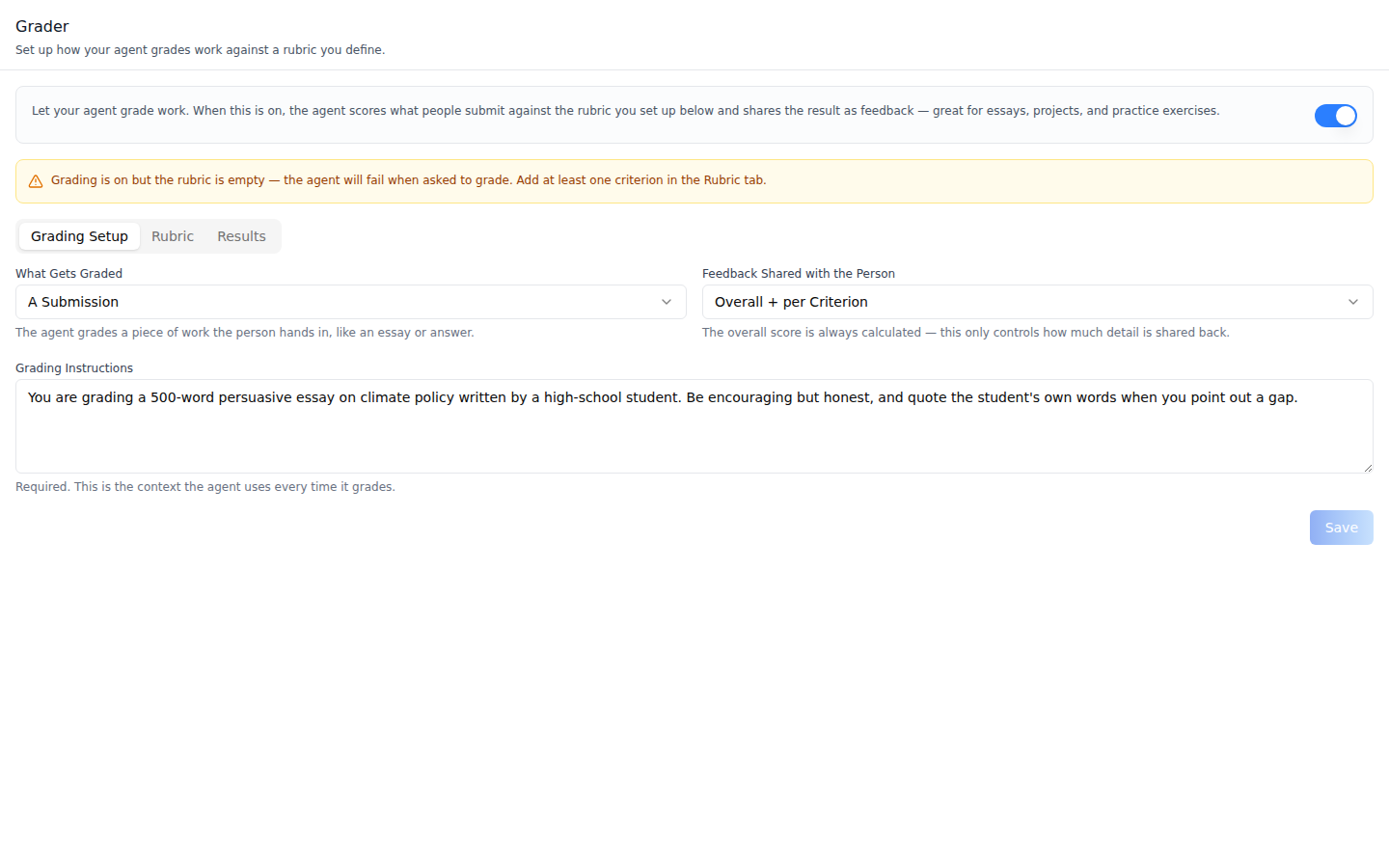
Grading Setup -- What Gets Graded (A Submission / The Conversation), Feedback Shared with the Person (Overall only / per Criterion / Overall + per Criterion), and the required Grading Instructions. Turning the Grading tool on creates the setup server-side and the tab refetches it, so Save updates it. An amber warning shows while grading is on but the setup or the rubric is still missing -- grading only runs when all three are in place.
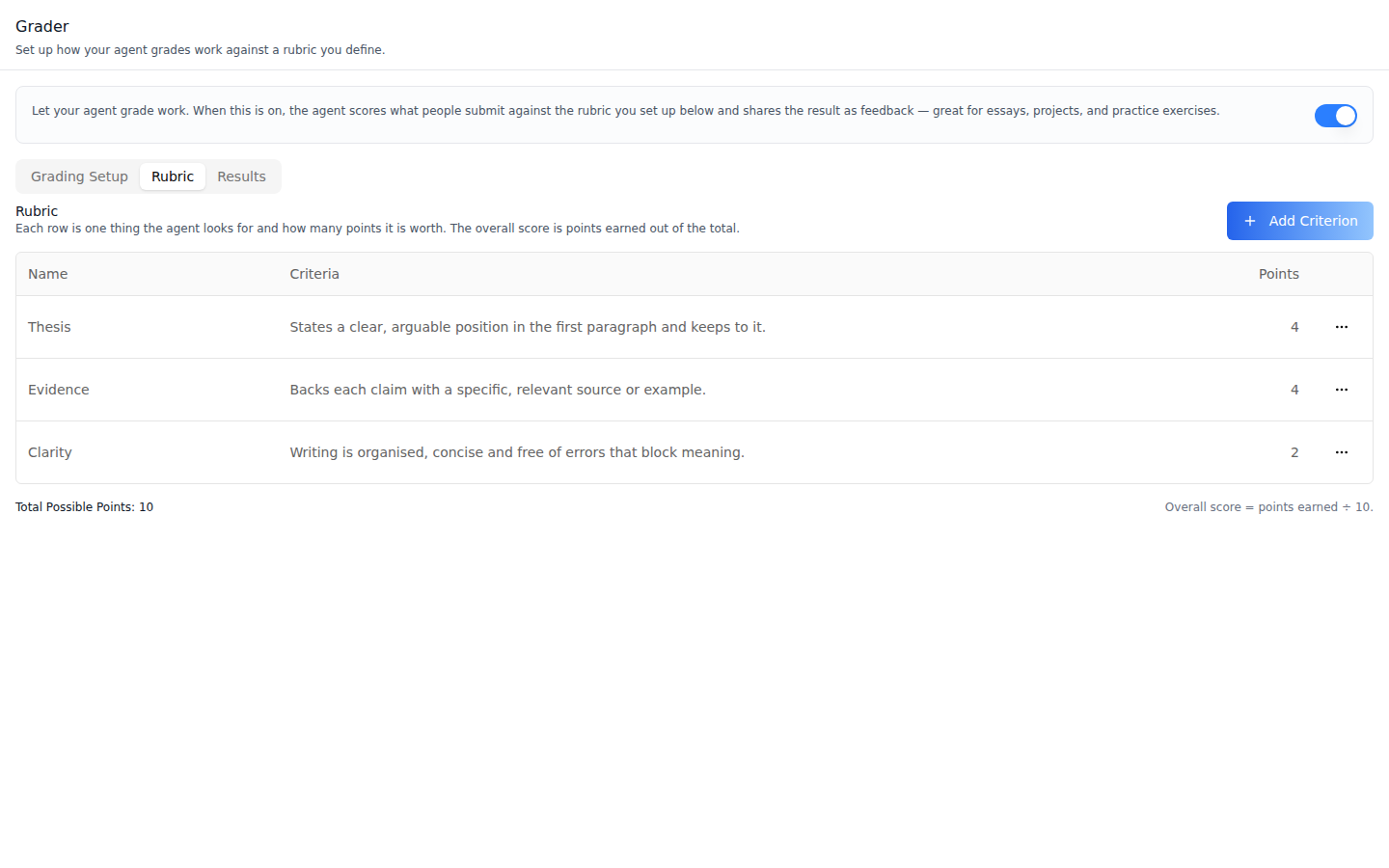
Rubric -- one row per criterion (Name, Criteria, Points) with an Edit / Delete menu. The footer shows the total; the overall score is points earned out of that total. Add Criterion is enabled as soon as the setup exists (right after the Grading switch is turned on).
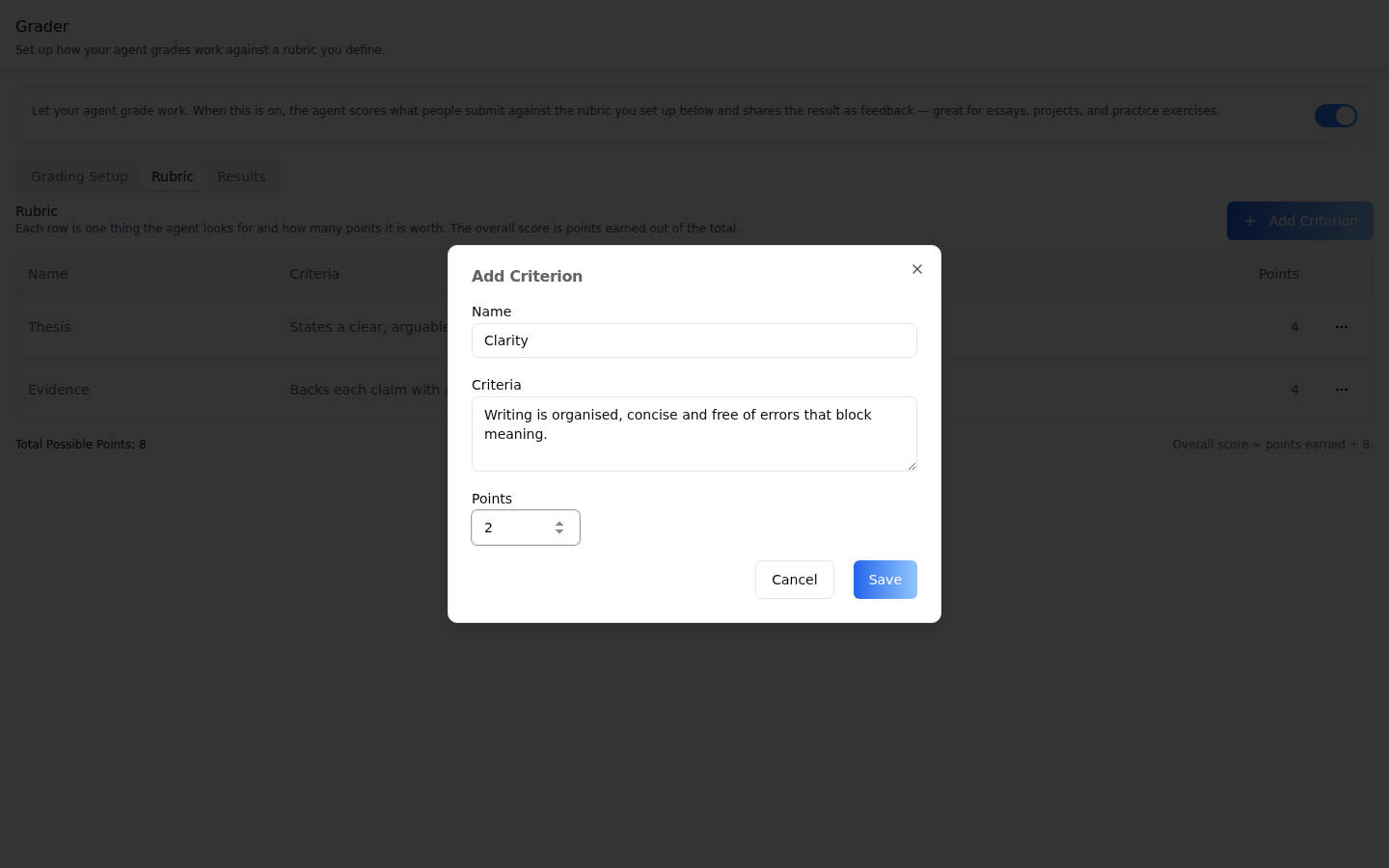
Add Criterion -- Name, Criteria (what earns the points), and Points (a positive number). Edit opens the same dialog filled in.
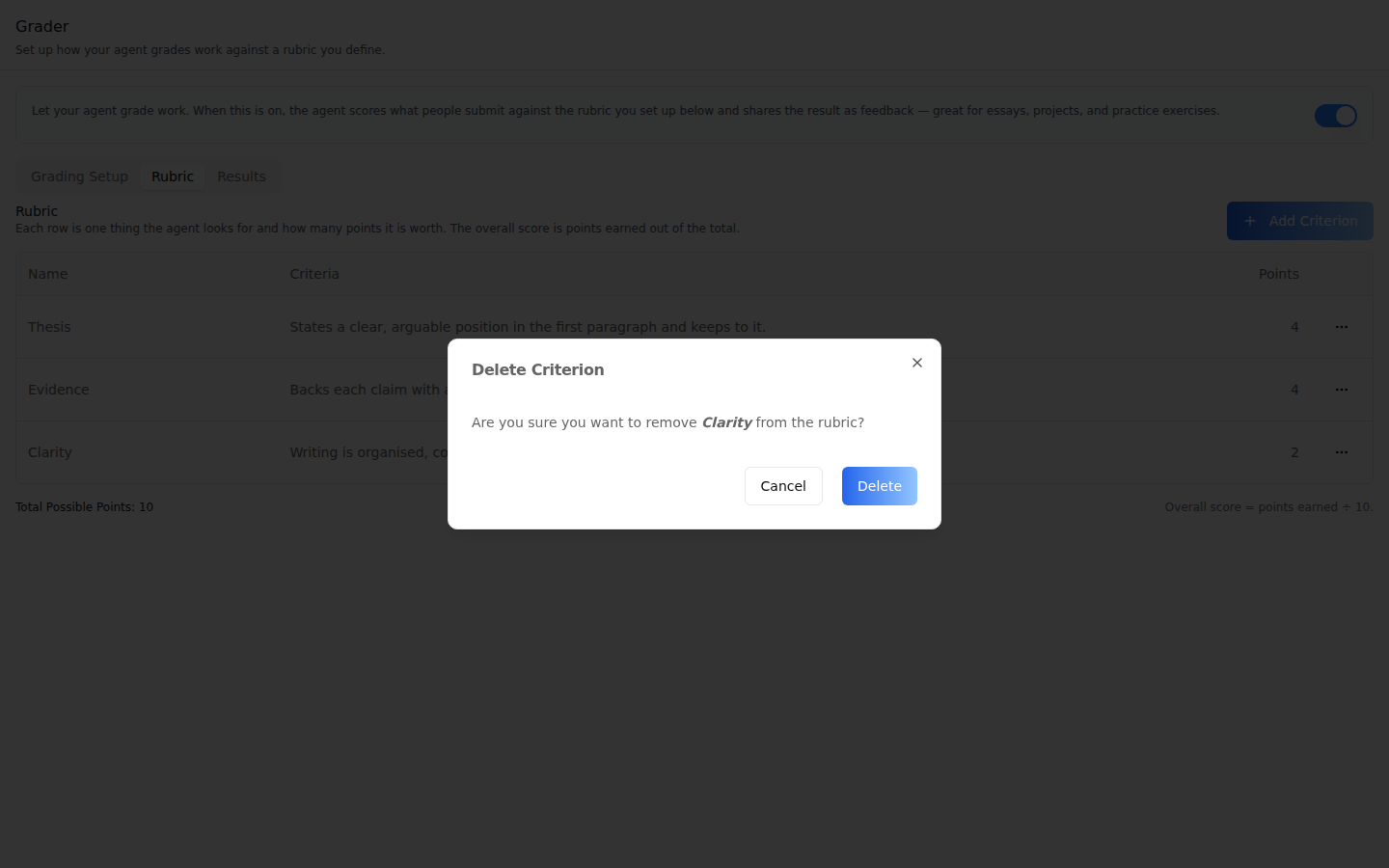
Delete Criterion -- asks for confirmation. The last criterion cannot be deleted while grading is set up; add another first.
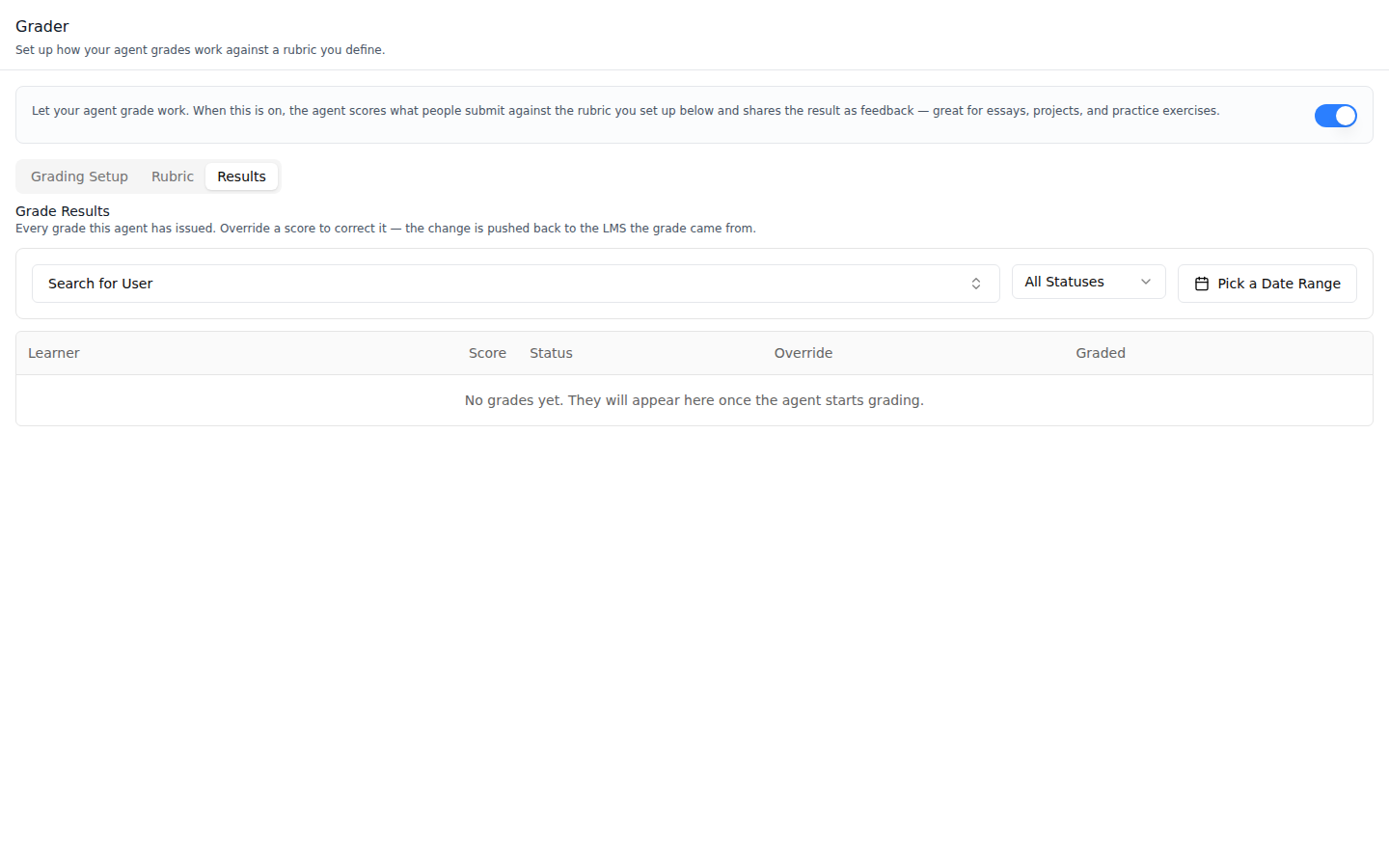
Results -- filter by user (the History tab's user list), status (Pending / Published / Failed) and date range; 10 rows per page with columns Learner, Score (percent), Status, Override and Graded. Each row has an Override button that opens Override Grade: the AI score, Override Points (0 up to the rubric total, capped at 100) and optional Override Feedback; Clear restores the AI score. (The shot shows the empty state: this agent had not graded anything yet.)
Common setup (brand, conventions, env files, verification): see docs/skill-setup.md.
Prerequisites
- Auth set up (
/iblai-vibe-auth, or vibe-starter). AgentSettingsProviderwraps the route (/iblai-vibe-agent§1).@iblai/iblai-js@^2.62.1(resolves@iblai/web-containers1.62.1). Check withpnpm why @iblai/web-containers.- A real agent UUID. Ask the user; never invent one.
- The organization's tool catalogue must include the Grading tool, or the switch shows an error toast.
Step 1: Check Environment
Look for iblai.env in the project root with PLATFORM, DOMAIN, and
TOKEN. If it is missing, tell the user:
"You need an iblai.env with your platform configuration. Download the
template and fill in your values:
curl -o iblai.env https://raw.githubusercontent.com/iblai/vibe/refs/heads/main/iblai.env"
Step 2: Mount AgentGraderTab
// app/(app)/agents/[mentorId]/grader/page.tsx
"use client";

import { AgentGraderTab } from "@iblai/iblai-js/web-containers/next";

export default function AgentGraderPage() {
  return (
    <div className="flex h-full flex-col bg-white">
      <AgentGraderTab />
    </div>
  );
}
The tab reads tenantKey, mentorId, username, enableRBAC and
rbacPermissions from AgentSettingsProvider; each can be passed as a prop
instead. With enableRBAC={false} (the /iblai-vibe-agent layout) every
control shows and the server's 403s are the only gate -- no grants need
loading. A 403 on the setup or rubric replaces the tab body (the header stays)
with "No Access to Grading Settings".
With enableRBAC on, each action is checked as /mentors/<agent db id>/#<action>:
read_grader_config, create_grader_config, write_grader_config,
view_grader_criteria, create_grader_criteria, write_grader_criteria,
delete_grader_criteria, view_grade_results, override_grade_results.
Load them with useGetRbacPermissionsMutation (requestBody: { platform_key, resources: ["/mentors/<agent db id>/"] }; the db id is mentor_id on the
agent's settings) and pass the result as rbacPermissions, on the provider or
as the tab's prop. The tab reads only that, never the store's state.rbac.
If the grants hold no entry for the agent, everything stays visible.
Step 3: Customize Labels (Optional)
The tab renders with the default agent-facing copy
(AGENT_GRADER_TAB_LABELS, localized through the SDK's i18n). Pass a partial
labels object to change any string:
import { AgentGraderTab } from "@iblai/iblai-js/web-containers/next";

<AgentGraderTab
  labels={{
    header: { title: "Auto-grading" },
    subTabs: { rubric: "Scoring rubric" },
  }}
/>;
Label groups (GraderTabLabels): header (title, description),
capability (the switch: title, description, offHint), subTabs
(setup, rubric, results), denied (the no-access notice), warnings
(noConfig, noCriteria), config (the setup form: gradingMode,
feedbackMode, instructions, save buttons), criteria (the rubric table,
totalPoints, scoreHint, lastCriterionHint, modal, deleteModal),
results (filters, statusValues, columns, empty states,
overrideModal, toasts), and toasts (switch, setup and criterion
toasts).
Step 4: Use MCP Tools for Customization
get_component_info("AgentGraderTab")
get_component_info("AgentSettingsProvider")
<AgentGraderTab> Props
Import from @iblai/iblai-js/web-containers/next.
| Prop | Type | Required | Description |
|---|---|---|---|
labels | DeepPartial<GraderTabLabels> | No | Override user-visible strings |
tenantKey | string | No | Organization key; defaults to AgentSettingsProvider |
mentorId | string | No | Agent UUID; defaults to AgentSettingsProvider |
username | string | No | Signed-in username; defaults to AgentSettingsProvider |
enableRBAC | boolean | No | Check each grader action against rbacPermissions; defaults to AgentSettingsProvider |
rbacPermissions | object | No | Permission tree; defaults to AgentSettingsProvider |
Related Exports
From @iblai/iblai-js/web-containers/next:
AGENT_GRADER_TAB_LABELS-- the default label bundle.GRADING_TOOL_NAME--"Grading", the tool name the switch looks for. It matches on the name because tool slugs differ between environments.AgentGraderTabProps,GraderTabLabels-- types.
From @iblai/iblai-js/data-layer, for a custom UI on the same endpoints:
the hooks under Platform data, plus the types MentorGraderConfiguration,
GradingMode (submission | conversation), FeedbackMode (overall |
per_criteria | both), GradeResult, GradeResultPublishStatus
(pending | published | failed), CreateMentorGraderConfigurationRequest,
CreateGraderCriterionRequest, UpdateGraderCriterionRequest.
How it saves
Paths are under https://api.iblai.app/dm/api/ai-mentor/orgs/{org}/. The
grader paths use the canonical agents/ prefix; the tab calls the
mentors/ alias for the setup and rubric, and both are served.
| Action | Request |
|---|---|
| Grading switch | PUT users/{username}/mentors/{uuid}/settings/ with tool_slugs (the Grading tool added or removed) and can_use_tools; turning it on creates the setup server-side |
| Save the setup | PATCH agents/{uuid}/grader-config/ with grading_mode, feedback_mode, grader_instructions (POST only if no setup exists yet; a POST when one exists returns 400 "already exists") |
| Add / edit / delete a criterion | POST agents/{uuid}/grader-config/criteria/; PATCH / DELETE …/criteria/{id}/ (name, criteria, points) |
| Results | GET agents/{uuid}/grader-results/?email=&status=&graded_at_after=&graded_at_before=&page=&page_size=10 |
| Override / Clear | PATCH agents/{uuid}/grader-results/{id}/ with override_points (or null to clear) and override_feedback |
A custom UI should turn the Grading tool on first, then refetch the setup and
PATCH it. Turning grading off keeps the setup and rubric; there is no way
to delete the setup.
Platform data
| Hook | Purpose |
|---|---|
useGetMentorSettingsQuery / useGetToolsQuery / useEditMentorMutation | Read and flip the Grading tool |
useGetMentorGraderConfigurationQuery, useCreateMentorGraderConfigurationMutation, useUpdateMentorGraderConfigurationMutation | The setup |
useListGraderCriteriaQuery, useCreateGraderCriterionMutation, useUpdateGraderCriterionMutation, useDeleteGraderCriterionMutation | The rubric |
useListGradeResultsQuery, useGetGradeResultQuery, useOverrideGradeResultMutation | Results and overrides |
useGetChatHistoryFilterQuery | The Results user filter |
There is no iblai-api-* REST twin for the grader yet; the endpoints above
are in the live schema.
Step 5: Verify
Run /iblai-vibe-ops-test before telling the user the work is ready, and give
every page, control and state this skill added its own checkpoint — one Playwright
test titled <ID> · … in e2e/journeys/, listed in e2e/coverage.json;
pnpm e2e:coverage must pass:
pnpm build-- must pass with zero errors.pnpm test-- vitest must pass.- Touch test
/agents/<uuid>/graderin the browser as/iblai-vibe-ops-testsays, signed in as an org admin: the Grading switch and the three sub-tabs render; turn grading on, save the setup, add a criterion -- the amber warning clears; read the console; check the phone width.
Important Notes
- Activation is a tool: the switch edits the agent's
tool_slugs, the same list as the Tools tab (/iblai-vibe-agent-tool). - Overrides reach the LMS: an override is pushed back to the LMS the grade came from, as points ÷ rubric total.
- Redux store: the grading endpoints ship inside
mentorReducer/mentorMiddleware, which vibe-starter's store already includes. - Setup is permanent: it survives turning grading off and cannot be deleted. Try it on a test agent.
- Shared provider: mount
AgentSettingsProvideronce at the layout level (/iblai-vibe-agent§1); do not wrap each tab. - Peer deps:
sonnerand@iblai/iblai-web-mentor(pnpm add sonner @iblai/iblai-web-mentor). - Brand guidelines: BRAND.md