/iblai-vibe-ops-build
Mirrored from
iblai/vibe·skills/ship/iblai-vibe-ops-build/SKILL.md. This page is generated — edit it in the repository, not here.
Build and run your ibl.ai app on desktop and mobile using Tauri v2. Covers macOS, Windows (Surface — x64 and ARM64), Linux, iOS and Android.
Building: run Tauri directly —
pnpm exec tauri <cmd>(e.g.pnpm exec tauri dev,pnpm exec tauri ios build). The Tauri shell files live inassets/tauri/src-tauri/(copy intosrc-tauri/), the CI workflows inassets/tauri/workflows/(copy into.github/workflows/), and the default app icons inassets/icons/(copy intosrc-tauri/icons/). They are real files under placeholder names — set the names below once. The build commands, prerequisites, package scripts and MSIX notes are inreferences/tauri-commands.md.
Names to set after copying
The shell ships as my-app. Set these together; the sign-in and the Windows
build break when they disagree:
| Value | Default | Where |
|---|---|---|
| App slug | my-app | src-tauri/Cargo.toml package name, src-tauri/tauri.conf.json productName, AppxManifest.xml Executable="my-app.exe", build-msix.ps1 $AppName |
| Bundle identifier | com.example.myapp | tauri.conf.json identifier, AppxManifest.xml Identity Name — no hyphens, never ending in .app; the stores lock it at the first release |
| Display name | My App | the six display fields in AppxManifest.xml, the window title in src-tauri/src/lib.rs |
| Auth URL scheme | my-app | tauri.conf.json deep-link scheme, AUTH_SCHEME in src-tauri/src/lib.rs, NEXT_PUBLIC_TAURI_CUSTOM_SCHEME in .env.local, TAURI_CUSTOM_SCHEME in iblai.env, the organization's allowed redirect origins |
| App URL | https://my-app.example.com | tauri.conf.json build.frontendDist — the deployed app's final URL (after redirects); every platform loads it and the desktop guard allows its host. A self-hosted platform also goes into ALLOWED_HOST_SUFFIXES in src-tauri/src/lib.rs |
| MSIX publisher | CN=my-app-dev | AppxManifest.xml Publisher, setup-test-cert.ps1 $Subject (the Store replaces it) |
Before adding build support or running a dev build, stop all running dev
servers (pnpm dev, next dev, etc.) to avoid port conflicts. Kill any
process on port 3000 before proceeding.
When the user asks to add iOS or Android build support, automatically start
the emulator/simulator after initialization -- just like you would start
pnpm dev after adding auth. Run xcrun simctl list devices (iOS) / adb devices (Android) to find the
available device name, then start the dev build with that device.
Do NOT guess device names. Always run xcrun simctl list devices (iOS) / adb devices (Android) first and use
a device name from the output.
Prerequisites (All Platforms)
- Tauri support added to your project:
# add the Tauri shell: copy assets/tauri/src-tauri/ into src-tauri/, set the names above, add the package scripts (references/tauri-commands.md)
pnpm install --ignore-scripts
Run with
--ignore-scriptsto skip package lifecycle (postinstall) scripts.
- Rust toolchain installed via rustup
How the shell loads the app
Every platform loads the deployed web app: build.frontendDist in
tauri.conf.json is its URL (the App URL above), nothing is bundled, and
a web deploy (/iblai-vibe-ops-deploy
writes the URL) updates every installed app. pnpm exec tauri dev runs
beforeDevCommand (pnpm dev) and loads devUrl (http://localhost:3000)
instead; for a dev build on the hosted app, override per run:
pnpm exec tauri dev -c '{"build":{"devUrl":"https://<app>","beforeDevCommand":""}}'.
An app with no server routes may ship a static export instead: output: "export" in next.config.ts, then "frontendDist": "../out" and
"beforeBuildCommand": "pnpm build" (the scaffold's builds option).
vibe-starter keeps its server routes, so it uses the URL.
The shell registers tauri-plugin-os, so the SDK knows it runs in a desktop
or mobile app; Code mode and on-device models still need
/iblai-vibe-os-agent-code-mode
and /iblai-vibe-local-llm.
Mobile Safe Area
The generated CSS includes padding: env(safe-area-inset-*) on <body> and
the layout sets viewport-fit=cover. This prevents content from overlapping
with the iOS status bar / notch and Android status bar. If you see content
behind the status bar, verify:
globals.css(oriblai-styles.css) haspadding-top: env(safe-area-inset-top)on bodyapp/layout.tsxmetadata includesviewport: "width=device-width, initial-scale=1, viewport-fit=cover"
Mobile SSO
For mobile builds (iOS/Android), the auth redirect must use a custom URI
scheme instead of https://. Set TAURI_CUSTOM_SCHEME in iblai.env:
TAURI_CUSTOM_SCHEME=myappSet the same value in .env.local as NEXT_PUBLIC_TAURI_CUSTOM_SCHEME (the
frontend passes redirect-to=myapp:// to the auth SPA), in
src-tauri/tauri.conf.json (deep-link → scheme) and as AUTH_SCHEME in
src-tauri/src/lib.rs (the handler that listens for myapp:// callbacks).
Without this, mobile SSO will redirect to an HTTPS URL that stays inside the system browser session and never returns to the app.
Build-Time Flags (Organization Lock & In-App Purchase)
IBL_TENANT=<key> locks a binary to one org and IBL_ALLOW_IN_APP_PURCHASE=1 enables the in-app-purchase path; both are Rust option_env! values set in the build shell. Full semantics, examples per platform, and the runtime behavior: references/build-time-flags.md.
App Icons
Generate platform-ready icons from your logo (works for all platforms):
pnpm exec tauri icon path/to/logo.pngThis creates all required sizes in src-tauri/icons/.
List Available Devices
xcrun simctl list devices   # iOS simulators; plugged-in devices: xcrun devicectl list devices
emulator -list-avds         # Android emulators; plugged-in devices: adb devices -l
iOS
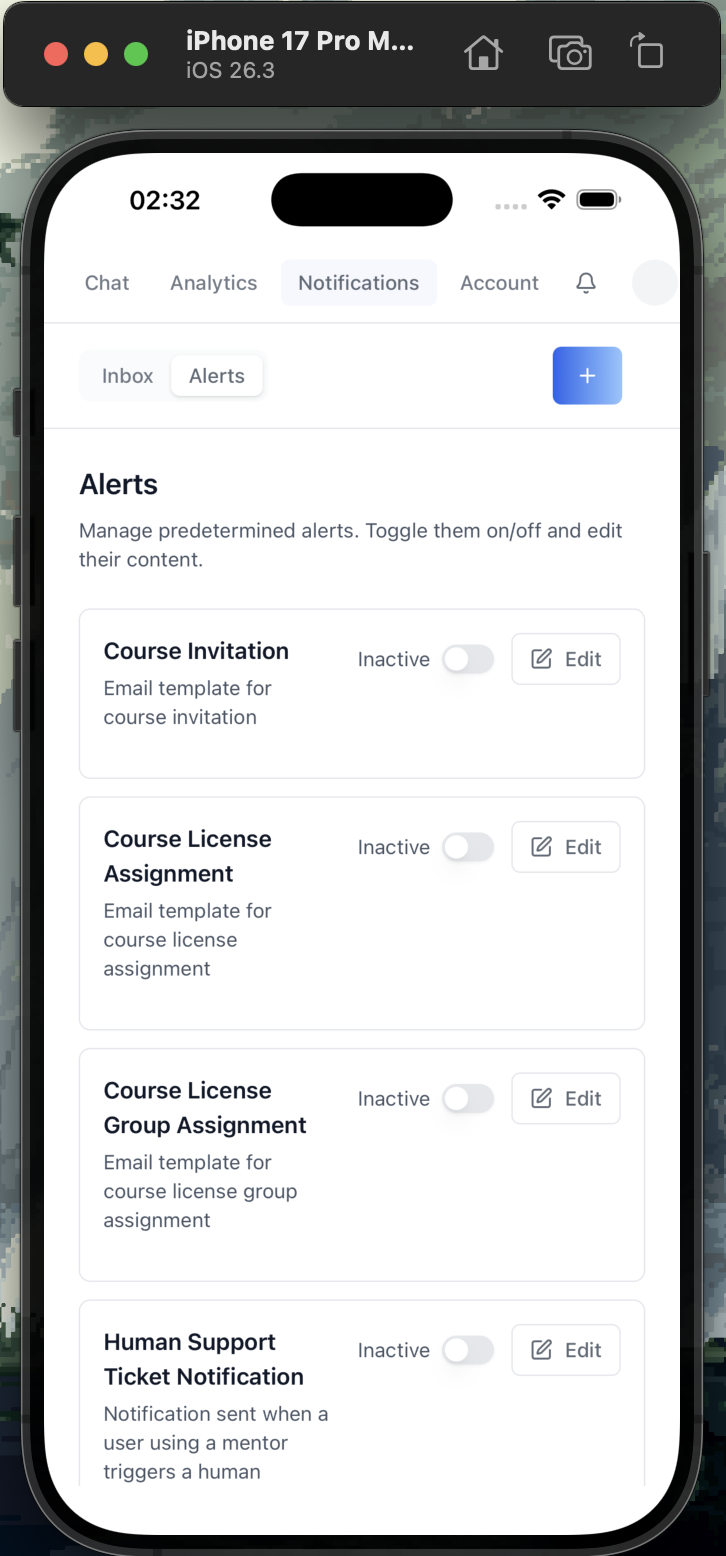
Build and run on iOS Simulator and real devices.
iOS Prerequisites
- macOS (iOS builds require Xcode)
- Xcode installed from the Mac App Store (includes iOS SDK + Simulator)
- Xcode Command Line Tools:
xcode-select --install - Rust iOS targets:
rustup target add aarch64-apple-ios aarch64-apple-ios-sim
Initialize iOS Project
Run this once after adding Tauri support:
pnpm exec tauri ios initThis generates src-tauri/gen/apple/ with the Xcode project, Swift bridge
code, and iOS configuration.
If you get a Rust target error, make sure both targets are installed:
rustup target add aarch64-apple-ios aarch64-apple-ios-sim
Run on iOS Simulator
First, list available simulators:
xcrun simctl list devicesAlways pick a device from the list. Choose the most mainstream iPhone (e.g., the newest Pro Max available). Do NOT run without a device name.
The dev build runs pnpm dev and loads it on the simulator (for the hosted
app add -c '{"build":{"devUrl":"https://<app>","beforeDevCommand":""}}'):
pnpm exec tauri ios dev "iPhone 16 Pro Max"The first build takes several minutes; subsequent builds are fast.
Troubleshooting Simulator
- "No available iOS simulators": Open Xcode > Settings > Platforms > download an iOS runtime
- Build fails with "linking" errors: Verify Xcode path with
xcode-select -p. If incorrect, the user should runsudo xcode-select -s /Applications/Xcode.app/Contents/Developerthemselves (requires elevated privileges -- confirm with the user before suggesting this) - Simulator won't launch: Try
xcrun simctl shutdown allthen retry
Run on Physical iOS Device
Connect your iPhone via USB, then pass its name (xcrun devicectl list devices):
pnpm exec tauri ios dev "<device name>"Requirements for Physical Devices
- Apple Developer account (free or paid)
- Device registered in your Apple Developer portal
- Development provisioning profile configured in Xcode
To set up signing:
- Open
src-tauri/gen/apple/<app>.xcodeprojin Xcode - Select the target > Signing & Capabilities
- Set your Team and Bundle Identifier
- Xcode auto-manages provisioning profiles
Free developer accounts can run on up to 3 devices for 7 days. A paid Apple Developer Program ($99/year) removes this restriction.
Build Release .ipa
Local Build
pnpm exec tauri ios buildOr:
pnpm tauri:build:iosThe .ipa file is generated at src-tauri/gen/apple/build/ (or use
find src-tauri/gen/apple -name "*.ipa" to locate it).
App Store Build (CI)
Copy assets/tauri/workflows/tauri-build-ios.yml into .github/workflows/;
it sets up the full pipeline and uploads the .ipa as a build artifact.
Required GitHub Secrets for iOS CI
| Secret | Description |
|---|---|
APPLE_API_KEY_BASE64 | Base64-encoded App Store Connect API key (.p8 file) |
APPLE_API_KEY_ID | Key ID from App Store Connect > Users and Access > Keys |
APPLE_API_ISSUER | Issuer ID from App Store Connect > Users and Access > Keys |
To encode your .p8 key:
base64 -i AuthKey_XXXXXXXXXX.p8 | pbcopyAndroid
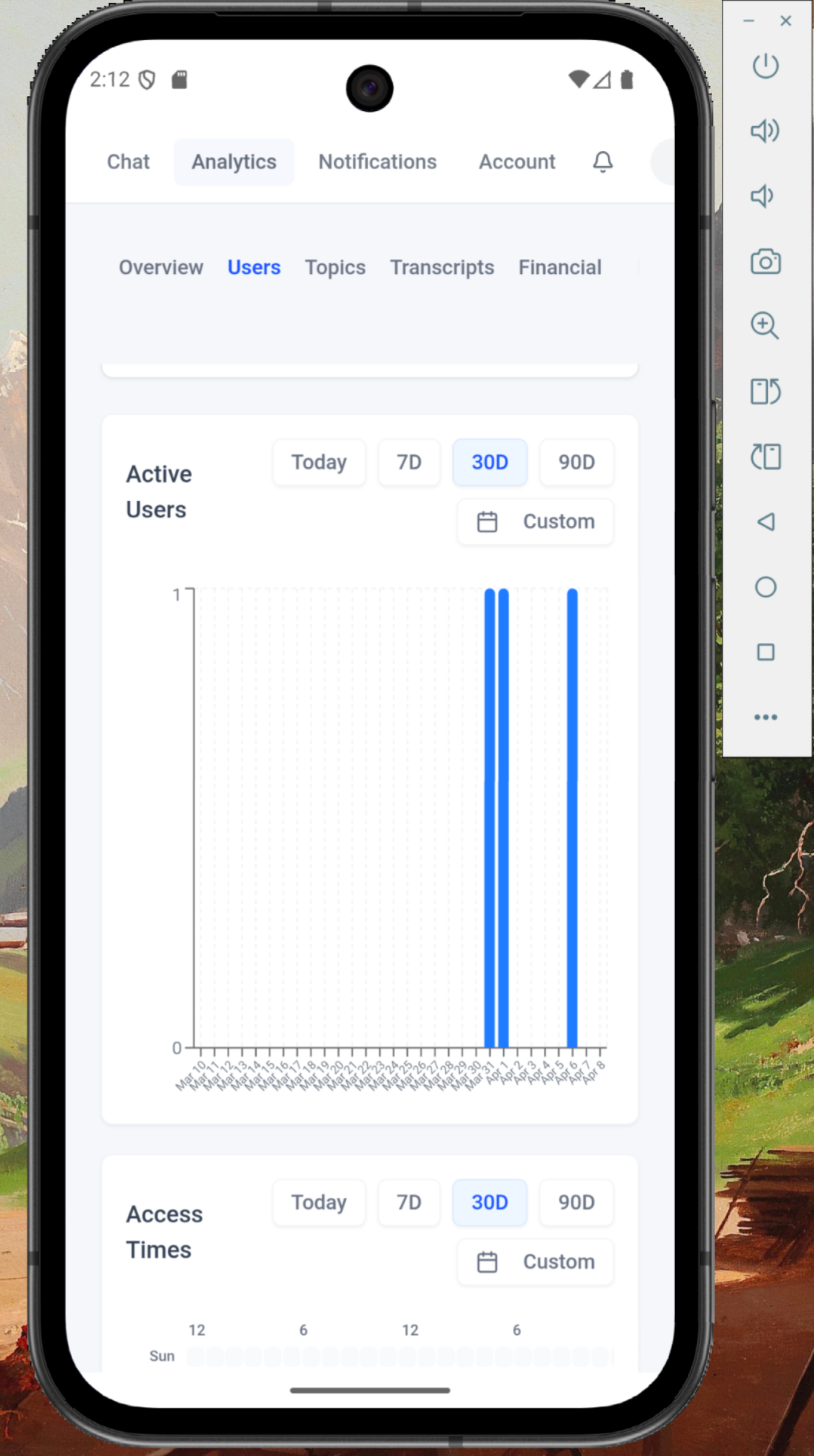
Build and run on Android emulators and real devices.
Android Prerequisites
- Android Studio with SDK and NDK installed
- Android SDK (API level 24+)
- Rust Android targets:
rustup target add aarch64-linux-android armv7-linux-androideabi i686-linux-android x86_64-linux-android
Initialize Android Project
pnpm exec tauri android initThis generates src-tauri/gen/android/ with the Gradle project.
Run on Android Emulator
First, list available emulators:
emulator -list-avdsAlways pick a device from the list. Choose the most mainstream Pixel (e.g., "Pixel_9", "Pixel_8" — whichever is the newest in the list). Do NOT run without a device name.
The dev build runs pnpm dev and reaches it through adb reverse (for the
hosted app add -c '{"build":{"devUrl":"https://<app>","beforeDevCommand":""}}'):
pnpm exec tauri android dev "Pixel_9"Run on Physical Android Device
Connect your device via USB with USB debugging enabled, then pass its name
(adb devices -l):
pnpm exec tauri android dev "<device name>"Build Release APK
pnpm exec tauri android buildOr:
pnpm tauri:build:androidAndroid CI
No template yet: build locally with pnpm exec tauri android build, or
submit through /iblai-vibe-ops-release.
macOS (Desktop)
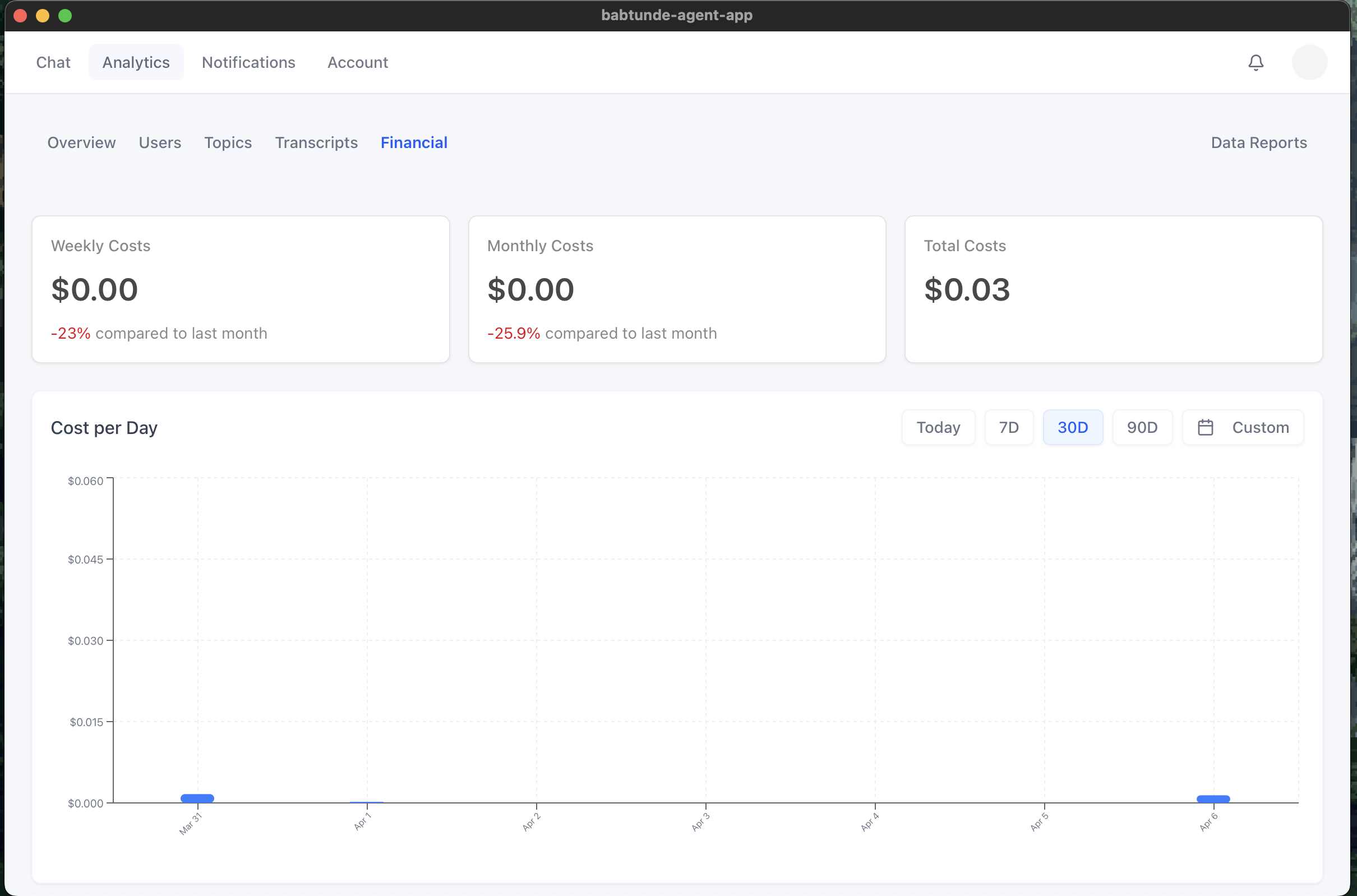
macOS Prerequisites
- Xcode Command Line Tools:
xcode-select --install
Run in Dev Mode
Runs pnpm dev and opens it in the shell (for the hosted app add
-c '{"build":{"devUrl":"https://<app>","beforeDevCommand":""}}'):
pnpm exec tauri devBuild Release .dmg / .app
pnpm exec tauri buildOr:
pnpm tauri:buildSigned + notarized release — CI or local
CI: copy assets/tauri/workflows/tauri-release-macos-dmg.yml into
.github/workflows/. On an app-v* tag push it builds a signed + notarized
universal .dmg (Intel + Apple Silicon) and attaches it to the tag's GitHub
Release; a manual run produces a build-only artifact.
Local (no CI): copy assets/tauri/desktop-release.mk +
desktop-signing.env.example to your project root and run
make -f desktop-release.mk macos-dmg — same sign + notarize, on your own Mac.
Either way needs Apple Developer ID credentials — full setup in
references/signed-release.md. For a quick
unsigned build across macOS/Linux/Windows, use
assets/tauri/workflows/tauri-build-desktop.yml.
Surface
Windows 11 on x64 and ARM64 — Surface Pro and Surface Laptop ship both.
Surface Prerequisites
- Visual Studio Build Tools with the C++ workload; for ARM64 also the
"MSVC v143 – VS 2022 C++ ARM64 build tools" component and
rustup target add aarch64-pc-windows-msvc - WebView2 runtime (included on Windows 11, downloadable for Windows 10)
Run in Dev Mode
Runs pnpm dev and opens it in the shell (for the hosted app add
-c '{"build":{"devUrl":"https://<app>","beforeDevCommand":""}}'):
pnpm exec tauri devBuild Release .msi / .exe
pnpm exec tauri build                                    # the machine's architecture
pnpm exec tauri build --target aarch64-pc-windows-msvc   # ARM64 (Surface Pro on Snapdragon)
The installer targets are configured in src-tauri/tauri.conf.json under
bundle.targets (includes nsis and msi by default). Google and Apple
sign-in open in an in-app popup that hands the result back to the main window.
Surface / Windows CI (signed NSIS, x64 + arm64)
Copy assets/tauri/workflows/tauri-release-windows.yml into
.github/workflows/. On an app-v* tag push it builds signed NSIS
installers for x64 and arm64 and attaches them to the Release. It signs with a
stored .pfx if you provide one, otherwise generates a self-signed cert in the
runner (zero setup) — see references/signed-release.md.
Requires bundle.windows.certificateThumbprint: null in tauri.conf.json (the
template already has it). To build locally instead, run
make -f desktop-release.mk windows-nsis on a Windows machine. For a Store /
sideload MSIX package instead, see
/iblai-vibe-windows-msix.
Linux (Desktop)
Linux Prerequisites
Debian/Ubuntu (other distributions carry the same packages under their own names — Tauri's prerequisites page lists them):
sudo apt install libwebkit2gtk-4.1-dev build-essential libssl-dev libgtk-3-dev libayatana-appindicator3-dev librsvg2-dev patchelfRun in Dev Mode
pnpm exec tauri devBuild the AppImage
pnpm exec tauri build --bundles appimageOne portable file per architecture in src-tauri/target/release/bundle/appimage/.
Running it needs FUSE 2 (libfuse2) or ./<app>.AppImage --appimage-extract-and-run.
Linux has no code signing. Google and Apple sign-in open in an in-app popup.
Linux CI (AppImage, x64 + arm64)
Copy assets/tauri/workflows/tauri-release-linux.yml into .github/workflows/.
On an app-v* tag push it builds the AppImage on ubuntu-22.04 and
ubuntu-22.04-arm and attaches both to the Release; a manual run produces
build-only artifacts — see references/signed-release.md.
Linux Troubleshooting
| Symptom | Fix |
|---|---|
| Blank or black window (often Nvidia or Wayland) | WEBKIT_DISABLE_DMABUF_RENDERER=1 ./<app>.AppImage |
An embedded iframe stays blank and the terminal prints blocked navigation | WebKit runs iframe loads through the guard too (macOS as well): add the host to ALLOWED_HOST_SUFFIXES in src-tauri/src/lib.rs |
AppImages require FUSE to run | Install libfuse2, or run with --appimage-extract-and-run |
CI and the command summary
The GitHub Actions workflows for every platform and the one-table summary of every tauri command used above are in references/ci-and-commands.md.
Reference
/iblai-vibe-scaffold-- the project templates + assembly stepsreferences/signed-release.md-- the release workflows: notarized macOS DMG, signed Windows NSIS x64 + arm64, Linux AppImage x64 + arm64 (secrets, certs, tag triggering)references/tauri-commands.md-- Tauri build commands, prerequisites, and MSIX notes
Redirect origins for native shells
Mobile sign-in returns through the custom scheme (TAURI_CUSTOM_SCHEME, e.g.
my-app://); desktop returns to the deployed origin the shell loads. Both must
be in the organization's allowed redirect origins — ask your ibl.ai
operator — or sign-in never completes in the app.