/iblai-vibe-agent-screenshare
Mirrored from
iblai/vibe·skills/agents/iblai-vibe-agent-screenshare/SKILL.md. This page is generated — edit it in the repository, not here.
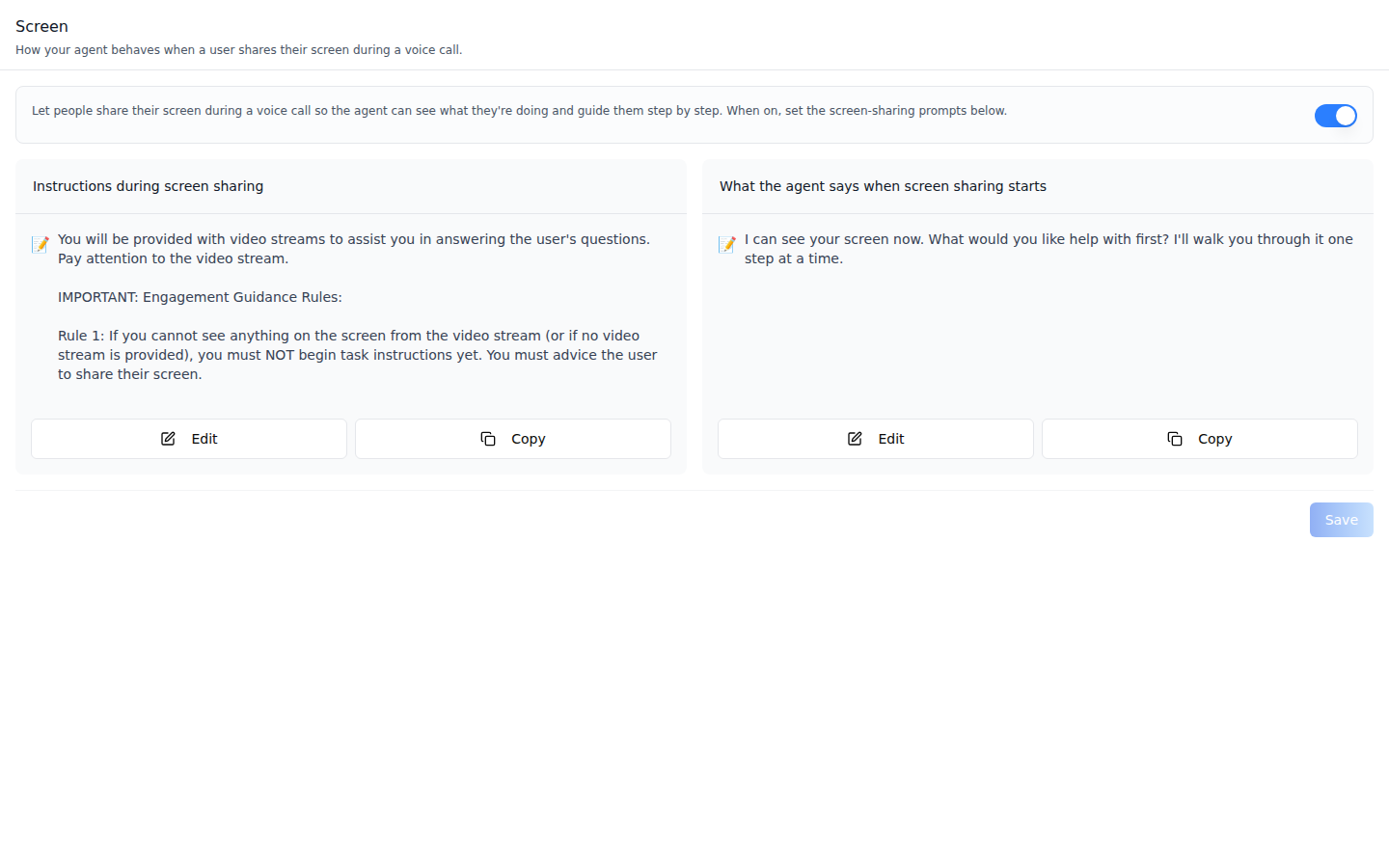
Add the agent Screen tab -- how the agent behaves when a user shares their
screen during a voice call. Scope: per agent. Everything on this tab lives
on the agent's call configuration (one row per agent), so it applies to every
user who calls that agent. The tab has a capability switch (turns screen
sharing on or off) and two prompt cards: Instructions during screen
sharing (the system prompt used while a screen is shared) and What the
agent says when screen sharing starts (the proactive opener). This is one
tab in the agent-settings family indexed by /iblai-vibe-agent; it shares the
AgentSettingsProvider wrapper with every other tab.
Prompts -- screen sharing on, both prompts set. Edits stay local until Save.
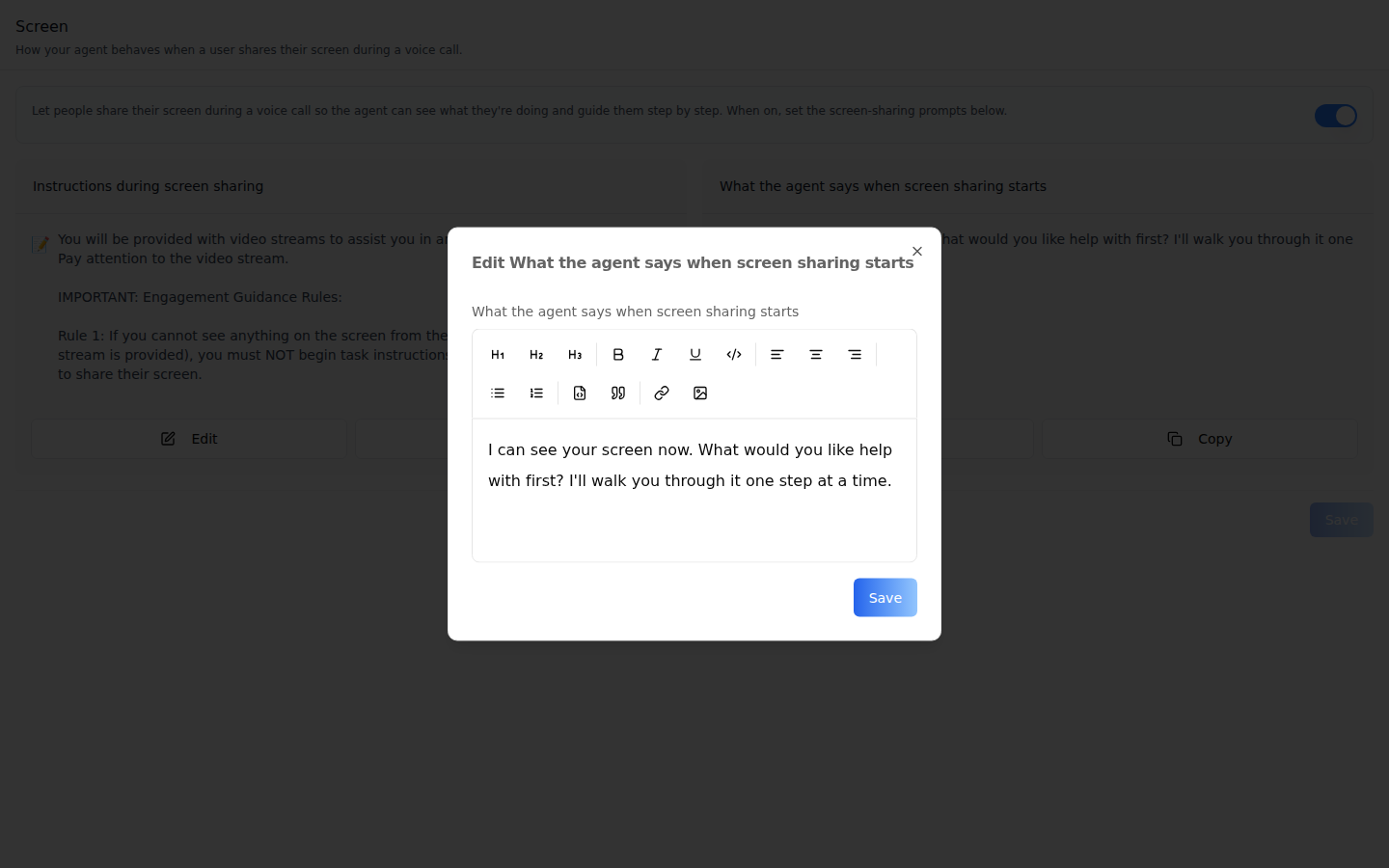
Edit dialog -- Edit on either card opens the shared rich-text prompt
editor (EditPromptModal, the same one the Prompts tab uses). Its Save
writes the text back to the card; the tab's Save sends it.
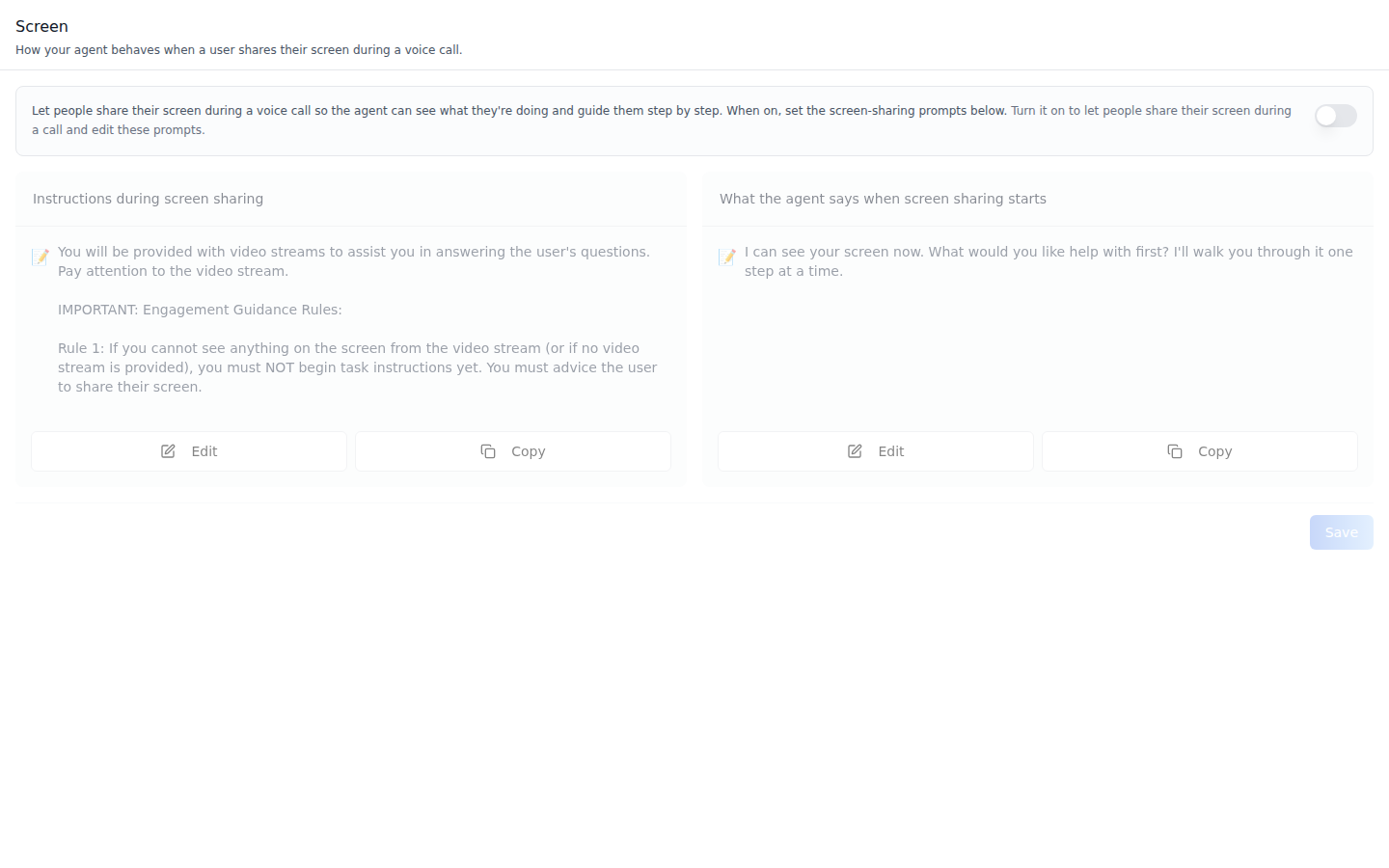
Off -- with the switch off the cards stay visible but grayed out and inert, and the header adds "Turn it on to let people share their screen during a call and edit these prompts." The switch saves immediately.
Common setup (brand, conventions, env files, verification): see docs/skill-setup.md.
Prerequisites
- Auth set up (
/iblai-vibe-auth, or vibe-starter). AgentSettingsProviderwraps the route (/iblai-vibe-agent§1).@iblai/iblai-js@^2.36.2(resolves@iblai/web-containers1.41.1, which ships the in-tab switch). Check withpnpm why @iblai/web-containers.- A real agent UUID. Ask the user; never invent one.
- Voice calls on for the agent (
/iblai-vibe-agent-voice): screen sharing happens inside a voice call, and always in Live conversation mode. - An org admin to save: call configurations have no agent-level permission, so for an agent editor the switch flips back and Save shows "Couldn't save screen sharing prompts".
Step 1: Check Environment
Look for iblai.env in the project root with PLATFORM, DOMAIN, and
TOKEN. If it is missing, tell the user:
"You need an iblai.env with your platform configuration. Download the
template and fill in your values:
curl -o iblai.env https://raw.githubusercontent.com/iblai/vibe/refs/heads/main/iblai.env"
Step 2: Mount AgentScreenShareTab
// app/(app)/agents/[mentorId]/screenshare/page.tsx
"use client";

import { AgentScreenShareTab } from "@iblai/iblai-js/web-containers/next";

export default function AgentScreenSharePage() {
  return (
    <div className="flex h-full flex-col bg-white">
      <AgentScreenShareTab />
    </div>
  );
}
The tab reads tenantKey, mentorId, and username from
AgentSettingsProvider and does its own fetching and saving. No props are
required.
To render the prompts differently on the cards (for example as Markdown with
the renderer you already pass to AgentPromptsTab), pass
renderPromptContent:
import { AgentScreenShareTab } from "@iblai/iblai-js/web-containers/next";

<AgentScreenShareTab
  renderPromptContent={(content) => (
    <p className="text-sm whitespace-pre-wrap text-gray-700">{content}</p>
  )}
/>;
Step 3: Customize Labels (Optional)
The tab renders with the default agent-facing copy
(AGENT_SCREENSHARE_TAB_LABELS, localized through the SDK's i18n). Pass a
partial labels object to change any string:
import { AgentScreenShareTab } from "@iblai/iblai-js/web-containers/next";

<AgentScreenShareTab
  labels={{
    header: { title: "Screen sharing" },
    fields: { proactivePrompt: { label: "Opening line" } },
  }}
/>;
Label groups (ScreenShareTabLabels): header (title, description),
capability (title -- the switch's accessible name, description,
offHint), disabledHint, fields.systemPrompt and
fields.proactivePrompt (label, placeholder each), saveButton,
savingButton, and toasts (saved, error).
Step 4: Use MCP Tools for Customization
get_component_info("AgentScreenShareTab")
get_component_info("AgentSettingsProvider")
<AgentScreenShareTab> Props
Import from @iblai/iblai-js/web-containers/next.
| Prop | Type | Required | Description |
|---|---|---|---|
labels | DeepPartial<ScreenShareTabLabels> | No | Override user-visible strings |
renderPromptContent | (content: string) => ReactNode | No | Render each prompt as rich content. Defaults to plain text |
tenantKey | string | No | Identity override. Falls back to AgentSettingsProvider |
mentorId | string | No | Identity override (agent UUID). Falls back to AgentSettingsProvider |
username | string | No | Identity override. Falls back to AgentSettingsProvider |
Related Exports
From @iblai/iblai-js/web-containers/next:
AGENT_SCREENSHARE_TAB_LABELS-- the default label bundle.ScreenShareTabLabels,AgentScreenShareTabProps-- types.
How it saves
| Action | Request |
|---|---|
| Load | The agent's settings embed call_configuration; when absent the tab lists call-configurations/?mentor=<uuid> |
| Switch on / off | PATCH call-configurations/{id}/ with enable_video; with no row yet, POST call-configurations/ (mentor, mode: "realtime", language: "en", enable_video) |
| Save | PATCH call-configurations/{id}/ (or POST when no row exists) with screensharing_system_prompt and screensharing_proactive_prompt |
The switch rolls back if the request fails. Save stays disabled until a prompt changes.
Platform data
| Hook | Purpose |
|---|---|
useGetMentorSettingsQuery | Agent settings, including the embedded call_configuration |
useGetCallConfigurationsQuery | Fallback list when settings carry no call configuration |
useCreateCallConfigurationMutation, useUpdateCallConfigurationMutation | Create / patch the row |
REST twin: /iblai-api-agent-voice
(call configurations: enable_video, screensharing_system_prompt,
screensharing_proactive_prompt).
Step 5: Verify
Run /iblai-vibe-ops-test before telling the user the work is ready:
pnpm build-- must pass with zero errors.pnpm test-- vitest must pass.- Touch test
/agents/<uuid>/screensharein the browser as/iblai-vibe-ops-testsays: the switch and both prompt cards render; edit the opener, Save, reload -- the text persists; read the console; check the phone width.
Important Notes
- Per agent, not per user: one call configuration per agent; every caller gets the same prompts.
- Default system prompt: a new call configuration starts with the platform's screen-guidance prompt, so the first card is rarely empty.
- Live conversation only: screen sharing ignores the call style set on the Voice tab's Voice Call sub-tab and always streams.
- Shared provider: mount
AgentSettingsProvideronce at the layout level (/iblai-vibe-agent§1); do not wrap each tab. - Peer deps:
sonnerand@iblai/iblai-web-mentor(pnpm add sonner @iblai/iblai-web-mentor). - Brand guidelines: BRAND.md