/iblai-vibe-readme
Mirrored from
iblai/base·skills/ship/iblai-vibe-readme/SKILL.md. This page is generated — edit it in the repository, not here.
Write or refresh the project's README.md in the standard ibl.ai format —
the same shape used by vibe-starter
and the reference apps in iblai/base.
The README tells humans what the project is, how to run it, how to build
native shells, how to ship releases, and how to contribute — with
consistent section headings, badges, and conventions across every ibl.ai
app.
What This Skill Does
- Read
package.jsonto derive the project name, version, description, and scripts (dev,build,start,release). - Detect which features are wired (auth, chat, analytics, native builds, Docker) by inspecting source files and dependencies — only document what's actually present.
- Check whether
README.mdalready exists. - If it exists, merge the standard sections into it (do not clobber custom prose the maintainers wrote). Replace stale ibl.ai sections with the updated versions below.
- If it does not exist, create it from the full template below.
- Verify there are no broken internal links (
docs/screenshots/...,CLAUDE.md,AGENTS.md) and warn the user about any that are missing.
Step 0: Inspect the Project
Before writing, gather these inputs:
| Source | Reads |
|---|---|
package.json | name, version, description, scripts.{dev,build,start,release} |
iblai.env | DOMAIN, PLATFORM (+ optional IBLAI_USERNAME) |
Dockerfile | Presence → include the Docker section |
next.config.{ts,mjs,js} | output: 'export' → static mode; otherwise server mode (for the Deploy section copy) |
src-tauri/tauri.conf.json | Presence → include the Native builds section AND keep the Deploy section (mobile dev builds use the hosted URL) |
| `app/(onboarding | onboarding)/, app/sso-login*` |
CLAUDE.md / AGENTS.md | Presence → cross-link them |
docs/screenshots/*.png | Use existing names; do NOT invent missing files |
Do NOT invent feature rows for surfaces that don't exist. The feature table should mirror what the codebase actually ships.
Step 1: Check for Existing README.md
Read README.md in the current working directory. If it exists:
- Preserve any custom narrative (e.g. company-specific context, a "What is X" paragraph, hand-written contributing guidelines).
- Replace standardized sections (badges, "Quick Start", "Built With", "Native builds", "Project Structure", "Releasing") with the templates below — these go stale fast and should track the canonical format.
- If a
## ibl.aiboilerplate section exists from a prior run, replace it with the updated version below.
If README.md does not exist, write the full template.
Step 2: Write the README Content
The template below mirrors the standard ibl.ai README. Adapt the
placeholders in {{ ... }} to the values you derived in Step 0, drop
sections whose features aren't present (Docker, Native builds,
Releasing), and keep the section order.
Template
<div align="center">
<a href="https://ibl.ai"><img src="https://ibl.ai/images/iblai-logo.png" alt="ibl.ai" width="300"></a>
# {{ Project Title }}
{{ One-sentence tagline, under 140 chars. }}
[](https://nextjs.org)
[](https://www.typescriptlang.org)
[](https://tailwindcss.com)
[](https://claude.ai)
</div>
---
## What is {{ Project Title }}
{{ 2-3 sentence project pitch. Mention `@iblai/iblai-js` and `iblai.app`. }}
| Feature | Description |
|---------|-------------|
{{ One row per real feature in the codebase. Examples:
| **Chat** | Full agent chat at `/platform/{tenant}/{mentor}` via the SDK `<mentor-ai>` web component — streaming, sessions, files, voice |
| **Explore Agents** | Browse starred / featured / custom / community agents with the SDK `<AgentSearch>` component |
| **Edit Agent** | Per-agent dialog wired to the SDK `Agent*Tab` components (Settings, LLM, Prompts, Tools, Memory, Safety, History, Datasets, API, Embed) |
| **Profile** | Edit basic info, social links, education, experience, resume, and avatar |
| **Account** | Organization settings, user management, integrations, advanced, and billing tabs |
| **Analytics** | Agent and learner analytics dashboards (usage, courses, programs, users, topics, transcripts, financial, reports) |
| **Notifications** | Header dropdown showing recent notifications and unread badge |
| **Tenant Switching** | Switch between organizations from the avatar dropdown |
| **SSO Authentication** | Login via iblai.app — no tokens to manage |
}}
{{ Reference 1-3 screenshots from `docs/screenshots/`. Drop this block if
none exist. }}

## AGENTS.md / CLAUDE.md
Please refer to `CLAUDE.md` at the repository root for component priorities,
SDK import conventions, and the env-setup flow Claude Code should follow
when running the app for the first time.
## Quick Start
### Prerequisites
- Node.js 18+
- pnpm (fall back to npm only if unavailable)
- An ibl.ai platform login (or a tenant you can SSO into via [iblai.app](https://iblai.app))
### Install & Run
```bash
pnpm install --ignore-scripts
pnpm dev
```
> Run with `--ignore-scripts` to skip package lifecycle (postinstall) scripts.
Open `http://localhost:3000`. {{ One sentence on
what happens after the first request — e.g. SSO redirect / home redirect
to a default route. }}
URL defaults live in `lib/iblai/config.ts`; copy `.env.example` to
`.env.local` and set `NEXT_PUBLIC_MAIN_TENANT_KEY` (plus `IBLAI_API_KEY`
for server-side platform calls).
### Build
```bash
pnpm build
pnpm start
```
{{ INCLUDE if `Dockerfile` exists }}
### Docker
```bash
docker build -t {{ image-name }}:{{ version }} {{ flags }} .
docker run -p {{ port }}:{{ port }} \
-e NEXT_PUBLIC_MAIN_TENANT_KEY=your-platform \
{{ image-name }}:{{ version }}
```
{{ INCLUDE this **Deploy** subsection whenever the project can ship a web
deployment (it covers both static `output: 'export'` Tauri shells and
server-rendered Next.js apps). Drop only if the project is explicitly
self-hosted. Full guide:
[`/iblai-vibe-ops-deploy`](https://github.com/iblai/base/blob/main/skills/ship/iblai-vibe-ops-deploy/SKILL.md). }}
### Deploy
Deploy through the ibl.ai platform's hosting API (Vercel-backed) with
[`/iblai-vibe-ops-deploy`](https://github.com/iblai/base/blob/main/skills/ship/iblai-vibe-ops-deploy/SKILL.md).
No Vercel account or token — auth is the platform API key (`TOKEN`) in
`iblai.env`. The skill zips the app (the `out/` export in static mode, the
project source in server mode), uploads it, polls until the build is
READY, and prints the address as `site_url` — a subdomain the platform
assigns, or the organization's own custom domain. Re-run it to redeploy;
custom domains are attached and managed through the skill, which returns
the DNS records to add.
**Native builds** load the deployed URL from `build.frontendDist` in
`src-tauri/tauri.conf.json`; `tauri dev` runs the local dev server.
{{ INCLUDE if `src-tauri/tauri.conf.json` exists. Mirror the structure
in `/iblai-vibe-ops-build` — one subsection per platform (iOS / Android /
macOS / Linux / Surface), each with a screenshot and the relevant
`pnpm exec tauri …` commands. Do NOT duplicate the full skill — keep
each platform to ~6–8 lines and link to the canonical guide. }}
### Native builds (iOS, Android, macOS, Linux, Surface)
Wrap the app in a native shell with [Tauri v2](https://tauri.app) using
Tauri directly (`pnpm exec tauri …`) (full guide:
[`/iblai-vibe-ops-build`](https://github.com/iblai/base/blob/main/skills/ship/iblai-vibe-ops-build/SKILL.md)).
{{ Include only the platforms the project actually targets. Each
subsection follows this pattern:
#### iOS
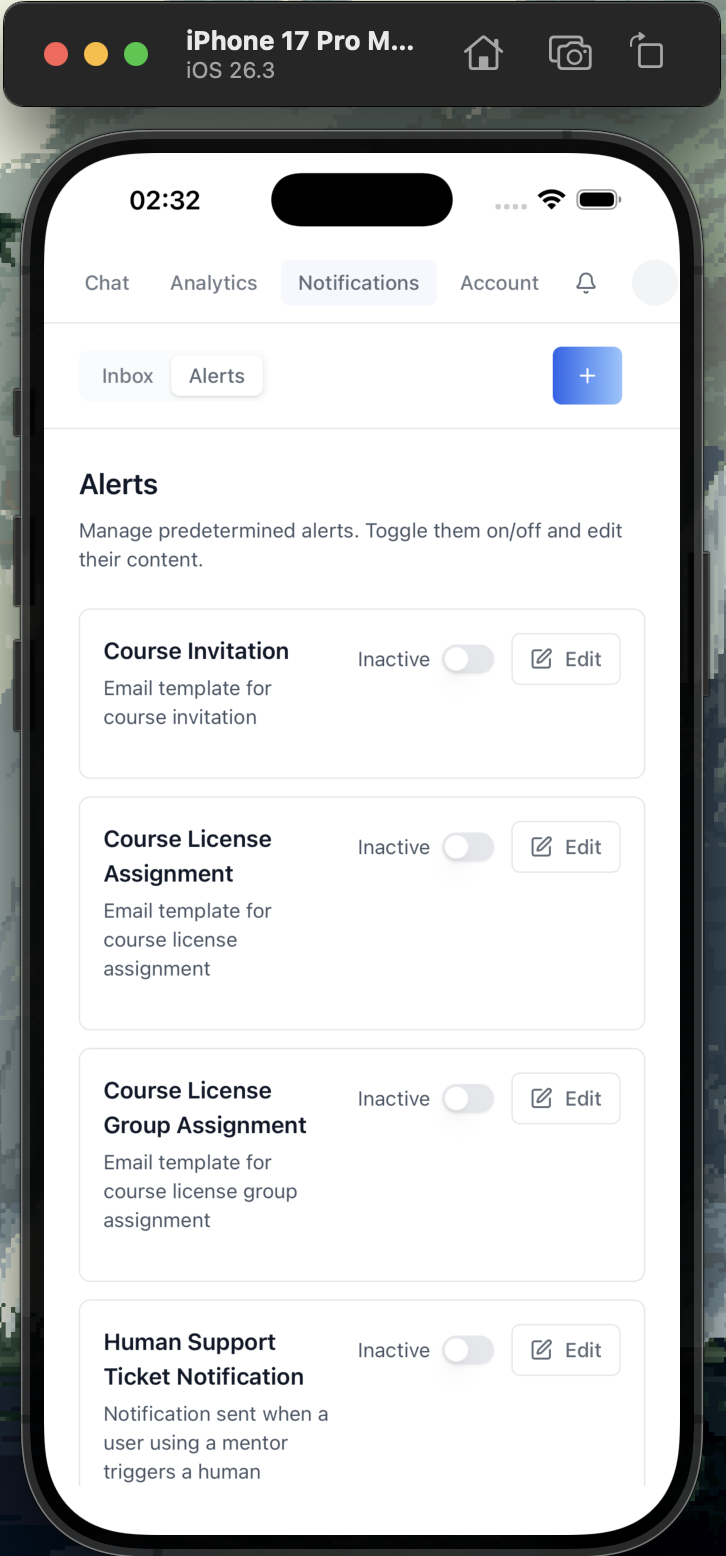
```bash
rustup target add aarch64-apple-ios aarch64-apple-ios-sim
pnpm exec tauri ios init # one-time
xcrun simctl list devices # list simulators
pnpm exec tauri ios dev "iPhone 16 Pro Max" # run on simulator
pnpm exec tauri ios build # produce .ipa
# CI: copy assets/tauri/workflows/tauri-build-ios.yml (see /iblai-vibe-ops-build) # generate App Store CI
```
}}
{{ INCLUDE if `package.json` has a `release` script using release-it }}
### Releasing
Releases are automated via [`release-it`](https://github.com/release-it/release-it)
+ GitHub Actions. {{ Brief description of the release flow — pushes to
main, version bumps, CHANGELOG, GitHub Release, Docker image build, etc. }}
## Project Structure
```
{{ Tree of `app/`, `components/`, `lib/iblai/`, `providers/` —
showing only directories and the most important files. Trim to fit
on one screen. }}
```
## Built With
- [Next.js](https://nextjs.org) — App Router
- [@iblai/iblai-js](https://www.npmjs.com/package/@iblai/iblai-js) — SDK for auth, UI components, and data
{{ Add `@iblai/iblai-web-mentor`, `<mentor-ai>` etc. only if used }}
- [Tailwind CSS](https://tailwindcss.com) — utility-first styling with ibl.ai design tokens
- [shadcn/ui](https://ui.shadcn.com) — accessible UI primitives
- [iblai.app](https://iblai.app) — production backend for auth, AI agents, billing, and analytics
## Contributing
### Setup
1. Fork the repo and clone it
2. Install dependencies: `pnpm install --ignore-scripts` (skips package lifecycle scripts)
3. Start the dev server: `pnpm dev`
### Development Workflow
1. Create a branch from `main`: `git checkout -b feat/my-feature`
2. Make your changes
3. Run `pnpm build` to verify the build passes
4. Commit and push your branch
5. Open a pull request against `main`
### Guidelines
- **Use ibl.ai SDK components first** — do not build custom components when an SDK equivalent exists
- **Use shadcn/ui for custom UI** — install via `npx shadcn@latest add <component>`, not raw HTML or third-party libraries
- **Do not override SDK styles** — SDK components ship with their own styling
- **Use SDK design tokens** — reference CSS variables like `var(--primary-color)`, `var(--border-color)`, `var(--text-secondary)` instead of hardcoded colors
- **Use `pnpm`** as the package manager
### Adding Features
Use the Claude Code skills to add new features:
- `/iblai-vibe-auth` — SSO authentication
- `/iblai-vibe-profile` — user profile
- `/iblai-vibe-account` — account/org settings
- `/iblai-vibe-analytics` — analytics dashboard
- `/iblai-vibe-notification` — notification bell
- `/iblai-vibe-invite` — invite dialogs
See `CLAUDE.md` for the full list of skills and component priority rules.
## Resources
- [ibl.ai Documentation](https://ibl.ai/docs/os/overview)
- [@iblai/iblai-js](https://www.npmjs.com/package/@iblai/iblai-js) — the ibl.ai SDK
- [@iblai/mcp](https://www.npmjs.com/package/@iblai/mcp) — MCP server for AI-assisted development
- [Vibe](https://github.com/iblai/base) — developer toolkit for building with ibl.ai
- [Vibe Starter](https://github.com/iblai/base/tree/main/skills/start/iblai-vibe-ops-init/assets/vibe-starter) — pre-wired Next.js + ibl.ai SSO template
{{ Add other public repo links the user wants discoverable }}
---
<sub>{{ Optional: a one-line bootstrap credit. Drop if nothing applies. }}</sub>Step 3: Validate Links
After writing, scan the README for paths that should resolve in the repo and warn the user about any that are missing:
| Path | Required when |
|---|---|
docs/screenshots/*.png | The README references screenshots — drop the <img> tags if the files don't exist instead of leaving broken links |
CLAUDE.md | Always — link is in the AGENTS.md / CLAUDE.md callout |
AGENTS.md | Optional — only mention it if the file exists |
Dockerfile | If the Docker section is present |
src-tauri/tauri.conf.json | If the Native builds section is present |
.github/workflows/release.yml | If the Releasing section is present |
Do NOT silently add <img> tags to files that don't exist. If a
screenshot is missing, drop the line and tell the user which capture is
needed.
Step 4: Confirm
After writing the file, tell the user:
Updated
README.mdto the ibl.ai standard format. The badges, Quick Start, Native builds, Releasing, Project Structure, and Contributing sections are now consistent with the bundled vibe-starter template and the reference apps iniblai/base. {{ If you skipped any sections (e.g. no Dockerfile present) }}, mention them so the maintainers know the README adapts as those features land.
Important Notes
- Source of truth: the bundled starter's README at
skills/start/iblai-vibe-ops-init/assets/vibe-starter/README.mdplus the per-skill READMEs, both iniblai/base. When updating this skill, diff against the latestmainof that repo and pull through structural changes. - Do not reference internal repos. Only the public, open-source
iblai/baserepository (including the bundled vibe-starter underskills/start/iblai-vibe-ops-init/assets/) is citable from a generated README. - No marketing prose: Keep claims grounded in what the codebase actually ships. Don't add features the project hasn't implemented.
- Badges: Always include Next.js + TypeScript + Tailwind + Claude Code. Add other badges (e.g. CI status, npm version) only when they're meaningful for the project.
- Screenshots: Reference real files in
docs/screenshots/. Don't generate placeholders — ask the user to capture them. - Don't link to non-existent skills: Cross-references to other
/iblai-vibe-*skills are fine; cross-references to skills that don't exist are not. - Deploy to Vercel section. Always include the Deploy to Vercel
subsection unless the project is explicitly self-hosted with no
Vercel target. The deploy works for both static
output: 'export'Tauri shells and server-rendered Next.js apps (the mode is detected fromnext.config). See/iblai-vibe-ops-deployfor the full deploy procedure.