/iblai-vibe-agent-task
Mirrored from
iblai/vibe·skills/agents/iblai-vibe-agent-task/SKILL.md. This page is generated — edit it in the repository, not here.
Add the agent Tasks tab -- prompts the agent runs on a schedule, without
anyone asking, and a log of every run. Scope: per agent. Each task is a
periodic agent run that belongs to this agent. This is one tab in the
agent-settings family indexed by /iblai-vibe-agent; it shares the
AgentSettingsProvider wrapper with every other tab.
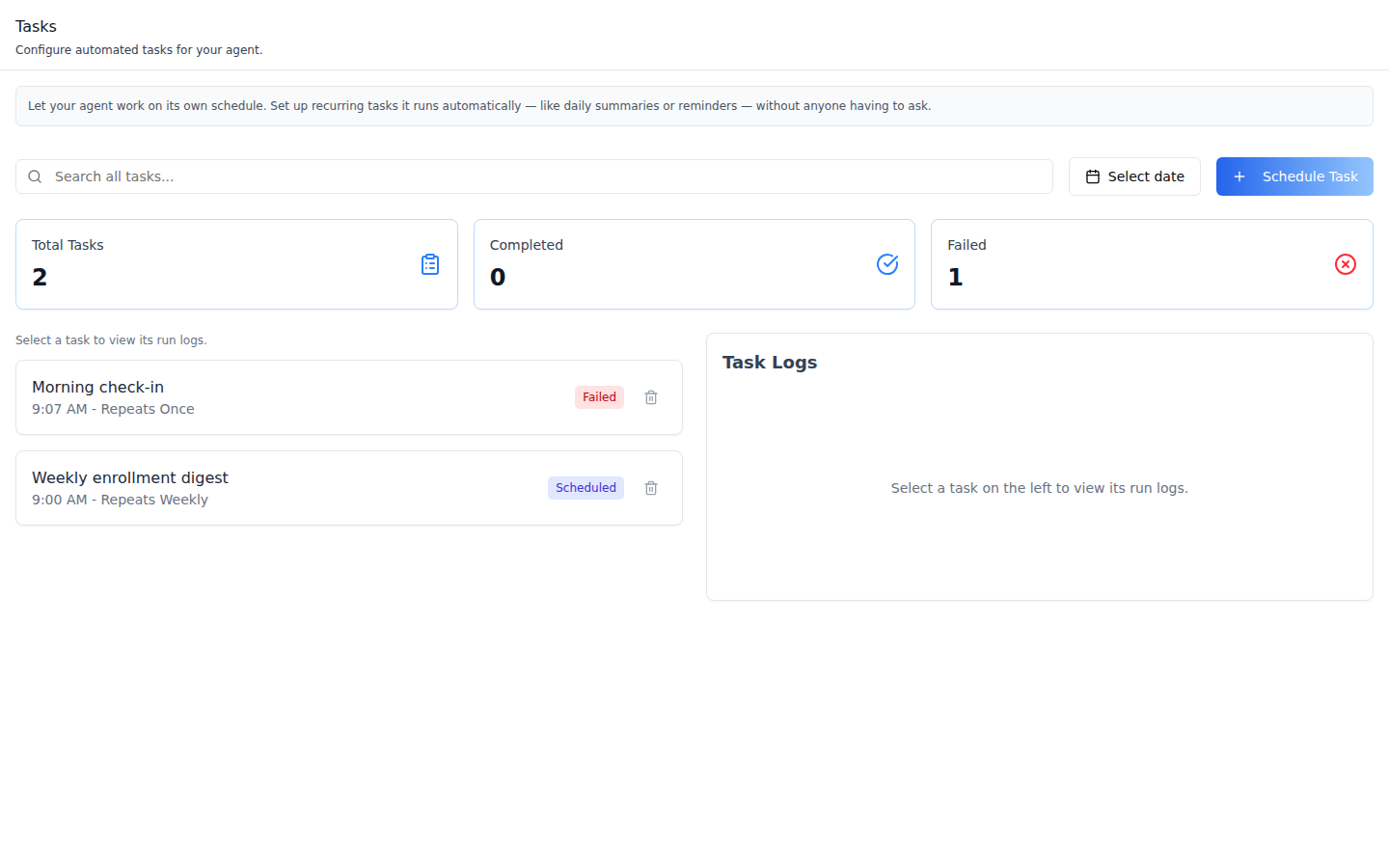
Tasks -- search, a date filter (the day a task starts), Schedule Task, three counters (Total Tasks, Completed, Failed), and the task list: name, time, repeat, a status badge and a delete icon, 5 per page. The badge follows the latest run: Running, Failed or Completed; before the first run it is Scheduled (or Disabled). The one-off run in these shots failed on the platform side.
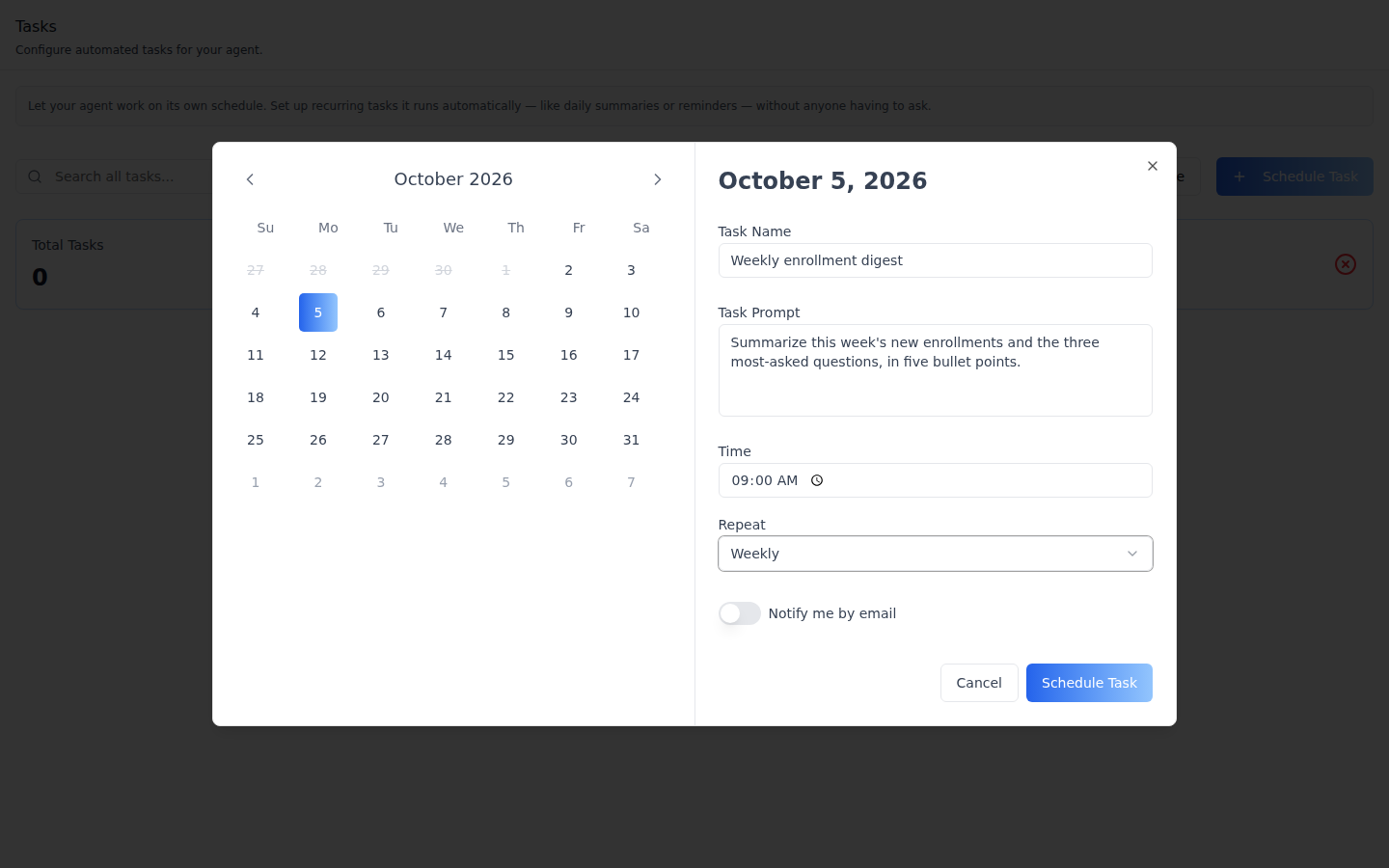
Schedule Task -- a calendar for the start date, then Task Name, Task Prompt, Time, Repeat (Don't repeat / Daily / Weekly / Monthly) and Notify me by email. The start must be in the future, or the dialog says so and Schedule Task stays disabled.
Task Logs -- click a task to list its runs (status, when, the start of the output), 5 per page. Click a run for Log Details: status, Created, Started and Ended times, and the full output.
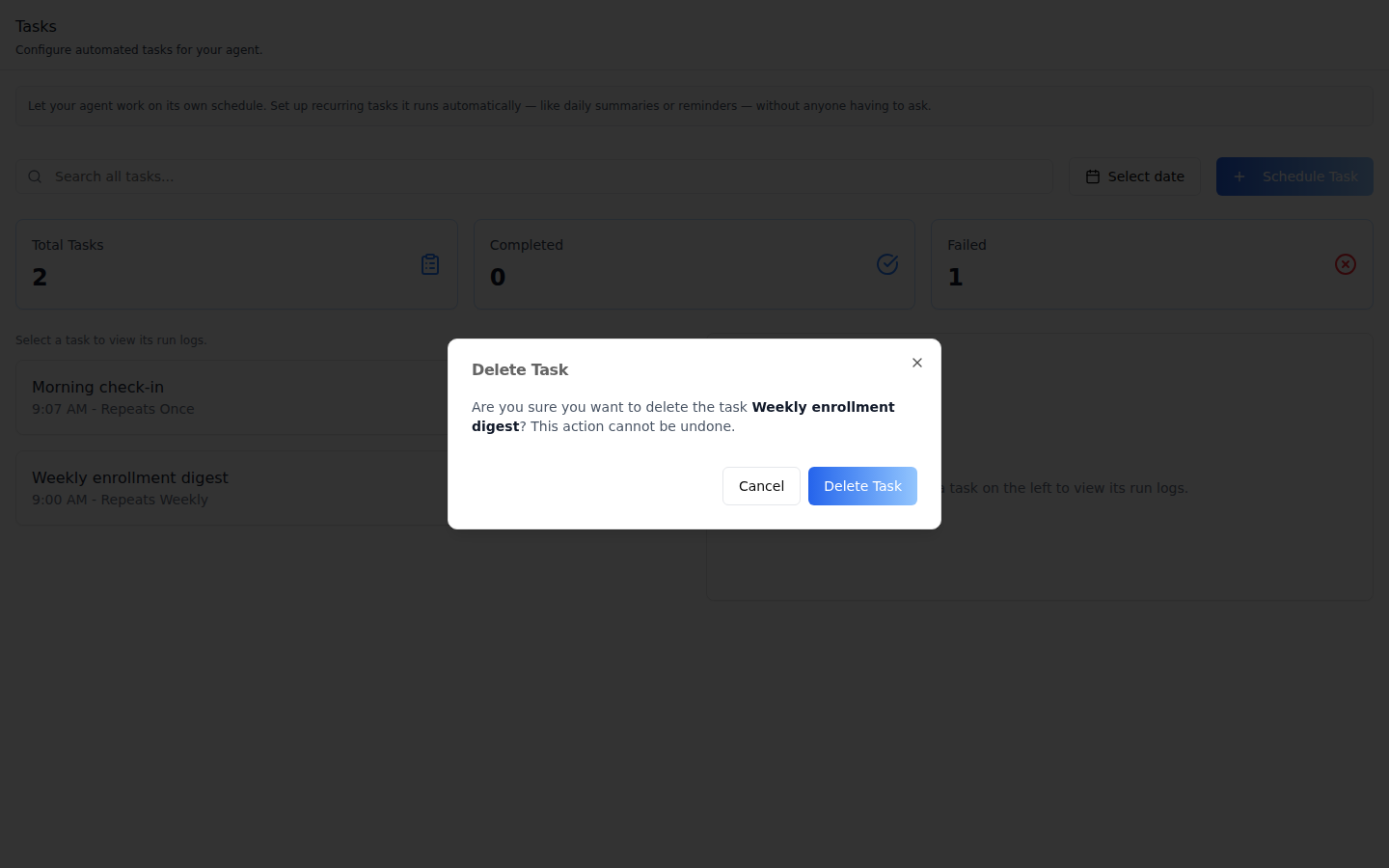
Delete Task -- the trash icon asks for confirmation; the task stops.
Common setup (brand, conventions, env files, verification): see docs/skill-setup.md.
Prerequisites
- Auth set up (
/iblai-vibe-auth, or vibe-starter). AgentSettingsProviderwraps the route (/iblai-vibe-agent§1).@iblai/iblai-js@^2.62.1(resolves@iblai/web-containers1.62.1). Check withpnpm why @iblai/web-containers.- A real agent UUID. Ask the user; never invent one.
Step 1: Check Environment
Look for iblai.env in the project root with PLATFORM, DOMAIN, and
TOKEN. If it is missing, tell the user:
"You need an iblai.env with your platform configuration. Download the
template and fill in your values:
curl -o iblai.env https://raw.githubusercontent.com/iblai/vibe/refs/heads/main/iblai.env"
Step 2: Mount AgentTasksTab
// app/(app)/agents/[mentorId]/tasks/page.tsx
"use client";

import { AgentTasksTab } from "@iblai/iblai-js/web-containers/next";

export default function AgentTasksPage() {
  return (
    <div className="flex h-full flex-col bg-white">
      <AgentTasksTab />
    </div>
  );
}
The tab reads tenantKey, mentorId, and username from
AgentSettingsProvider and does its own fetching and saving. No props are
required.
Custom pagination (optional)
The task list and the logs panel use the SDK's IblPagination. Pass
PaginationComponent to use your own; it also receives
disableNumberedButtons:
import { AgentTasksTab } from "@iblai/iblai-js/web-containers/next";

<AgentTasksTab
  PaginationComponent={({ currentPage, totalPages, onPageChange, disabled }) => (
    <nav className="flex gap-2">
      <button disabled={disabled || currentPage <= 1} onClick={() => onPageChange(currentPage - 1)}>
        Previous
      </button>
      <span>
        {currentPage} / {totalPages}
      </span>
      <button
        disabled={disabled || currentPage >= totalPages}
        onClick={() => onPageChange(currentPage + 1)}
      >
        Next
      </button>
    </nav>
  )}
/>;
Step 3: Customize Labels (Optional)
The tab renders with the default agent-facing copy (AGENT_TASKS_TAB_LABELS,
localized through the SDK's i18n). Pass a partial labels object to change
any string:
import { AgentTasksTab } from "@iblai/iblai-js/web-containers/next";

<AgentTasksTab
  labels={{
    header: { title: "Scheduled tasks" },
    toolbar: { scheduleTask: "New task" },
  }}
/>;
Label groups (TasksTabLabels): header (title, description, info
text), toolbar (search, date filter, Schedule Task), metrics (the
three counters), list (repeat wording, status badges, deleteTask),
logs (the logs panel), states (loading and empty states),
scheduleDialog (fields, repeat options, startTimeInPast, buttons),
deleteDialog (title, confirmation text, buttons), logDetails (field
names), and toasts (schedule and delete success and error).
Step 4: Use MCP Tools for Customization
get_component_info("AgentTasksTab")
get_component_info("AgentSettingsProvider")
<AgentTasksTab> Props
Import from @iblai/iblai-js/web-containers/next.
| Prop | Type | Required | Description |
|---|---|---|---|
labels | DeepPartial<TasksTabLabels> | No | Override user-visible strings |
PaginationComponent | ComponentType<{ currentPage, totalPages, onPageChange, disabled, disableNumberedButtons? }> | No | Pagination for the task list and logs. Defaults to the SDK's IblPagination |
Related Exports
From @iblai/iblai-js/web-containers/next:
AGENT_TASKS_TAB_LABELS-- the default label bundle.TaskListItem-- a task as listed (id,name,time,repeat,oneOff,enabled,status,rawData).TaskLog-- a run as listed (id,entry,timestamp,periodicAgentId,status,startTime,endTime).TaskDisplayStatus--Disabled|Running|Failed|Completed|Scheduled.AgentTasksTabProps,TasksTabLabels-- types.
How it saves
Paths are under /api/ai-mentor/orgs/{org}/users/{username}/.
| Action | Request |
|---|---|
| Load | GET periodic-agents/?mentor_id=<uuid> (plus search; the date filter narrows the fetched page in the browser -- the endpoint has no date filter and ignores the start_date / end_date the tab sends), and GET periodic-agent-logs/?ordering=-created_at for the badges |
| Click a task | GET periodic-agent-logs/?periodic_agent={id} |
| Schedule Task | POST periodic-agents/ with mentor, title, prompt and task: { name, crontab, enabled: true, one_off, start_time } |
| Delete Task | DELETE periodic-agents/{id}/ |
The crontab uses the chosen time. Weekly adds the weekday, Monthly adds the
day of the month, and Don't repeat pins the day and month and sets
one_off, so the task runs once and then switches itself off.
Platform data
| Hook | Purpose |
|---|---|
useGetPeriodicAgentsQuery | The agent's tasks |
useGetPeriodicAgentLogsListQuery | Run logs (recent, and per task) |
useCreatePeriodicAgentMutation | Schedule a task |
useDeletePeriodicAgentMutation | Delete a task |
All from @iblai/iblai-js/data-layer. There is no iblai-api-* REST twin
for tasks yet; the endpoints above are in the live schema.
Step 5: Verify
Run /iblai-vibe-ops-test before telling the user the work is ready, and give
every page, control and state this skill added its own checkpoint — one Playwright
test titled <ID> · … in e2e/journeys/, listed in e2e/coverage.json;
pnpm e2e:coverage must pass:
pnpm build-- must pass with zero errors.pnpm test-- vitest must pass.- Touch test
/agents/<uuid>/tasksin the browser as/iblai-vibe-ops-testsays, signed in as an org admin: the counters and task list render; schedule a one-off task a few minutes ahead; after it runs, click it -- its run appears under Task Logs; read the console; check the phone width.
Important Notes
- The repeat time carries no timezone: the dialog sends the crontab's
hour and minute from the user's clock (the crontab has no timezone
field) and
start_timein UTC, so a repeat can fire at that hour UTC. - "Notify me by email" is not saved: the dialog shows the switch, but SDK 2.36.2 does not send it to the API.
- Runs are real agent turns: each run sends the prompt to the agent and costs model calls.
- Shared provider: mount
AgentSettingsProvideronce at the layout level (/iblai-vibe-agent§1); do not wrap each tab. - Peer deps:
sonnerand@iblai/iblai-web-mentor(pnpm add sonner @iblai/iblai-web-mentor). - Brand guidelines: BRAND.md