/iblai-vibe-agent
Mirrored from
iblai/base·skills/agents/iblai-vibe-agent/SKILL.md. This page is generated — edit it in the repository, not here.
First time here? If
iblai.envhas noARCHITECTURE=, run/iblai-vibe-startfirst (four questions; two minutes) — it decides single-org / multi-org / headless and who signs in, and every skill reads the answer.
Everything about configuring an agent lives behind one provider and one route layout. Set the provider up once (§1), then mount only the tabs your app needs (§2). Most apps need five or six; the rest are there when asked for.
Common setup (brand, conventions, env files, verification): see docs/skill-setup.md.
Prerequisites
- Auth in place (
/iblai-vibe-auth, or vibe-starter). - A real agent UUID — the last path segment of
https://os.ibl.ai/platform/<org-key>/<agent-uuid>, or one created with/iblai-vibe-agent-create. Never invent one. - The signed-in user must be the agent's owner, an org admin, or hold an editor role on it (
/iblai-vibe-agent-access); otherwise tabs render "no access".
1. The provider (once)
// app/(app)/agents/[mentorId]/layout.tsx
"use client";

import { AgentSettingsProvider } from "@iblai/iblai-js/web-containers/next";
import Link from "next/link";
import { useParams } from "next/navigation";
import { useEffect, useState } from "react";
import { resolveAppTenant } from "@/lib/iblai/tenant";

export default function AgentLayout({ children }: { children: React.ReactNode }) {
  const { mentorId } = useParams<{ mentorId: string }>();
  const [tenantKey, setTenantKey] = useState("");
  const [username, setUsername] = useState("");

  useEffect(() => {
    try {
      const raw = localStorage.getItem("userData");
      if (raw) setUsername(JSON.parse(raw).user_nicename ?? "");
    } catch {}
    setTenantKey(resolveAppTenant());
  }, []);

  if (!tenantKey || !username) return null;

  return (
    <AgentSettingsProvider tenantKey={tenantKey} mentorId={mentorId} username={username} enableRBAC={false}>
      {/* Tabs that size their lists to the space they get need a bounded height. */}
      <div className="flex h-full flex-col">
        <header className="flex items-center justify-between gap-4 border-b px-4 py-2">
          <nav className="flex gap-4 text-sm">
            <Link href={`/agents/${mentorId}/settings`}>Settings</Link>
            <Link href={`/agents/${mentorId}/tasks`}>Tasks</Link>
          </nav>
          <div data-activity-info-slot />
        </header>
        <div className="min-h-0 flex-1">{children}</div>
      </div>
    </AgentSettingsProvider>
  );
}
Suggested routes: app/(app)/agents/[mentorId]/<tab>/page.tsx, one per tab,
with the layout's header holding the tab strip (plain links here, or shadcn
Tabs). Each tab component reads the agent from context — no props needed for
the basics.
The layout must fill the height it is given (flex h-full flex-col) and hand
the rest to the tab (min-h-0 flex-1): the Tasks, Support and Evals tabs count
how many rows fit, and in a wrapper with no height they fall to a 240px floor
(two tasks or one ticket a page on a desktop). The empty
<div data-activity-info-slot /> in the header is where, on phones, those tabs
move their explanation into an info button. Without it the explanation stays
above the tab.
2. The tabs
Start with the core five (bold). Add the others only when the user asks.
| Tab | What it does | Skill | REST twin (iblai-api-*, kind api) |
|---|---|---|---|
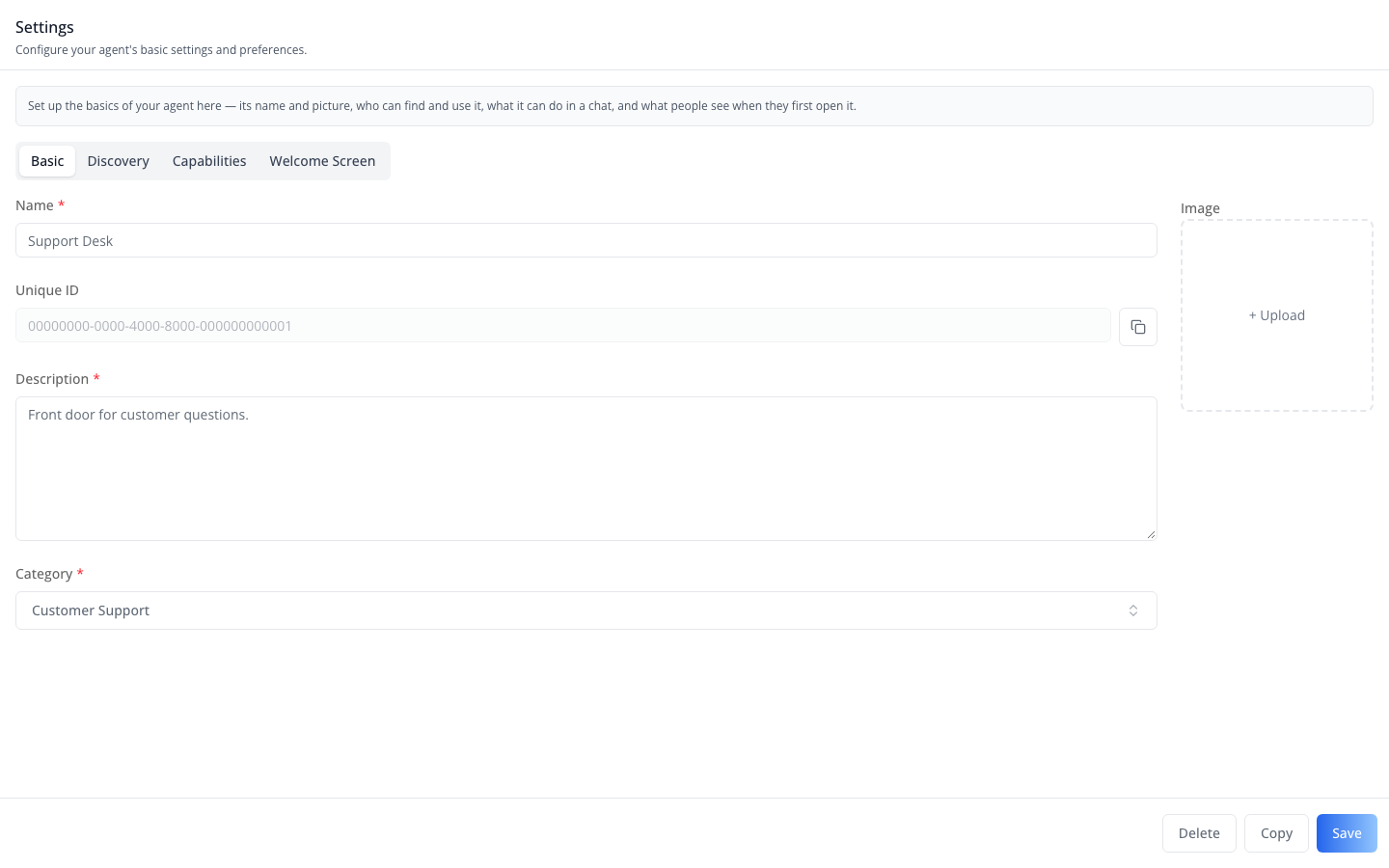
| Settings | Basic, Discovery, Capabilities (the agent's Web Search, Image Generation, Video Generation, Code Interpreter and Plan switches, then Global Capabilities), Welcome Screen sub-tabs; copy to another org; delete | /iblai-vibe-agent-setting | agent-setting |
| Prompts | system prompt; proactive and guided prompts, each with an Active switch; suggested prompts | /iblai-vibe-agent-prompt | agent-prompt |
| LLM | provider + model selection (incl. the org's own keys); Allow In-Chat Model Change; which models users can pick (admins) | /iblai-vibe-agent-llm | agent-llm |
| Datasets | RAG: files, URLs, YouTube, crawl, GitHub; train/retrain; the Enhanced Document Retrieval switch | /iblai-vibe-agent-dataset | agent-dataset |
| Memory | enable memory; manage memories and categories | /iblai-vibe-agent-memory (guide: /iblai-vibe-memory-guide) | agent-memory |
| Access | RBAC sharing: editor / chat / analytics roles for users and groups | /iblai-vibe-agent-access | agent-access |
| Analytics | report cards (overview, users, topics, transcripts, costs, …) that open your analytics pages for this agent | /iblai-vibe-agent-analytics | analytics |
| API | the organization's API keys, used to call the agent from code (create, shown once, delete) | /iblai-vibe-agent-api | api-token |
| Billing | spend cap for the agent and per user | /iblai-vibe-agent-billing | spend-caps |
| Embed | embed code, styling, shareable links | /iblai-vibe-agent-embed | agent-embed |
| Evals | benchmarks, LLM-as-Judge reviews, manual scores, CSV export | /iblai-vibe-agent-evals | agent-eval |
| Grader | the Grading and Lesson Completion switches; rubric-based grading with overrides | /iblai-vibe-agent-grader | — |
| History | conversation history with filters and export | /iblai-vibe-agent-history | agent-history |
| LTI | LTI 1.3 launch, keys, tools, endpoints | /iblai-vibe-agent-lti | — |
| MCP | MCP on/off for the agent; connectors (Featured + Directory) on/off per agent, sign-in scope, own OAuth app, the chat's MCP panel | /iblai-vibe-agent-mcp | agent-mcp |
| Privacy | PII filtering (allow / redact / mask / block) and the Incognito policy | /iblai-vibe-agent-privacy | agent-privacy |
| Safety | moderation prompts, flagged content | /iblai-vibe-agent-safety | agent-safety |
| Sandbox | Calculator / Ephemeral Virtual Machine / Permanent Virtual Machine (Claw instances) | /iblai-vibe-agent-sandbox | agent-sandbox |
| Screen | screen sharing on voice calls: on/off, in-call instructions, opening line | /iblai-vibe-agent-screenshare | agent-voice |
| Skills | reusable Agent Skills, per-agent assignment, chat / picker | /iblai-vibe-agent-skills | agent-skill |
| Support | the Human Support switch; human support ticket inbox | /iblai-vibe-agent-support | agent-support |
| Tasks | scheduled periodic agent tasks with run logs | /iblai-vibe-agent-task | — |
| Voice | Voice Calls and Dictation on/off for in-app chat and the embed widget; chat voice and voice instructions; call style, language, provider, Smart Document Retrieval; dictation language and hints | /iblai-vibe-agent-voice | agent-voice |
| Audit | who changed what and when | /iblai-vibe-agent-audit | agent-audit |
| Disclaimers | user agreement and advisory text | /iblai-vibe-agent-disclaimer | agent-disclaimer |
Every tab skill has screenshots of the surface it mounts — open the skill before promising the user what they will see.
There is no Tools tab since @iblai/iblai-js 3.0.0: each capability's
switch sits in the tab it belongs to (Settings, Datasets, Grader, Support,
Screen, MCP, Voice). /iblai-vibe-agent-tool is the map, and says how to
remove an old AgentToolsTab page.
3. Not tabs, but agent-related
| Need | Skill |
|---|---|
| Turn a capability on (web search, image generation, code interpreter, plan, grading, human support, screen sharing, MCP, …), or find where the Tools tab went | /iblai-vibe-agent-tool (REST: agent-tool) |
| Create an agent from the app | /iblai-vibe-agent-create |
| Chat with an agent | /iblai-vibe-agent-chat (+ /iblai-vibe-agent-chat-sidebar) |
| Browse / star agents | /iblai-vibe-agent-search |
| Agent-scoped analytics dashboards (the pages the Analytics tab opens) | /iblai-vibe-analytics ("One agent instead of the org") |
Verify
Run /iblai-vibe-ops-test before telling the user the work is ready, and give
every page, control and state this skill added its own checkpoint — one Playwright
test titled <ID> · … in e2e/journeys/, listed in e2e/coverage.json;
pnpm e2e:coverage must pass:
pnpm build, pnpm test, then Touch test /agents/<uuid>/settings in the browser as /iblai-vibe-ops-test says: every tab, the console, the phone width.