Course: Course Tab
Overview
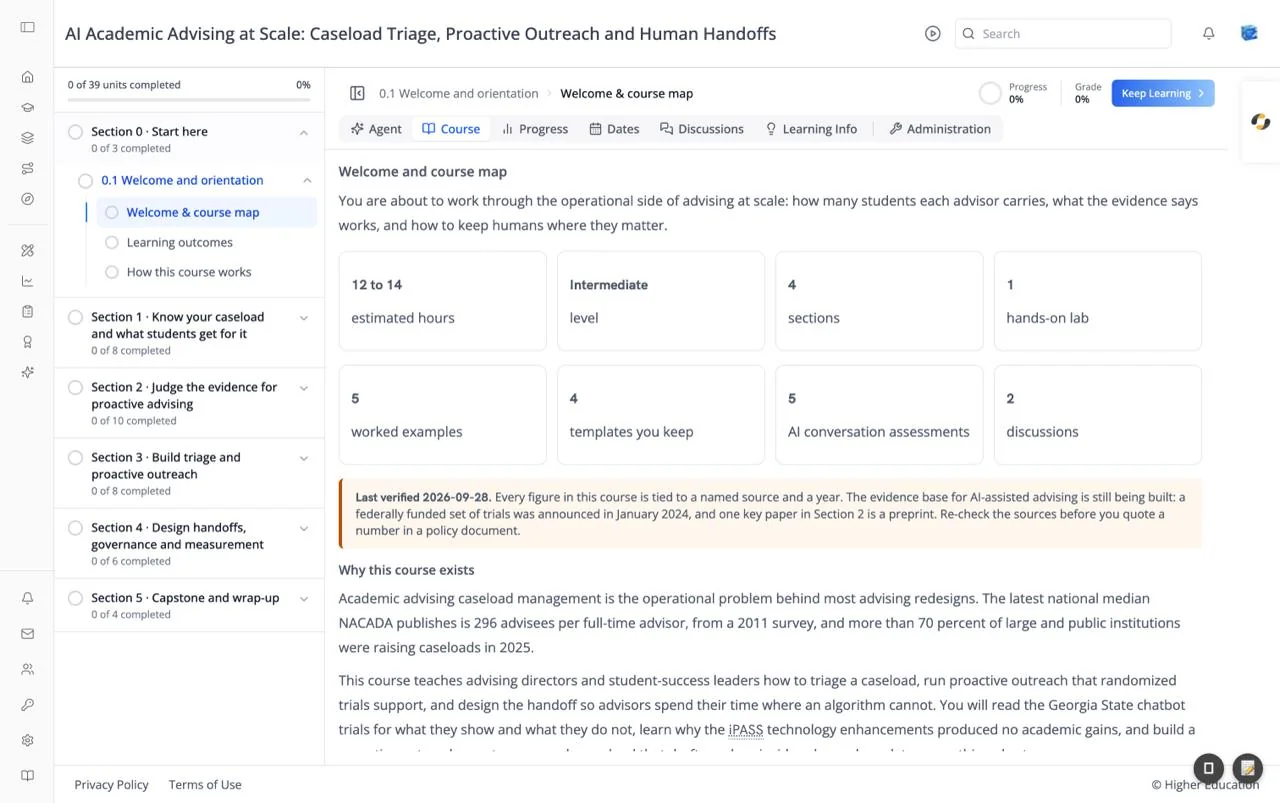
The Course tab shows the course content itself, one unit at a time: text, videos, problems, and other activities built by the course team. It is the default way to take a course, and the tab the Keep Learning button opens.
The unit opened is the one in the page address, otherwise the unit you last visited, otherwise the first unit. The unit's title is not repeated inside the content, because the breadcrumb above already shows it.
Target Audience
Learner
Features
Unit content
Everything in the unit, in order. Units can include text, images, video, problems that are graded, discussion prompts, and AI assessment blocks.
Bookmark
Each unit has a bookmark button. Bookmarked units are collected on the Bookmarks page.
Media
When the unit contains PDFs, videos, or other media, a Media button in the top bar lists them. Choose one to jump straight to it in the unit.
Timed exams
When a unit is part of a timed exam, a panel appears before the content: "{exam name} is a Timed Exam ({time limit})", with the button I am ready to start this timed exam. and help on requesting extra time.
Once you start, a banner reads "You are taking "{exam name}" as a timed exam." with a countdown and an End My Exam button. Ending the exam asks "Are you sure that you want to submit your timed exam?" Click Yes, submit my timed exam. or No, I want to continue working. The exam is submitted automatically when time runs out.
How to Use
Step 1: Work through the unit
Read, watch, and answer each part of the unit.
Step 2: Go to the next unit
Click Keep Learning in the header, or pick a unit from the outline.
Step 3: Take timed exams when ready
Start a timed exam only when you have time to finish it. The countdown keeps running once it starts.