Notification Alerts
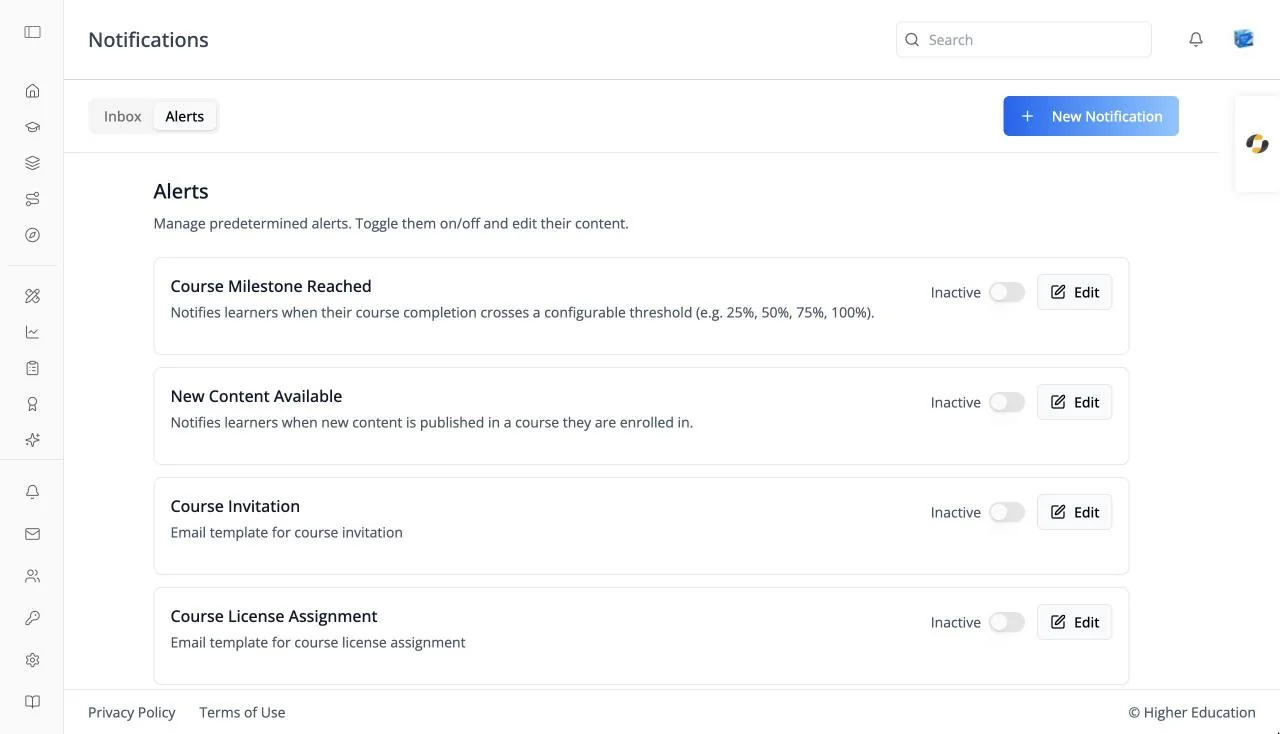
Overview
The Alerts tab of the notification inbox manages the platform's automatic notifications: messages sent when something happens, such as a learner reaching a course milestone, new content being published, or someone registering. Each alert can be switched on or off, and its message edited.
Alerts are the same shared screen used across ibl.ai; see OS: Notification Alerts for every field.
If you have permission to send notifications and your inbox is empty, the page opens on Alerts.
Target Audience
Administrator
Features
Alert cards
Each alert shows its name, when it fires, an Active / Inactive switch, and Edit. Alerts start inactive.
Edit
Change the message the alert sends.
How to Use
Step 1: Open Alerts
Go to the notification inbox and switch to Alerts.
Step 2: Turn alerts on
Switch on the alerts you want learners to receive, and click Edit to adjust their wording.