LMS Platform Overview
What Is the LMS?
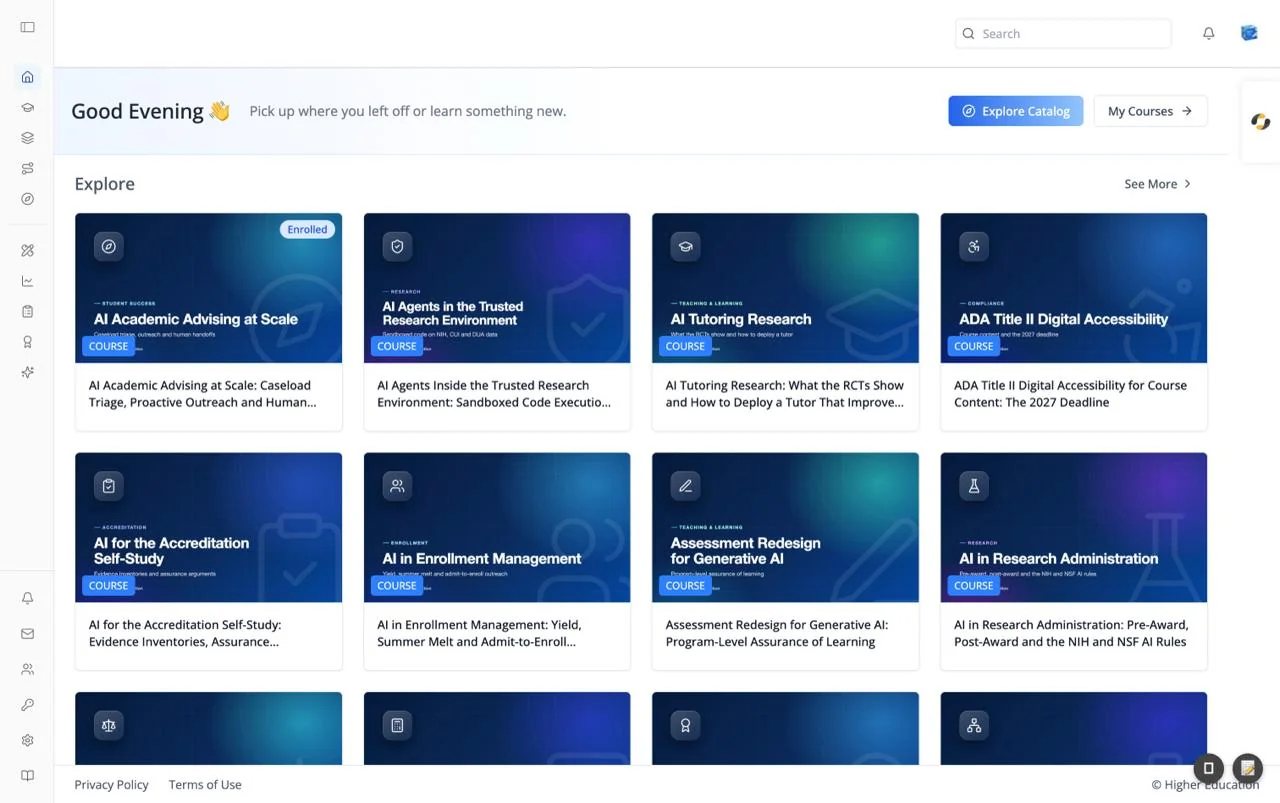
The LMS (Agentic LMS) is ibl.ai's open-source learning platform. Learners discover courses, programs, and pathways, take courses either by reading units or by learning in conversation with an AI tutor, and build a record of their skills and credentials. Course teams run their courses from the same screens, and administrators get analytics and organization-wide settings.
The platform runs in production at lms.ibl.ai and the source code is available at github.com/iblai/lms. It ships as a web application, as desktop apps for macOS, Windows, and Linux, and as mobile apps for iOS and Android.
This documentation section covers every screen of the application: navigation and onboarding, the catalog, the course player, course administration, learner profiles, analytics, notifications, and organization settings.
Core Capabilities
Course Discovery & Enrollment
A searchable, filterable catalog of courses, programs, and pathways, with free, paid, and invitation-only enrollment. See Discover and Course Page.
AI-Led Courses
Courses can be taught by an AI tutor that knows the course and the unit you are on, teaches by conversation, and can decide when you have completed a unit. A Learn / Assess switch moves between the tutor and the unit's own assessment. See Agent Tab.
Course Player
The course outline, progress and grade, unit-by-unit navigation, timed exams, dates, and discussions in one place. See Course Player.
Course Administration
Everything a course team needs inside the course: enrollment and course-team roles, a gradebook with overrides, cohorts, due-date extensions, attempt resets, downloadable reports, analytics, credentials, and advanced settings. See Administration.
Skills & Credentials
Earned, self-reported, and desired skills, a skill leaderboard, and credentials awarded automatically when a course is completed or passed. See Skills and Credentials.
Programs & Pathways
Multi-course programs with overall progress, and pathways that learners can follow or build for themselves. See Programs and Pathways.
AI Agent Everywhere
An AI agent is one click away on every page, and opens the current course's own agent when you are in a course. See Navigating the LMS.
Analytics
Organization-wide dashboards for users, courses, programs, topics, transcripts, memory, AI cost, audit, and revenue, with CSV exports. See Analytics.
Onboarding
An optional Start screen that builds a learner's role and skill profile, and a configurable onboarding flow that ends by introducing an AI assistant. See Start Screen and Onboarding.
Multi-Organization, SSO & RBAC
Each organization has its own catalog, branding, and settings, with single sign-on and role-based access control shared with the rest of ibl.ai. See Organization Settings.
Documentation Map
Start
Navigating the LMS · Start Screen · Onboarding
Catalog
Home · Discover · Course Page · Programs · Pathways
Course
Course Player · Agent · Course · Progress · Dates · Discussions · Learning Info · Instructors · Bookmarks
Administration
Overview · Grades · Membership · Cohorts · Extensions · Attempts · Reports · Analytics · Settings · Authoring and Proctoring
Profile
Profile Dialog · Gradebook · Skills · Credentials · Activity · Pathways · Programs · Courses · Public Profile
Analytics
Overview · Users · Courses · Programs · Topics · Transcripts · Memory · Cost · Audit · Monetization · Data Reports
Notifications
Organization
Common Components
Shared building blocks that appear across all ibl.ai applications: Common Components
Related Resources
Source Code
The full application is open source at github.com/iblai/lms. Developer set-up, deployment, and theming are covered in the LMS developer guide.
OS
OS is ibl.ai's agent platform. The LMS shares its profile dialog, notifications, analytics, and organization settings, and its course agents are built and configured there.