Skills
Overview
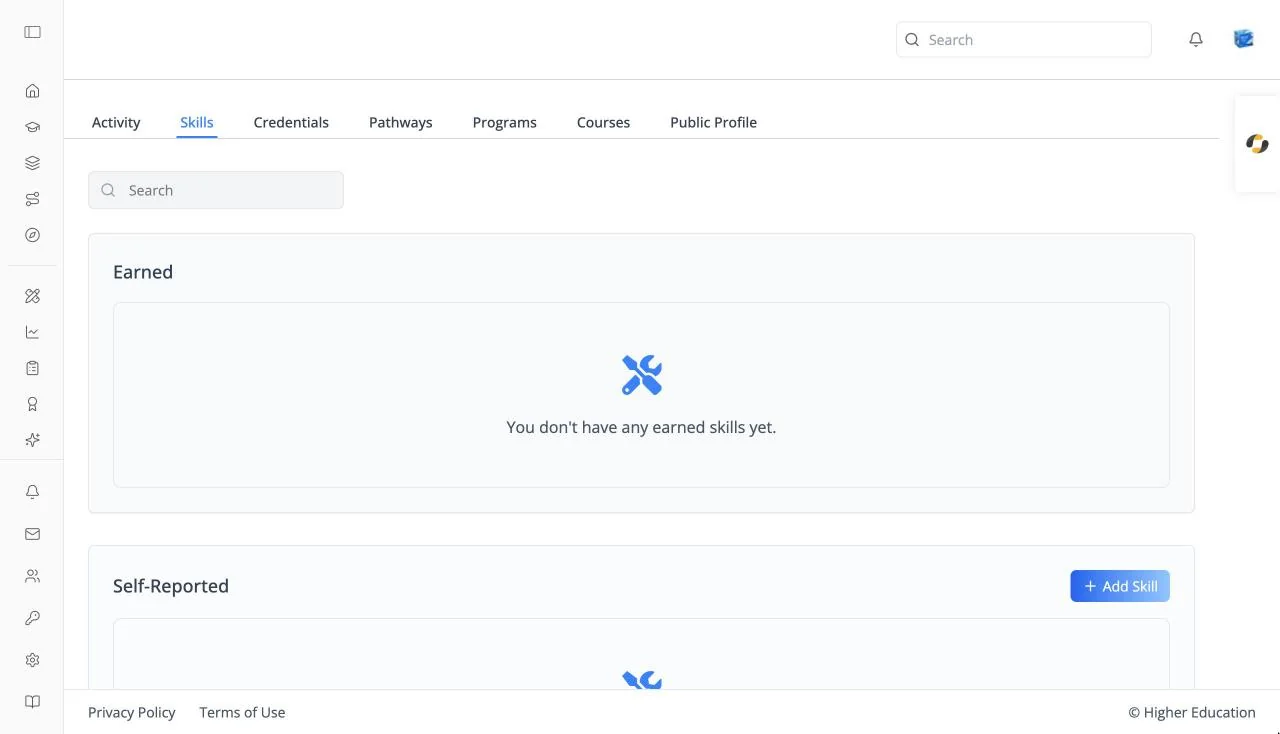
Skills lists the skills on your profile in three groups: skills you have earned by completing courses, skills you self-reported, and skills you want to build. The LMS uses them to recommend courses.
Open it from the Skills icon (sparkles) in the left rail ("Your earned, self-reported, and desired skills."), or from the Skills tab of your learner profile.
Target Audience
Learner
Features
Earned
Skills awarded by courses you have completed, each with its points. You can't edit these. Empty: "You don't have any earned skills yet."
Self-Reported
Skills you say you already have, each with a rating. Click Add Skill to add one. Click a skill to open Rate your expertise, a slider from 1 (Beginner: "Basic understanding of fundamentals; requires significant guidance.") to 5 (Expert: "Expert level mastery; can innovate and teach others in this domain."). Click Confirm to save the rating, or Delete skill to remove it. Empty: "You don't have any self-reported skills yet."
Desired
Skills you want to develop. Click Add Skill to add one. Empty: "You don't have any desired skills yet."
Add Skill
Opens Add Self-Reported Skill or Add Desired Skill. Search ("Search skills..."), pick one, and click Add Skill. New self-reported skills start at level 1.
How to Use
Step 1: Add what you know
Under Self-Reported, click Add Skill, find a skill, and add it.
Step 2: Rate it
Click the skill, move the slider to your level, and click Confirm.
Step 3: Say what you want to learn
Under Desired, add the skills you want to build. Recommendations take them into account.