Gradebook
Overview
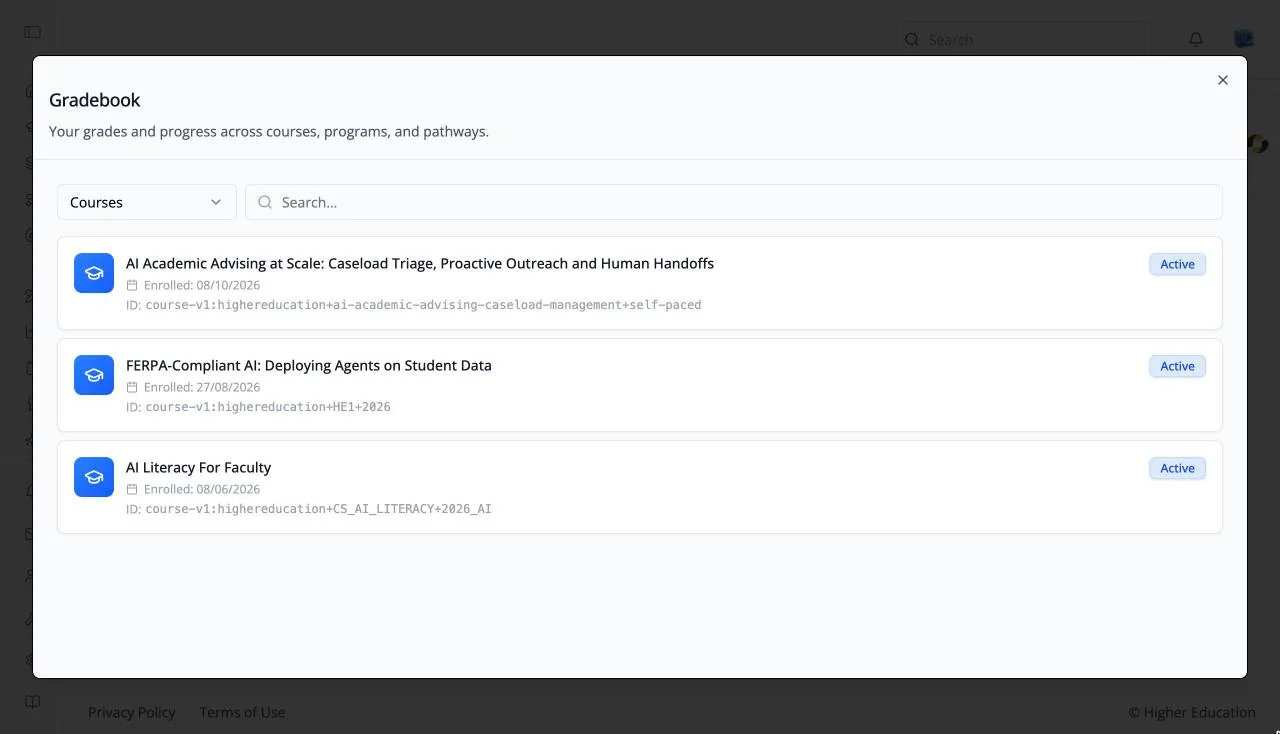
The Gradebook brings together your grades and progress across everything you are enrolled in: "Your grades and progress across courses, programs, and pathways."
Open it from the Gradebook icon (a clipboard) in the left rail, or from the Gradebook tab of the profile dialog.
Target Audience
Learner
Features
Content type
The selector at the top left switches the list between Courses, Programs, Pathways, Credentials, and Skills.
Search
"Search..." narrows the list by name.
Items
Each item shows its name, the date you enrolled, its ID, and a status badge such as Active. Open a course's Progress tab for the full breakdown.
How to Use
Step 1: Open the Gradebook
Click Gradebook in the left rail.
Step 2: Choose what to review
Choose Courses, Programs, or Pathways in the selector, and search for an item if the list is long.