Profile: Activity
Overview
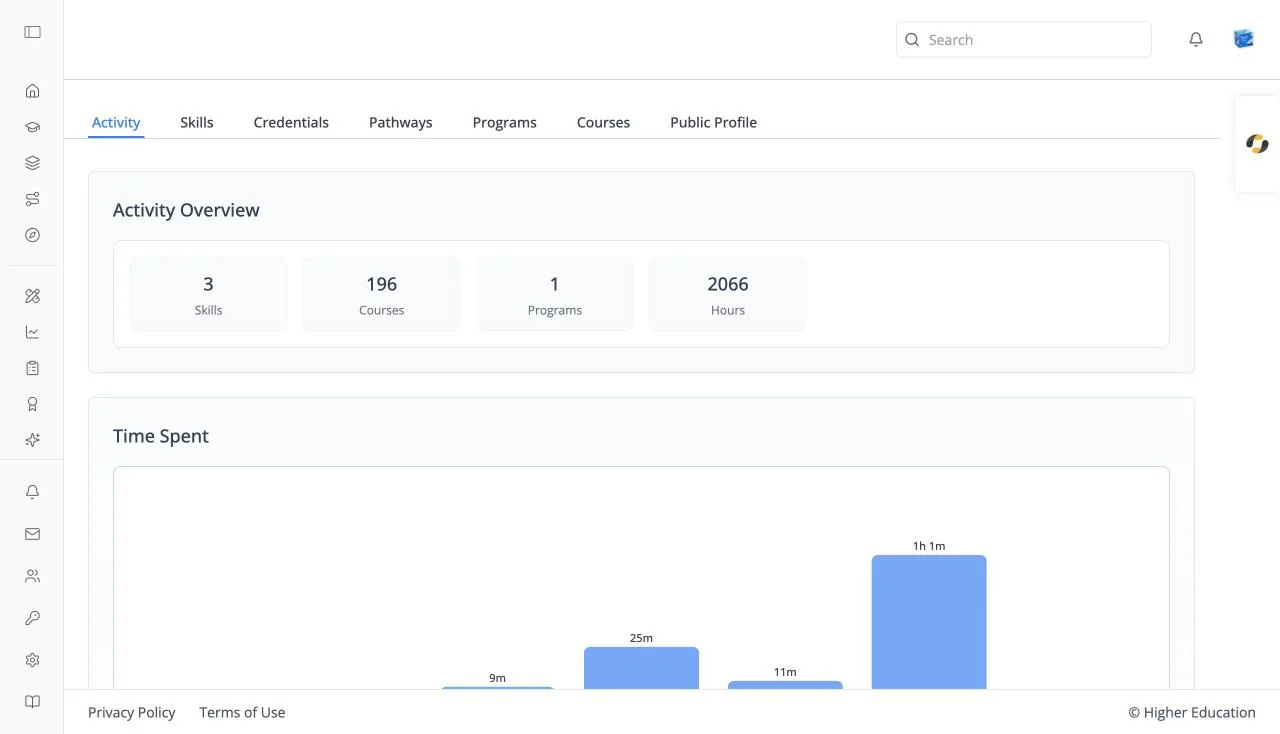
Activity is the first tab of your learner profile. It summarizes what you have done on the LMS: counts of your skills, credentials, and enrollments, the time you have spent this week, and your standing on the skill leaderboard.
Your learner profile lives at /profile and has seven tabs: Activity, Skills, Credentials, Pathways, Programs, Courses, and Public Profile. The Skills and Credentials tabs can also be opened as dialogs from the left rail.
Target Audience
Learner
Features
Activity Overview
Tiles counting your Skills, Credentials, Courses, Programs, Pathways, and Hours spent learning. A tile with a value of zero is hidden.
Time Spent
A bar chart of the time you spent learning on each of the last seven days, labelled with the day and the time (for example "45m" or "7h 20m"). Hover a bar for details; days with nothing read "No activity".
Profile Information
Cards for Last Accessed, Joined, Total Time Spent, and Top Content, the course you have spent most time on, with a link to it.
Skill Leaderboard
A chart placing you by Skill Points, with your level (Beginner, Novice, Intermediate, Advanced, or Expert), your points, and a percentile. It appears when both your organization and your own settings show the leaderboard.
How to Use
Step 1: Review your week
Check Time Spent to see how consistently you are learning.
Step 2: Jump back in
Click Top Content to return to the course you have invested most in.