Analytics: Audit
Overview
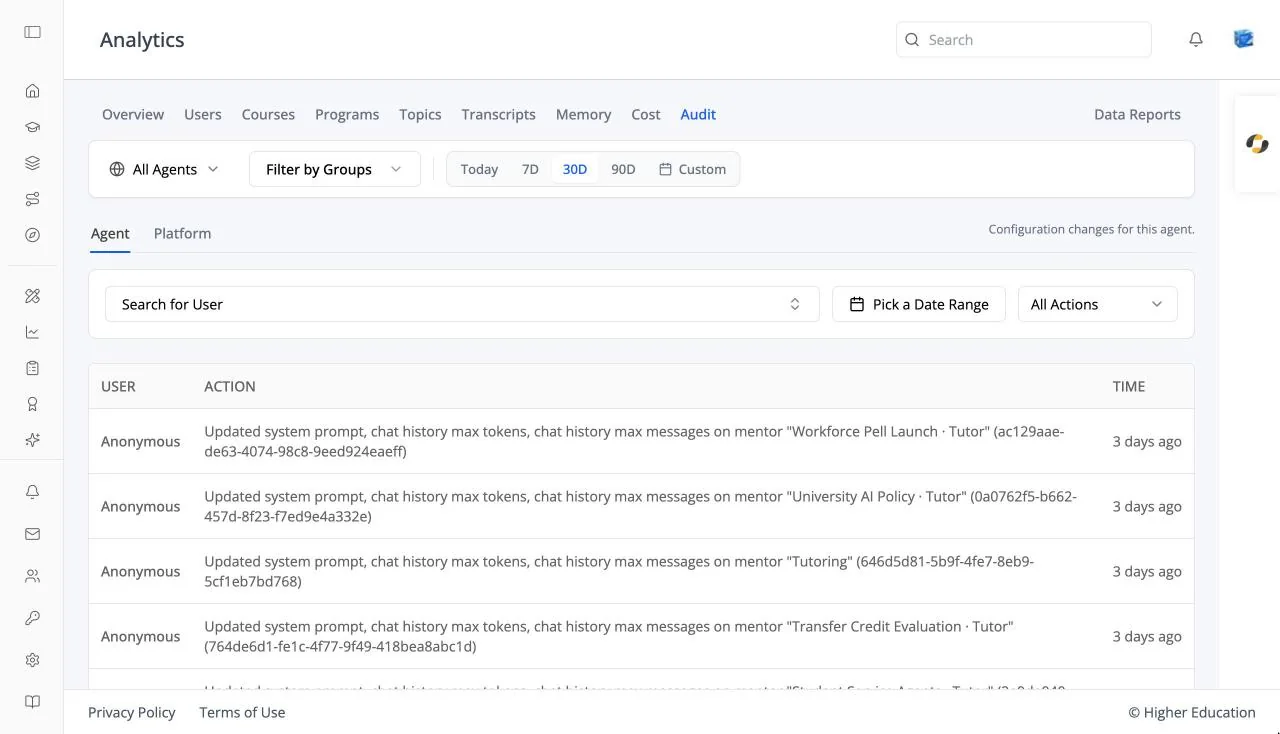
The Audit tab records who did what: changes to agents, and events across the platform. See also OS Analytics: Audit.
Target Audience
Administrator
Features
Agent / Platform
Switch between the agent's change log and the platform-wide log. The switch appears for organization administrators and users with audit-log permission.
Agent log
User, Action, and Time, filterable by user, date range, and action.
Platform log
Timestamp, Event / Action, Actor, Resource, IP Address, and Details. Filter by event type, action, actor username or email, and date range; Clear filters resets them. Click View to open the full Audit entry.
How to Use
Step 1: Pick the log
Choose Agent or Platform.
Step 2: Narrow it
Filter by person, action, or dates to find the change you are looking for, then click View.