Organization Settings: Virtual Machine
Overview
The Virtual Machine settings surface holds the two organization-wide records that decide what an agent's sandbox may reach and which credentials it may use — "Manage the network policies and secrets available to agents' virtual machines."
An agent running on the Virtual Machine Shell sandbox kind starts with no network at all. Opening that up is deliberate, and the things it is opened up to are defined here rather than per agent: a network policy is a named list of exact host:port destinations, and a VM secret is a key the agent can use but never read. Both are written once and reused across every agent in the organization, and neither is ever shared across organizations.
This page is the organization half of a surface whose other half lives on each agent. An agent selects from these records in its Sandbox settings, under Network Access; nothing here binds itself to an agent on its own.
To reach this screen, open the organization's Account settings and select the Virtual Machine tab. The entry is listed for administrators only.
Target Audience
Administrator | Security Team | Platform Engineer
Panel Reference
Network Policies / Secrets sub-tabs
The two record types, each loading its own list and gated on its own permission. Creating, changing and deleting policies and secrets are separate permissions, one for each, held by organization admins by default — so a sub-tab whose list call is refused is hidden rather than shown empty, and when both are refused the tab shows a single permission notice instead of either table.
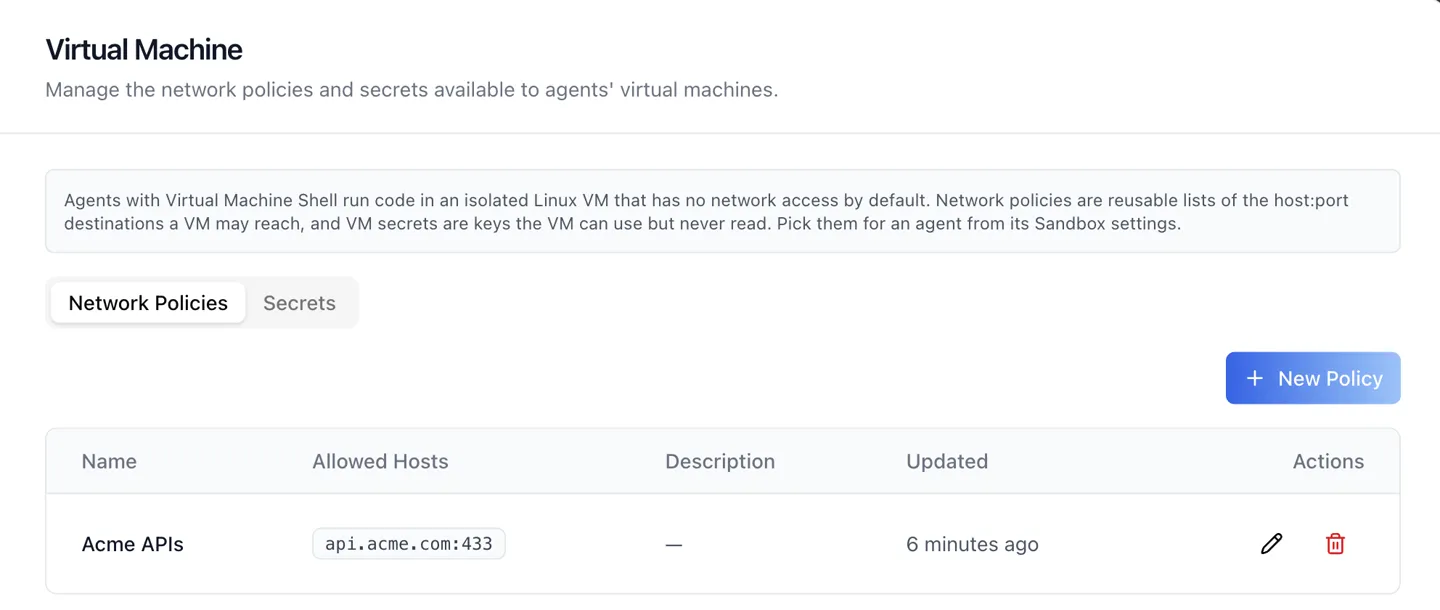
Network Policies table
Name, Allowed Hosts, Description, Updated and row actions. New Policy opens the form; every row can be edited or deleted.
- Entries are exact
host:portpairs — no wildcards — and at most 100 per policy. Loopback, link-local and cloud metadata addresses are refused outright. - Hosts are entered as chips: type one entry and press Enter (a comma or a space works too, and a pasted list is split). A rejected entry stays in the box with the reason shown underneath instead of becoming a chip, Backspace on an empty box removes the last chip, and each chip carries its own remove button.
- Removing hosts from a policy that agents already use is warned about in the form before you save, because the agents bound to it lose that destination.
- Deleting a policy asks for confirmation in its own dialog.
Secrets table
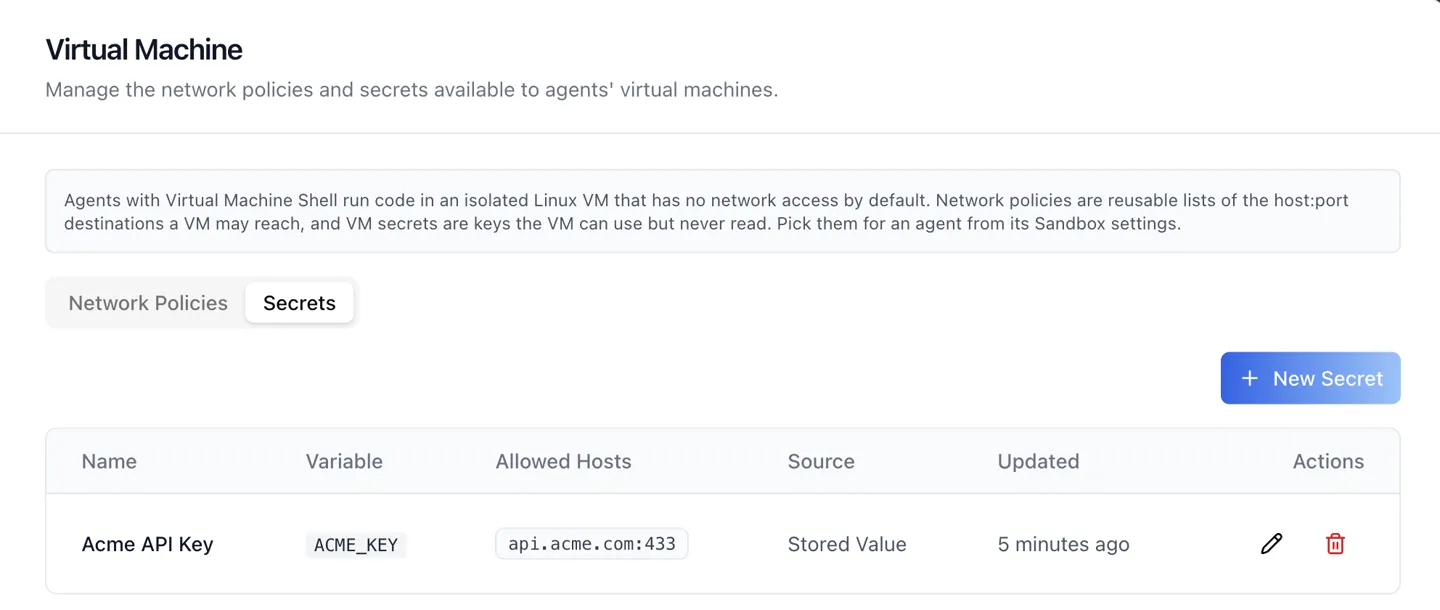
Name, Variable, Allowed Hosts, Source, Updated and row actions.
A secret's value is never returned by any endpoint. The form therefore never prefills it: on edit the value box stays blank ("Leave blank to keep the current value") and the Environment Variable name is read-only, because the agents already bound to it read that name.
Secret source: a stored value or a saved credential
A secret either carries its own Stored Value, or points at one field of a credential the organization already stores for an integration. Pointing at the stored credential means the key is never typed twice, and rotating it once updates every agent that uses it. Where the organization has no integration credentials yet, the form says so rather than offering an empty picker.
Allowed Hosts on a secret
The hosts whose requests the real value may be substituted into, entered as the same chips as a policy's. Inside the virtual machine the environment variable holds a placeholder; the real value is substituted only on encrypted requests to those hosts. The agent can call your API with the key and still cannot print, log or leak it.
How Do I Give One Agent Access to an Internal API?
Step 1: Write the policy
On Network Policies, click New Policy, name it for the system it describes, and add each host:port the agent needs as a chip. Save.
Step 2: Create the secret
On Secrets, click New Secret. Name it, set the Environment Variable the agent's code will read, add the same hosts under Allowed Hosts, and either paste a Stored Value or point the secret at a field of an existing integration credential.
Step 3: Bind them to the agent
Leave this dialog and open the agent's Sandbox settings. With Virtual Machine Shell active, set the Egress Profile to Custom Allowlist, select the policy, tick the secret, and save. Every host a bound secret needs must be covered by the selected policy; where one is not, the agent's panel offers to add the missing hosts to the policy as part of the save.
Notes
- Both record types are organization-wide. An agent's Network Access section only selects from them, so narrowing a policy here narrows it everywhere it is bound.
- A secret is useful only under the Public Internet or Custom Allowlist egress profiles; the other two give the virtual machine nothing to reach.
- The capability behind these screens, including per-second runtime billing, is described for a general audience in Agent Sandboxes: A Real Linux VM, Locked to Hosts You Allow and Agent Network Policies and Secrets, Now in Settings.