Profile: Security
Overview
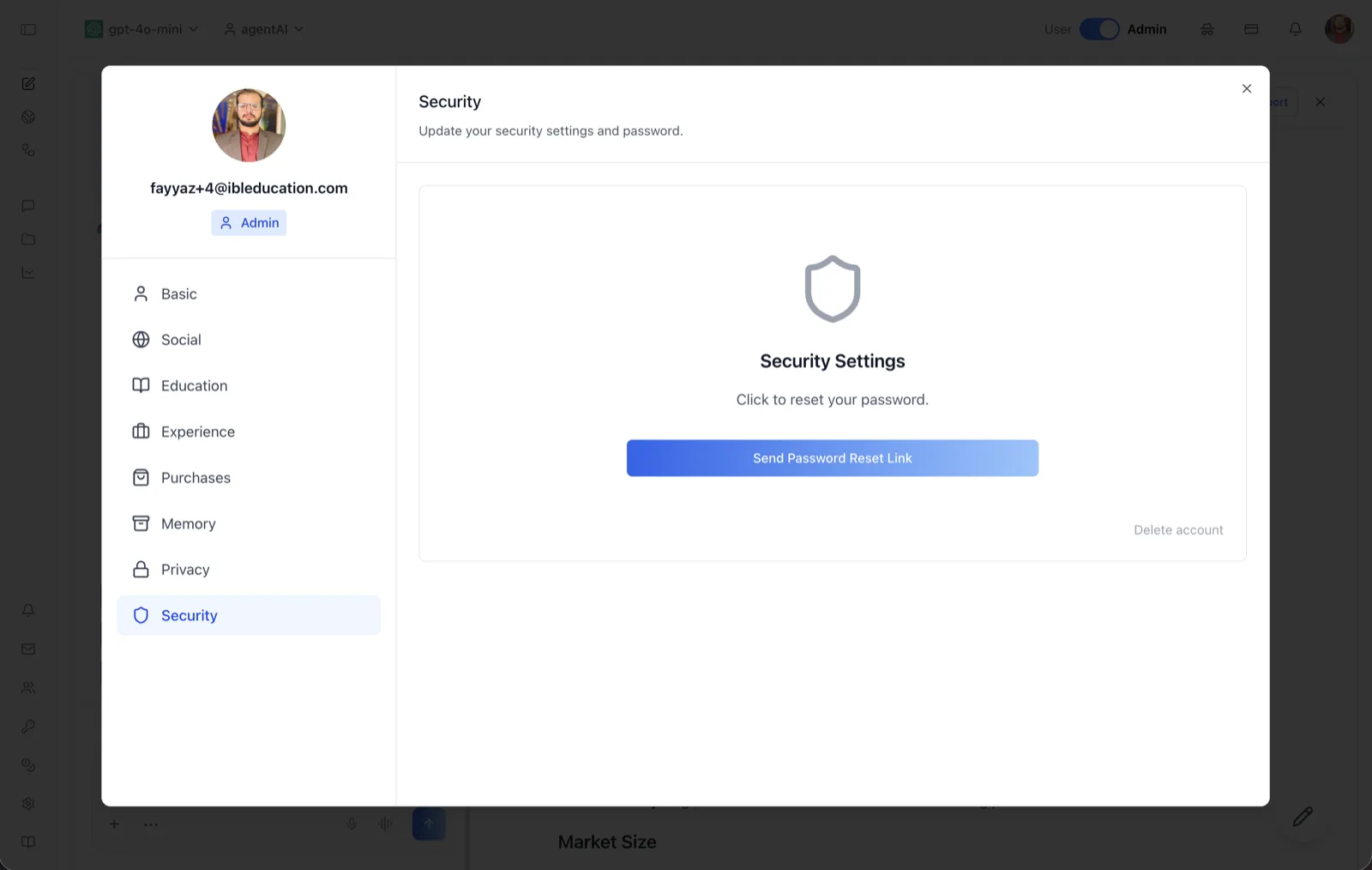
The Security tab of the User Profile dialog handles password resets and account deletion. Its header reads "Update your security settings and password," and the panel centers on a "Security Settings" card with a shield icon.
Password changes are done through an emailed reset link rather than an in-dialog form: the card's text reads "Click to reset your password," and the button below it sends the link to your account email. The tab intentionally has no "Save Changes" button — its actions take effect immediately.
To reach this screen, click your avatar in the top-right corner of the OS header, open your profile, and select "Security" in the left navigation rail.
Target Audience
User — any account holder managing their own credentials. Deleting an account is self-service and does not require an administrator.
Fields and Controls
Send Password Reset Link
The primary button on the Security Settings card. Clicking it sends a password-reset link to your account email; while the request is processing the label changes to "Sending Password Reset Link..." and the button is disabled. Follow the emailed link to set a new password.
Delete account
A low-emphasis link in the bottom-right corner of the card. Clicking it opens a confirmation dialog titled "Are you sure?" with the warning: "This will permanently delete your account and all associated data. This action cannot be undone. You will be logged out upon successful deletion." The dialog offers "Cancel" and "Yes, Delete My Account"; confirming shows "Deleting..." and then logs you out.
How to Use
Step 1: Open the Security tab
Click your avatar in the top-right of the header, open your profile, and choose "Security" from the left navigation.
Step 2: Reset your password
Click "Send Password Reset Link." Check the inbox of the email address on your account and follow the link to choose a new password.
Step 3: Delete the account (only if intended)
Click "Delete account," read the warning, and confirm with "Yes, Delete My Account." This permanently removes the account and all associated data, cannot be undone, and ends your session immediately. Click "Cancel" to abort.