Profile: Social Accounts
Overview
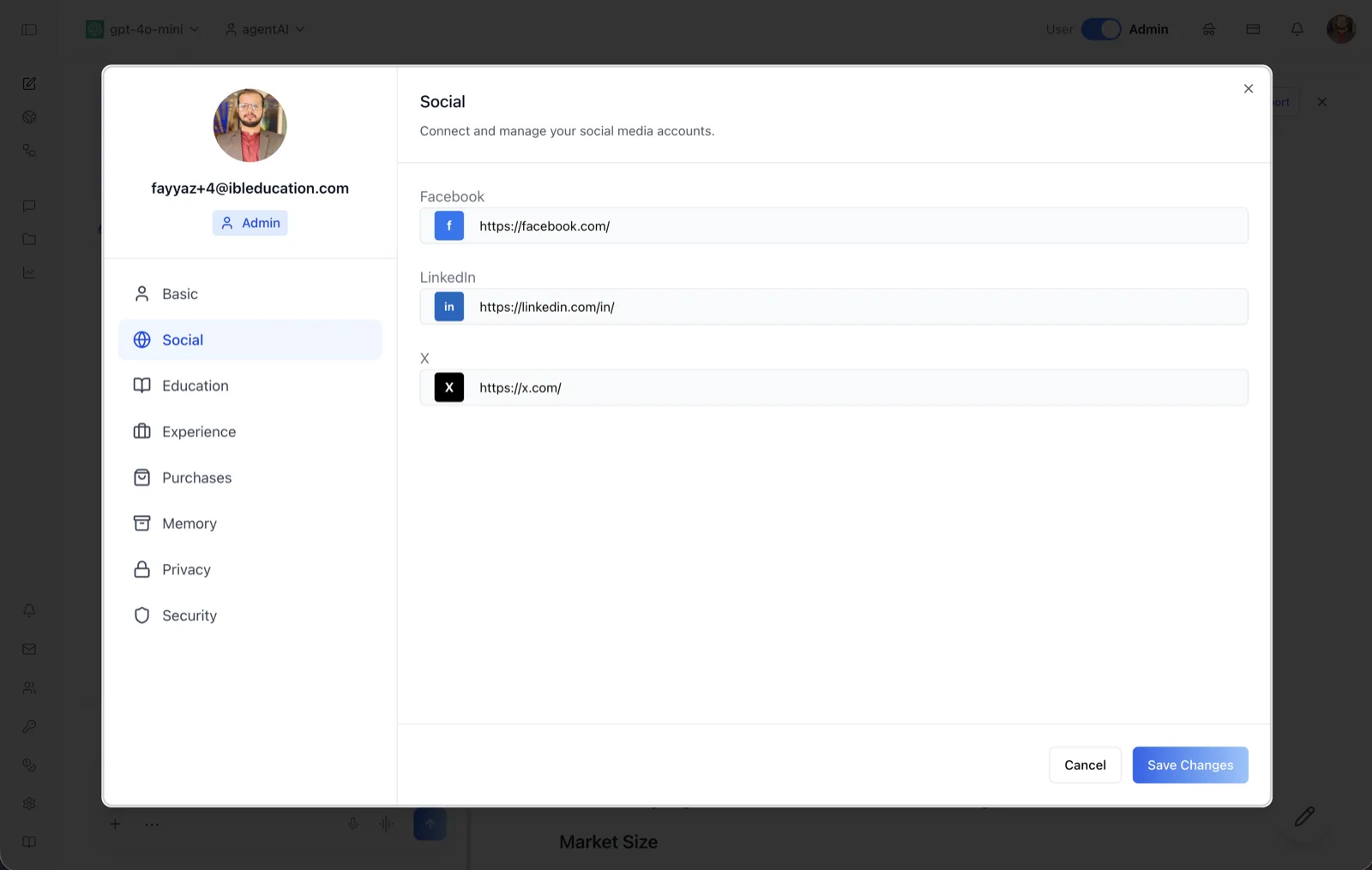
The Social tab of the User Profile dialog stores links to your social media profiles. Its header reads "Connect and manage your social media accounts," and it presents one URL field per supported network.
Three networks are supported: Facebook, LinkedIn, and X (formerly Twitter). Each field is pre-filled with the network's base URL — https://facebook.com/, https://linkedin.com/in/, and https://x.com/ — so you only need to complete the path to your own profile.
To reach this screen, click your avatar in the top-right corner of the OS header, open your profile, and select "Social" in the left navigation rail.
Target Audience
User — any account holder maintaining their own profile.
Fields and Controls
A URL field with a Facebook icon, pre-filled with https://facebook.com/. Enter the full URL of your Facebook profile.
A URL field with a LinkedIn icon, pre-filled with https://linkedin.com/in/. Enter the full URL of your LinkedIn profile (for example, https://linkedin.com/in/your-handle).
X
A URL field with an X icon, pre-filled with https://x.com/. Enter the full URL of your X profile.
Save Changes / Cancel
"Save Changes" persists the three URLs to your profile; "Cancel" discards unsaved edits. Both buttons sit at the bottom-right of the dialog.
How to Use
Step 1: Open the Social tab
Click your avatar in the top-right of the header, open your profile, and choose "Social" from the left navigation.
Step 2: Enter your profile URLs
Complete each pre-filled base URL with your own handle or path. You can fill in any subset of the three networks.
Step 3: Save
Click "Save Changes" to store the links, or "Cancel" to discard them.